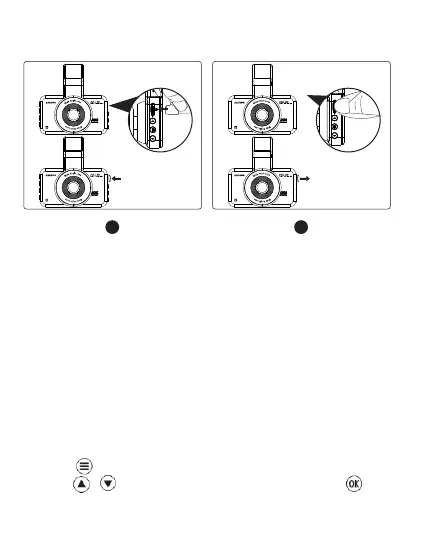
Installing Memory card
1. Insert a card with the golden contacts facing the LCD display
side of the dash cam.
2. To remove the card, gently push it until it pops and pull it out
of the slot.
Note:
1. Do not insert or remove the TF card when the dash cam is
powered on to avoid breakage of the card.
2. Please use a class 10 micro SD card from 32 GB to 128 GB.
3. Format the memory card before use.
Format the Memory Card
1. Press to enter setting interface.
2. Press / to locate Micro SD card set up, press to
enter Micro SD card format.


 To Next Page