Need help?
Do you have a question about the Crossbeats ROAD EYE DC01 and is the answer not in the manual?
Instructions for inserting and removing a TF card, with notes on card type and formatting.
Steps to format the Micro SD card using the dash cam's menu interface.
Guide on mounting the dash cam, routing the cable, and connecting power.
Explains how the dash cam automatically turns on/off with the car engine.
Instructions for manually turning the dash cam on and off using the power button.
Guide on navigating the menu to adjust various settings for the dash cam.
How to access and navigate through recorded videos and photos.
Details on selecting, playing, pausing, and fast-forwarding/rewinding video files.
Instructions for selecting, viewing, and deleting photo files.
How to select, play, pause, and navigate locked video files.
Settings for video resolution, frame rate, and continuous recording duration.
Options to enable/disable audio recording and adjust video brightness.
Features for time-lapse recording and Advanced Driver Assistance System calibration.
Explanation of the G-sensor for impact detection and its protection levels.
Details on Time Lapse and Impact Detection parking monitoring modes.
Options to set the dash cam's language and adjust beep sound volume.
Settings for LCD screen timeout and power frequency (50Hz/60Hz).
Configuration for date/time, video stamps, fatigue warnings, and SD format reminders.
Options to format the memory card or restore factory default settings.
Information on checking and updating the dash cam's firmware.
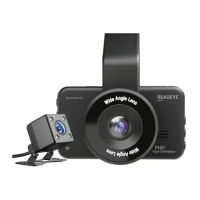
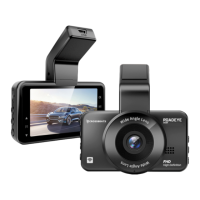
The Crossbeats ROADEYE DC01 is a dash camera designed for vehicle use, offering a range of features for recording and monitoring driving activity.
The primary function of the ROADEYE DC01 is continuous video recording. Users can select between FHD 30fps (default) and HD 30fps video resolutions, with higher resolutions resulting in smoother videos but consuming more storage space. The "Movie Chip Time" setting allows for continuous recording with options for Off, 1 minute (default), 3 minutes, or 5 minutes. The dash cam automatically deletes the oldest files when the memory card is full to ensure continuous recording.
The device includes a "Sound Record" feature, which can be toggled On (default) or Off, determining whether audio is captured with the video files. "Exposure" settings allow users to adjust video brightness or darkness according to their preference.
A "Video Time Lapse" function (Off by default, can be set to On) enables the dash cam to sustain longer operational periods by reducing video file size, with videos played back at high speed.
The ROADEYE DC01 also features an Advanced Driver-Assistance System (ADAS). To use ADAS, it must be turned on in the Menu Setting, and the front lens needs to be calibrated on a straight road. Calibration is successful when two green lines coincide with the road, a cross icon is in the middle of the road, and then blue lines coincide with the road while the green lines disappear. It's important to note that ADAS is an auxiliary function with an accuracy rate of up to 90%, which may decrease in adverse weather or complex road scenes. Regular calibration is recommended.
A "Protect Level" feature (Off by default, with options for Low, Middle, High) utilizes a 3-axis impact gravitational accelerometer (G-sensor). When triggered by physical or gravitational impact, the G-sensor locks the current video file as an emergency file, preventing it from being deleted by the loop cycle function.
For parking surveillance, the dash cam offers "Parking Monitoring" which requires a KACAM 3-wires hardwire kit. Once connected, there are three options: Off, Time Lapse Parking Mode, and Impact Detection Parking Mode. In Time Lapse Parking Mode, the dash cam records at 1S/1FPS after the car is shut down. In Impact Detection Parking Mode, the dash cam turns off after the car is shut down but will wake up, record, and lock a video file if vibration is detected within 30 seconds, saving it to the Event folder before shutting down again.
 General
| Brand | Crossbeats |
|---|---|
| Model | ROAD EYE DC01 |
| Category | Dash Cameras |
| Language | English |

 To Next Page