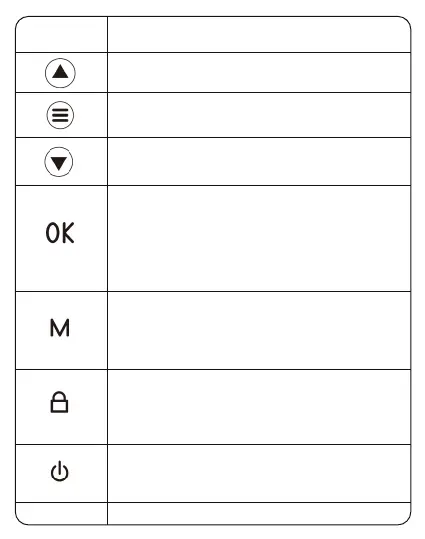
1. Select function options in setup mode
2. Select previous video in playback mode
1. Select function options in setup mode
2. Select next video in playback mode
1. In recording mode, press once to start
recording, press one more time to stop recording.
2. Long press once to shoot photos when
recording.
3. Press once to confirm your setting in settings
mode.
1. Press once to shift between Video/Photo/Lock
Video playback mode.
2. Press once to return to previous page in
playback mode
1. Press once to shift between Video/Photo/Lock
Video playback mode.
2. Press once to return to previous page in
playback mode
1. Press once to turn on the device.
2. Press once to lock the screen.
3. Press and hold to turn off the device.
Reboot the device and default settings.
Press once to enter menu setting.
(Disabled in recording mode)
Button
Reset
Operation and Function


 To Next Page