Need help?
Do you have a question about the Crosscall CORE-T4 and is the answer not in the manual?
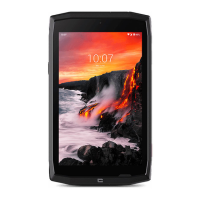
Rated IP68 for immersion and heavy rain functionality with Wet Touch technology.
TPU protection, Gorilla Glass 3 for shock and scratch resistance.
System of accessories attachable via magnetic connector for enhanced functionality.
Identifies major physical parts and connection points on the device.
Details the magnetic connector for accessories, charging, and data transfer.
Step-by-step guide for inserting SIM and SD cards into the tablet.
Instructions for powering the device on and off using the on/off button.
Magnetic connector for accessory attachment, charging, and data transfer.
Secure attachment accessory for maximum hold and vibration reduction.
Details on magnetometer, accelerometer, GPS, light, and network sensors.
Steps for setting up the emergency alert application.
Setting up emergency message and phone number.
Linking the emergency function to a physical button.
Feature to lock the touchscreen, useful for underwater photography.
Tips for managing apps, switching, and using split-screen mode.
Details on battery usage times and proper charging procedures.
Explains basic navigation gestures for home, recent apps, and back functions.
Instructions on using tap, long press, swipe, and drag for interaction.
Using long press for options and swipe for scrolling/navigation.
Using two fingers for zooming in and out on content.
Steps to access and dismiss the notification and shortcut panels.
Guide for transferring files between the tablet and a computer via USB.
Steps to enable or disable mobile data usage.
Procedure to restore the tablet to its original factory settings.
Overview of the main screen layout and status bar icons.
How to use app icons and widgets for quick access.
Instructions for initiating voice calls using the keypad or contacts.
Guide for dialing numbers in different countries.
How to answer or decline incoming calls.
Methods for creating, adding, and importing contact information.
Techniques for finding contacts in the address book.
Steps for composing, sending, and viewing text messages.
How to find specific messages using keywords.
Instructions for framing and capturing photos with the device camera.
How to view, delete, and share images and videos.
Instructions for performing calculations with the calculator app.
Steps for transferring and playing audio files on the tablet.
Navigating the internet and managing web pages.
Steps to set up email accounts on the tablet.
Important precautions for safe usage, handling, and environment.
Precautions regarding usage by vulnerable individuals and device modification.
Guidelines for maintaining IP68 water resistance and care after water exposure.
Advice on cleaning and handling the device after contact with water or liquids.
Precautions regarding electromagnetic fields and pacemakers.
Guidelines for safe charging, power adapter use, and ventilation.
Guidelines for proper disposal and cleaning of the device and its parts.
Information on making emergency calls and their reliability.
Tips to minimize user exposure to radio frequency radiation.
Declaration of conformity with EU directives and radio frequency band restrictions.
Details on recommended accessories and their specifications.
Legal notice regarding the use and copying of document content.
Details on what the warranty covers and common exclusions.
Steps for backing up data and removing SIM/SD cards before service.
List of documents needed when sending the tablet for repair.
 General
| Display Size | 8 inches |
|---|---|
| Resolution | 1280 x 800 pixels |
| Processor | Qualcomm Snapdragon 450 |
| RAM | 3 GB |
| Internal Storage | 32 GB |
| Rear Camera | 13 MP |
| Front Camera | 5 MP |
| Battery Capacity | 7000 mAh |
| Waterproof | IP68 |
| Dust Resistance | IP68 |
| Shock Resistance | MIL-STD-810G |
| Connectivity | 4G LTE, Wi-Fi |
| Operating System | Android 9.0 |

 To Next Page