Getting a clear signal from the head unit to the amplifier is very important. To achieve this, the proper signal cables (RCA style) must be used. Estimate
the length of the cables necessary. Take note that signal cable manufacturers will probably not have the exact length necessary for your vehicle. If you are
between sizes, purchase the slightly longer cable. You can always hide the extra wire.
Be aware of the differences in cable. Better RCA's usually have multiple layers of shielding and/or twisted pair wiring for better noise rejection. Ask your
local dealer for his recommendation.
LINE LEVEL INPUTS
Car environments are notorious for poorly insulated wires. This means that hiss, engine noise, and electrical noise can easily be picked up through RCA
cables if run incorrectly. To avoid inducing noise into the system, run the RCA's away from large wire looms and electric fans if possible. And always make
sure to position your signal cables away from the power wire, preferably on the opposite side of the vehicle. As with the power wire, use caution around
sharp corners or body parts that may easily cut through the cables.
When connecting the signal cables, check the balance to the source unit and the amplifier. The cables should be marked: red is right and black or white is
usually left. Once you have connected the signal cables to the head unit, slide the unit back into the dash. Make sure the unit is in securely.
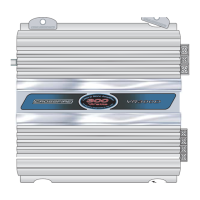
A proprietary feature to the four channel amplifiers including the VR705D is a "Combining" switch located underneath the amplifier. With this switch set to
the "2CH" position allows you to only feed the "Front" inputs an audio signal, but still use all four output channels with independent gain controls. This is a
great convenience factor if the headunit you are using only has a single pre-amp output.
Separate to the VR705D only is a "Sub Input" selector switch. With this switch positioned to "CH 1-4" the fifth channel will sum to the signal input of "CH
1-4". Please see diagram in PG-7 for more information. Or if you have any doubts please call your authorized Crossfire dealer or contact Crossfire directly
at (562) 906-0800
HIGH LEVEL INPUTS
*If your model amplifier has an "Input Sensitivity" switch you may go on to the next section.
Select models have "High level Inputs" marked "High In". Use these inputs only if your current head unit does not have low level outputs. These inputs
may be tapped to the closest left and right speaker wires available. Please see diagram in PG-7.
INPUT SENSITIVITY (DO NOT CONNECT SPEAKER LEVEL OUTPUTS TO THIS TERMINAL)
*If your model amplifier has a "High Level Input Plug" you may go on to the next section.
Select models have an Input sensitivity switch(s) which are meant to assist the amplifier in producing its rated power when using a head unit with low
voltage preamp outputs. For example, if your particular amplifier has this switch(s) and is affixed to the "X3" position the amplifier is most sensitive to an
input voltage range from 450mV-9V. When this switch is set to the "X1" position it is most sensitive to an input voltage range from 150mV-3V.
LEVEL CONTROL
Next to the preamp inputs on the side panel of the amplifier is the level control, commonly referred to as the gain. The gain allows you to match the
output level of your source unit or signal processor to the input level of the amplifier. Matching the input can be accomplished in three simple steps:
1. Turn gain (level) control to minimum.
2. Turn on the source unit and adjust to 2/3 of max volume while playing music.
3. Adjust the gain control until desired, maximum volume is achieved without audible distortion.
Remember that the gain control is not a volume knob. Ignoring the three steps above may leave you with damaged speakers and possibly
damaged amplifier(s).



 To Next Page