BA_Migros_ED3EX_GB 09.02.2011 12:13 Uhr Seite 33
Probedruck
C M Y CM MY CY CMY K
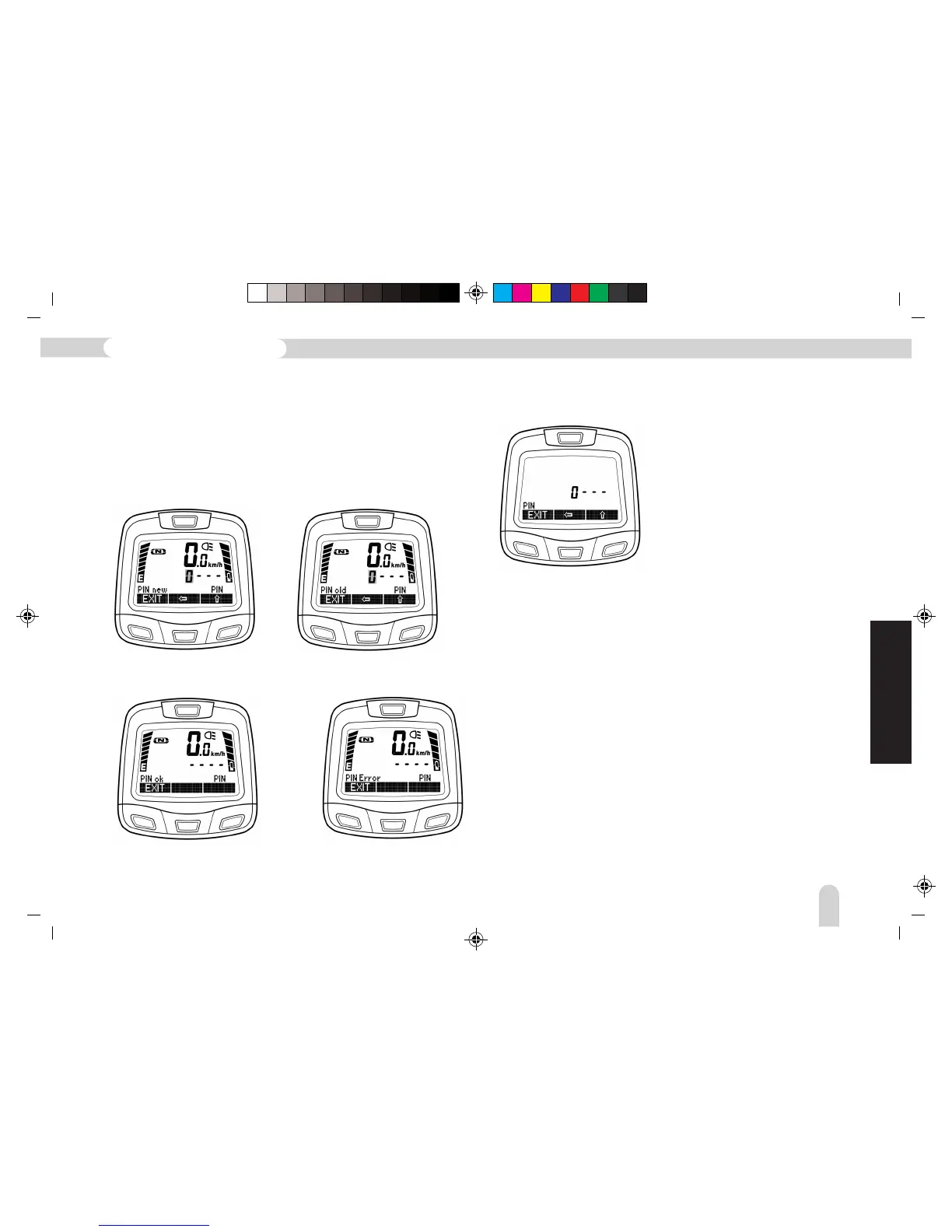
The first position flashes, starting with 0. Navigate one step
further to the right by using the arrow buttons. After entering
the currently activated PIN (old), a command is given to enter
the new PIN (new). Before the new PIN can be finally adopted,
it must be re-entered (rpt) for safety reasons.
Entering the new PIN Repeating the new PIN
After correct repeat of the PIN
Wrong PIN: Cancel using
EXIT, then re-enter
If the PIN has been altered and the display switched off, once
it has been switched on again the new PIN will be requested:
Entering the PIN is similar to SETUP. The first position flashes,
starting with 0. The flashing figure can be altered by pressing
the arrow button “' (from 0 – 9). Navigate one step further
to the right by using the arrow button “
'. Once the PIN has
been entered correctly the Main Menu appears in the display.
If a number has been incorrectly entered, the cursor returns to
the first position again so that input of the PIN can be restarted.
If you should have forgotten the number of a changed PIN, then
please contact your dealer. By entering a “Super PIN” the bicycle
can be reactivated. This “Super PIN” can only be created at the
factory.
GB
129
Pedelec with Lithium-ion battery



 To Next Page