10
CO Alarm Features and Functions
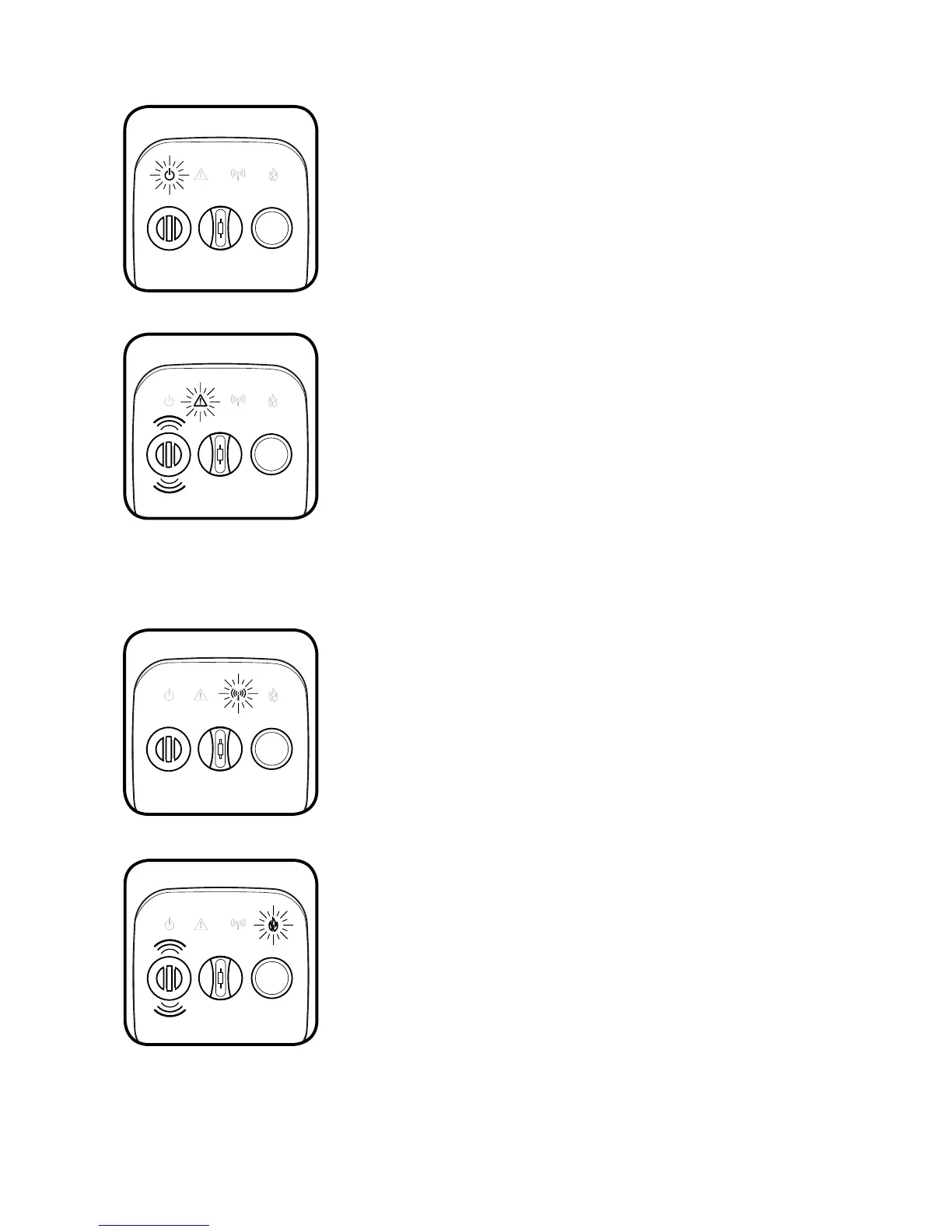
Power Indicator Light (Green)
On the CFCO10, the POWER icon will briefly flash
once every 30 seconds when the alarm has been
activated.
WIRELESS will flash once per second to indicate the radio
network is open to accept additional alarms into the
network.
Wireless Networking Light (Blue)
Warning Light (Red)
WARNING will flash rapidly when a CO alarm detects
sufficient levels of CO gas. This will be accompanied
by the 4-beep sounding of the horn.
FIRE will flash when the alarm detects sufficient
quantities of heat. This is accompanied by the sounding
of the horn.
FIRE will stay on continuously if the alarm was triggered
remotely by another alarm on the wireless network.
Fire Warning Light (Red)
The FIRE warning light can be triggered in two ways
on the CO alarm, either exposure to sufficient heat or
remotely by another alarm on the wireless network.
WIRELESS will cease to flash one minute after the last
alarm has been added to the network or immediately
after the button has been pressed.
WARNING will flash red every 30 seconds
accompanied by the horn chirp, for a minimum of 7
days, to indicate Low Battery. Replace the alarm.
FIRE will continue to flash twice per minute (without the
horn) for three days after exiting an alarm condition, or
until the front button has been pressed and released.
WARNING will double flash red every 30 seconds
accompanied by the horn chirp, to indicate that
the alarm’s CO sensor has reached its End-of-Life.
Replace the alarm.



 To Next Page