Issue 4 – December 2016 Page 7
3. Alarms
3.1.Alarm Types
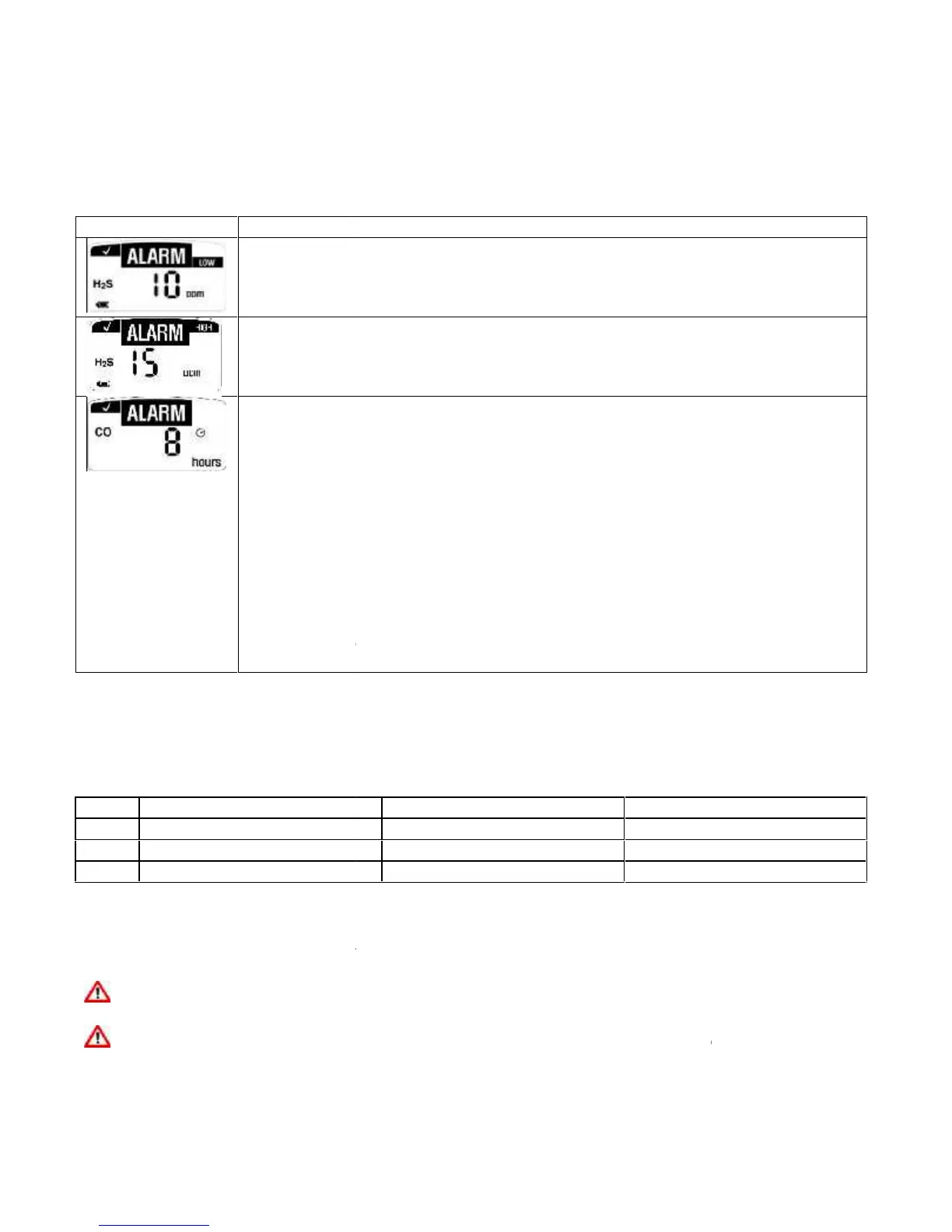
LOW ALARM
Audible Alarm: One (1) slow beep every second
Visual Alarm: One (1) slow flash every second
Vibrating Alarm: One (1) slow vibration every second
HIGH ALARM and OVER LIMIT (OL) ALARM
Audible Alarm: Two (2) fast beeps every second
Visual Alarm: Two (2) fast flashes every second
Vibrating Alarm: Two (2) fast vibrations every second
PERSONAL MONITOR LIFE COUNTDOWN ALARM
Once less than One (1) month of life is remaining, the display will switch to days
remaining, when it is less than One (1) day remaining the display will switch to
hours remaining. Once the Eight (8) hours are remaining, it will begin to beep,
flash, and vibrate;
Eight (8) slow beeps per minute
Eight (8) slow flashes per minute
Eight (8) slow vibrations per minute
To discontinue the alerts and end the unit life, press the button.
When the battery life remaining clock displays 0 hours the personal monitor will
operate for (8) hours before deactivating
3.2.Alarm Set Points
In order to comply with the 3 main regional alarm requirements, Crowcon offer the following standard
Default factory set points:
Low 30 ppm / High 100 ppm
*Note these set points can be changed using the Crowcon IR Link. Please refer to section XX for
further details.
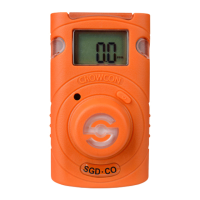
To display the personal monitor alarm set points press the button on the front of the personal monitor.
Use caution when changing alarm set points. Confirm these levels with your company safety
officer.
DO NOT use IR communications when an explosive atmosphere may be present.
Issue 4 – December 2016 Page 7
3. Alarms
3.1.Alarm Types
LOW ALARM
Audible Alarm: One (1) slow beep every second
Visual Alarm: One (1) slow flash every second
Vibrating Alarm: One (1) slow vibration every second
HIGH ALARM and OVER LIMIT (OL) ALARM
Audible Alarm: Two (2) fast beeps every second
Visual Alarm: Two (2) fast flashes every second
Vibrating Alarm: Two (2) fast vibrations every second
PERSONAL MONITOR LIFE COUNTDOWN ALARM
Once less than One (1) month of life is remaining, the display will switch to days
remaining, when it is less than One (1) day remaining the display will switch to
hours remaining. Once the Eight (8) hours are remaining, it will begin to beep,
flash, and vibrate;
Eight (8) slow beeps per minute
Eight (8) slow flashes per minute
Eight (8) slow vibrations per minute
To discontinue the alerts and end the unit life, press the button.
When the battery life remaining clock displays 0 hours the personal monitor will
operate for (8) hours before deactivating
3.2.Alarm Set Points
In order to comply with the 3 main regional alarm requirements, Crowcon offer the following standard
Default factory set points:
Low 30 ppm / High 100 ppm
*Note these set points can be changed using the Crowcon IR Link. Please refer to section XX for
further details.
To display the personal monitor alarm set points press the button on the front of the personal monitor.
Use caution when changing alarm set points. Confirm these levels with your company safety
officer.
DO NOT use IR communications when an explosive atmosphere may be present.
Issue 4 – December 2016 Page 7
3. Alarms
3.1.Alarm Types
LOW ALARM
Audible Alarm: One (1) slow beep every second
Visual Alarm: One (1) slow flash every second
Vibrating Alarm: One (1) slow vibration every second
HIGH ALARM and OVER LIMIT (OL) ALARM
Audible Alarm: Two (2) fast beeps every second
Visual Alarm: Two (2) fast flashes every second
Vibrating Alarm: Two (2) fast vibrations every second
PERSONAL MONITOR LIFE COUNTDOWN ALARM
Once less than One (1) month of life is remaining, the display will switch to days
remaining, when it is less than One (1) day remaining the display will switch to
hours remaining. Once the Eight (8) hours are remaining, it will begin to beep,
flash, and vibrate;
Eight (8) slow beeps per minute
Eight (8) slow flashes per minute
Eight (8) slow vibrations per minute
To discontinue the alerts and end the unit life, press the button.
When the battery life remaining clock displays 0 hours the personal monitor will
operate for (8) hours before deactivating
3.2.Alarm Set Points
In order to comply with the 3 main regional alarm requirements, Crowcon offer the following standard
Default factory set points:
Low 30 ppm / High 100 ppm
*Note these set points can be changed using the Crowcon IR Link. Please refer to section XX for
further details.
To display the personal monitor alarm set points press the button on the front of the personal monitor.
Use caution when changing alarm set points. Confirm these levels with your company safety
officer.
DO NOT use IR communications when an explosive atmosphere may be present.



 To Next Page
 Loading...