019 0021
Center Dash Speaker
NOTES:
Please read first
• Instructions show factory size speakers or speakers
with adaptor brackets only. Cutting or fabrication (not
shown) will be required for other speaker sizes.
No speaker wiring adaptor is available at this time from
Crutchfield for this location. It will be necessary to splice
wires in order to install an aftermarket speaker.
IMPORTANT
!
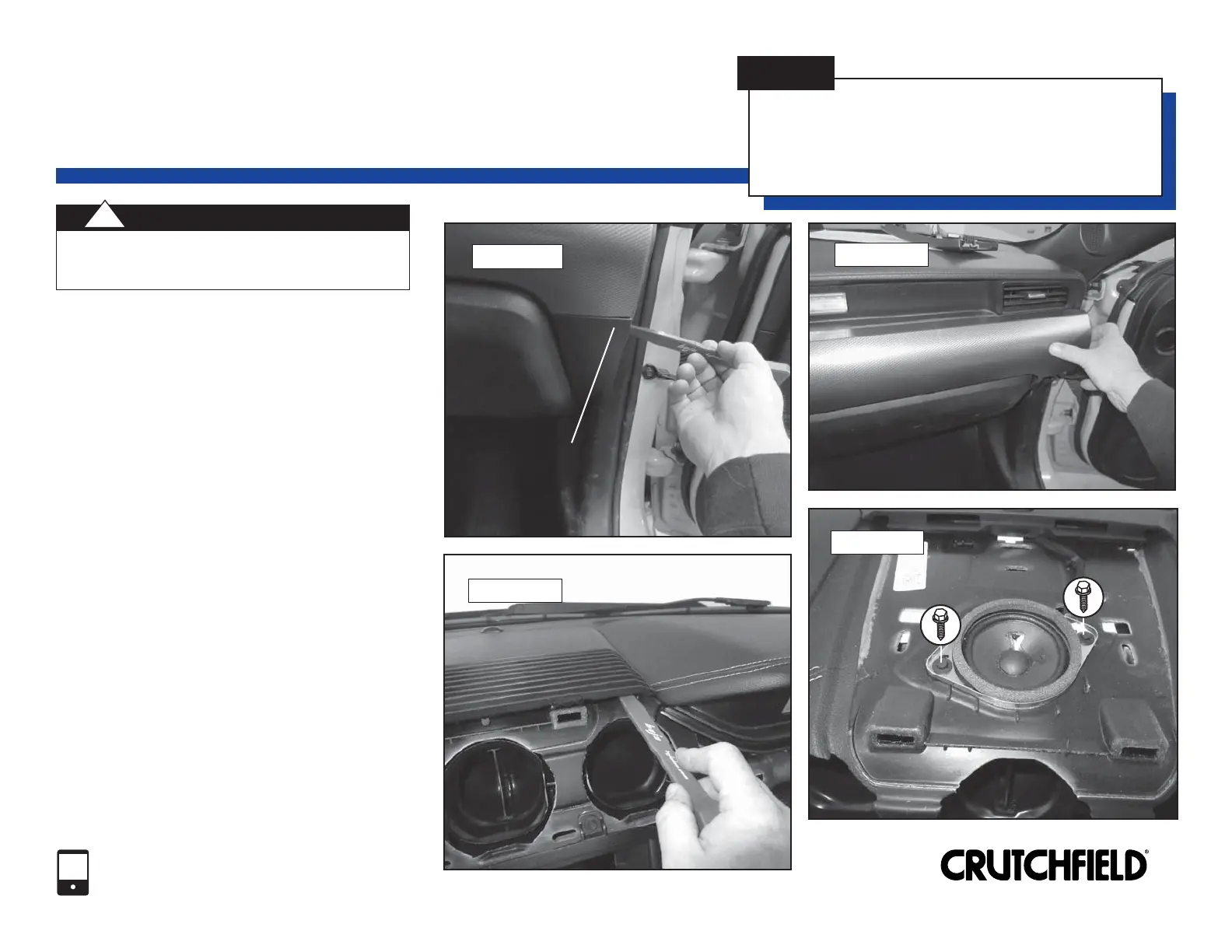
1. Pry off glove box right trimpanel to release
three (3) clips and remove trimpanel (Figure 1).
2. Pry off center vent panel to release thirteen
(13) clips and remove vent panel (Figure 2).
3. Starting at the rear edge, pry up center dash
grille to release four (4) clips. Remove grille
(Figure 3).
4. Remove two (2) 7mm screws securing speaker.
Pull out speaker, disconnect and remove
(Figure 4).
5. Make wiring connections following instructions
on page 13. Return to this page to complete
installation.
6. Secure speaker to location with screws
previously removed.
7. Test speaker operation and reassemble by
reversing disassembly steps.
FIGURE 1
Center Vent Panel
FIGURE 2
FIGURE 3
FIGURE 4
Copyright 2018 Crutchfield Corporation
1-800-955-9094
TECHNICAL SUPPORT
7
Center Dash Grille
Glove Box Right Trimpanel
Glove Box Right Trimpanel


 To Next Page
 Loading...