Specifications
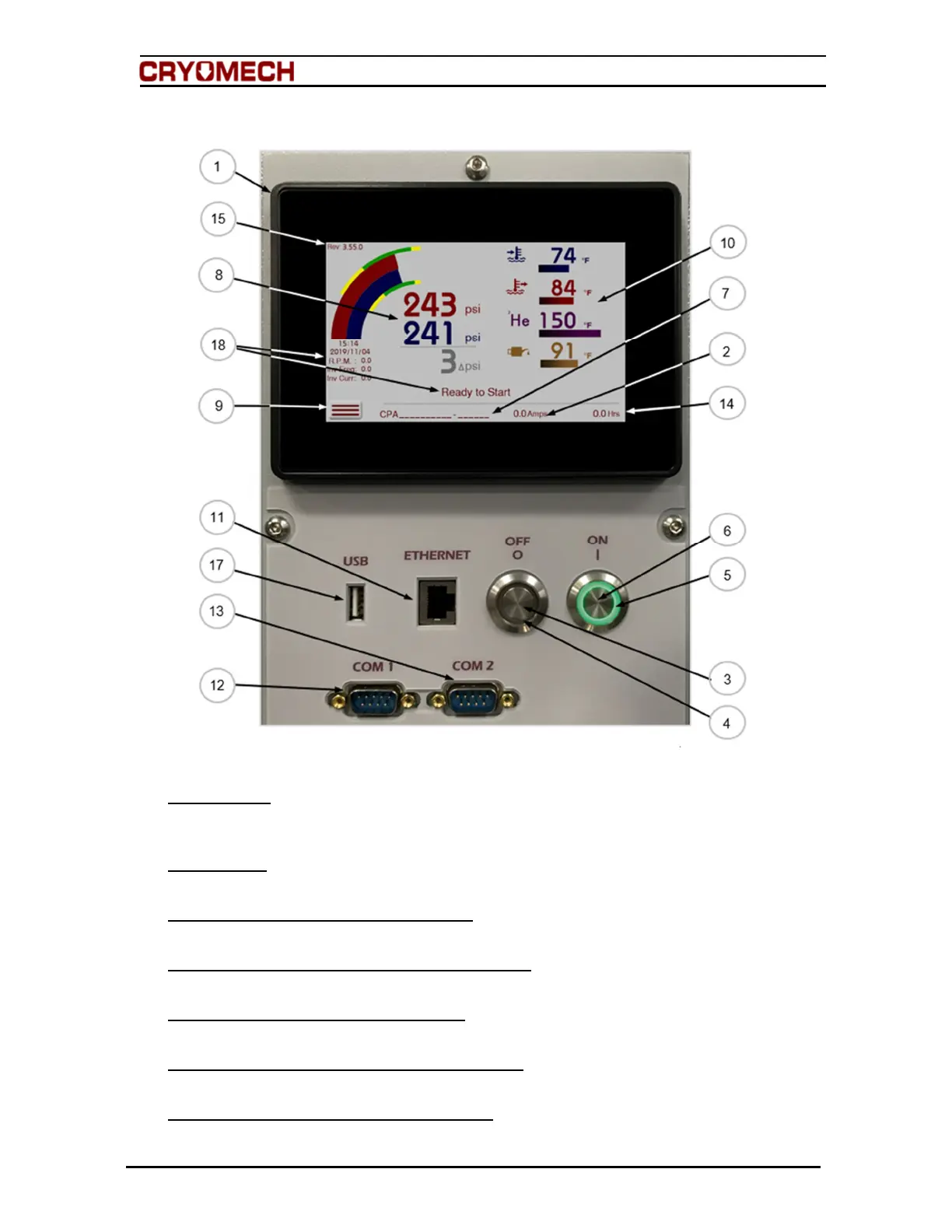
5.3.2. Control panel description
Figure 5-4: Control panel of the helium compressor package
1. Touch Screen
Displays system status, warnings, error messages, operation data, system information and
allows users to interact with the helium compressor package.
2. Current Draw
Displays in amps, the current draw of the system.
3. Helium Compressor Package OFF Button
Mechanical interface used to stop the system.
4. Helium Compressor Package OFF Indicator Light
Illuminates red when the system is off, flashes red with the system is in an error state.
5. Helium Compressor Package ON Button
Mechanical interface used to start the system.
6. Helium Compressor Package ON Indicator Light
Illuminated green when the system is running.
7. Helium Compressor Package Serial Number
Unique number used for tracking purposes and to identify the helium compressor package
model.



 To Next Page