6
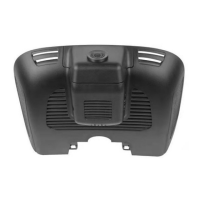
FHD Digital Video Recorder for Mercedes-Benz
Voice Nocaon
Trouble shoong
Issue Soluon
Failed to link MetaDrive2
app with DVR
1. Turn OFF Mobile Data
2. Make sure the DVR Wi-Fi is turned ON.
3. Connect DVR Wi-Fi on Mobile phone Wi-Fi seng.
Note: DVR Wi-Fi does not provide internet data. Keep Wi-Fi connecon in order to connect to the DVR.
4. Please conrm the DVR is ON and Blue light is ashing.
5. Delete the App and download it again.
Can’t record video 1. Change the “CLASS 10” high speed SD Card or format it;
2. Change the resoluons;
3. Check if the SD Card has been inserted correctly (normally will hear a “click” sound when inserng).
4. Delete the video les in the SD Card to release the memory space.
Bad quality videos 1. Change the resoluons;
2. Make sure the camera lens and windscreen is cleaned. If not, wipe o the dust before recording
DVR feature / seng
buon abnormal
1. Press the Reset buon with a needle to reset the factory default sengs or restart the device. Use this reset
buon carefully as this operaon may lead to data lost.
Audio recording is not clear 1. Try to use another player to play the SD Card videos. It is advisable to play the videos on a PC.
Mosaic appeared on mobile
phone video pictures
1. Get close to the DVR in order to strengthen the WiFi signal;
2. Set and decrease the preview resoluons on mobile phone;
3. Use a higher conguraon mobile phone to connect and play.
Scenario Voice reminder
Without inserng SD Card Please insert memory card.
Detected SD Card abnormal / error Memory card abnormal, please use another memory card.
SD Card unable to save the recording video / photo System abnormal.
Clean the SD card on the 28th of each month
Please regular clean up memory card before erasing the SD Card.
1. Connect Wi-Fi with your mobile phone.
2. Click to Seng Menu.
3. Search and click “Format SD Card”.
4. Enter”OK” to erase all video / photo in SD Card.
Note: Please download and save your important videos / photos before erasing the SD Card.


 To Next Page
 Loading...