16
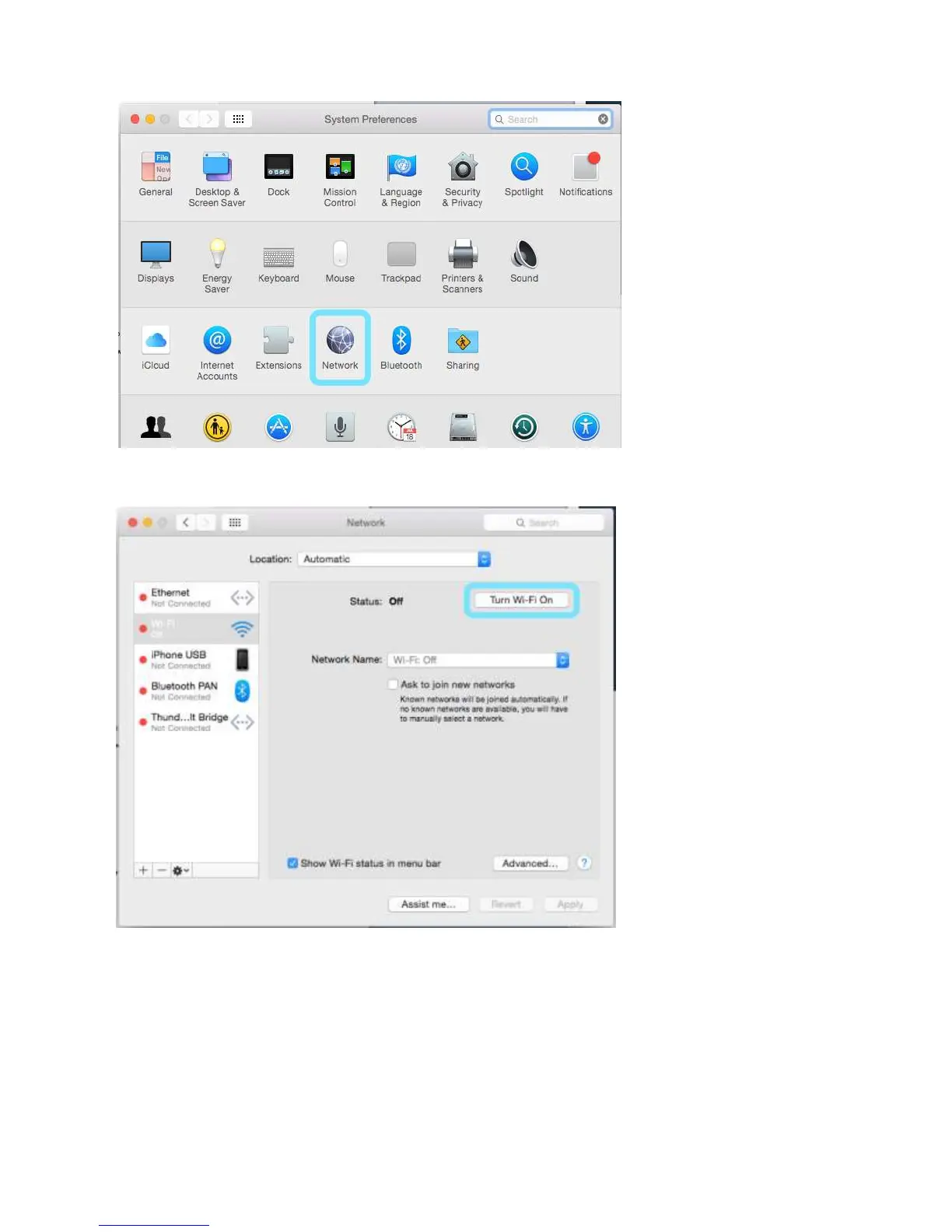
3. Click Wi-Fi > Turn Wi-Fi On.
Your computer's Wi-Fi function activates.
4. Select your R871's Wi-Fi Name (SSID) from the Network Name pull-down list.
5. Enter the Wi-Fi password in the Password field, check Remember this network, and then click Join.
The computer connects to your device. The connected status icon on your device will show
an additional device has been connected.



 To Next Page