10350 Santa Monica Blvd. Suite 285, Los Angeles, CA 90025
Phone: 310-691-8920, 310-788-9840, Fax: 419-735-2419
Card Scanning Solutions http://www.card-scanner.com/
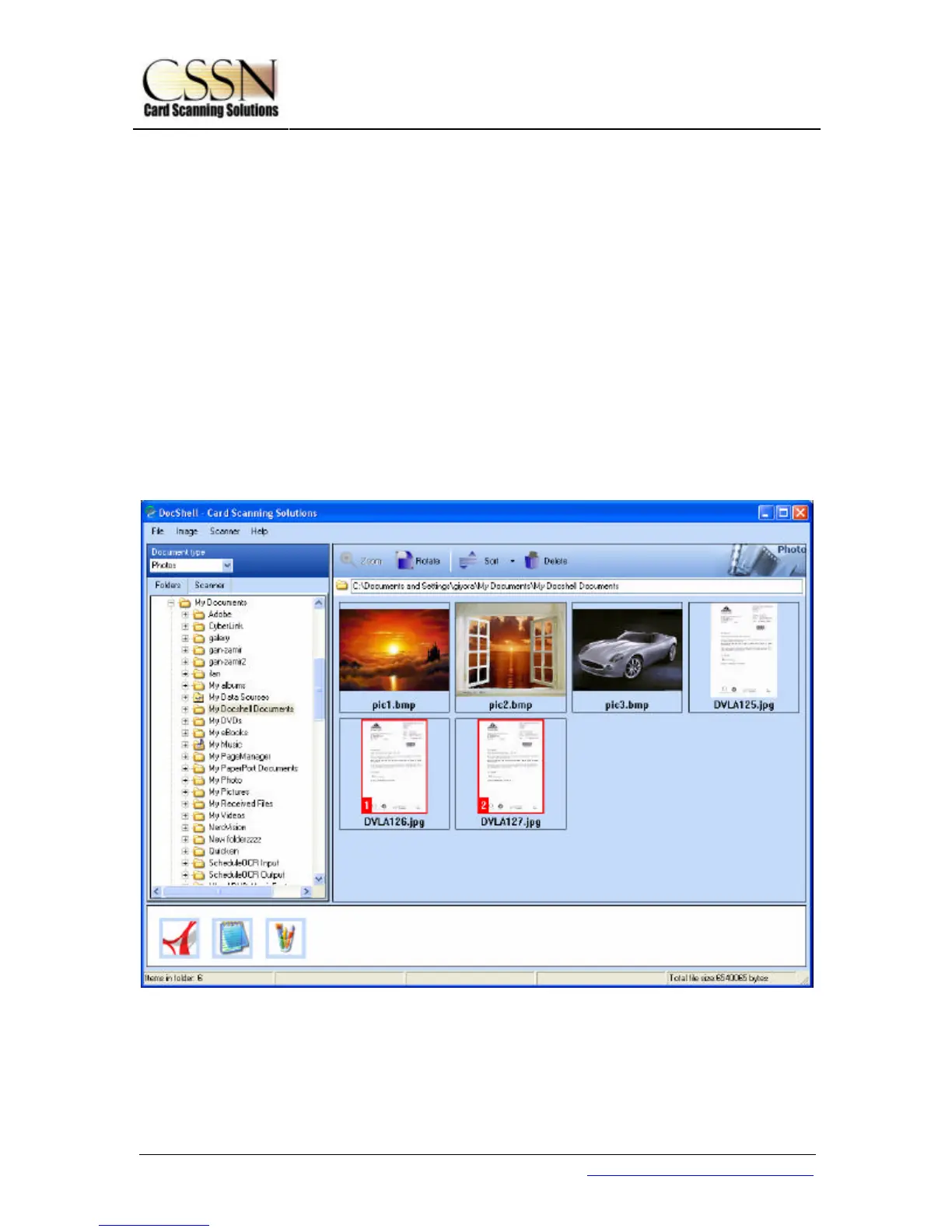
Desktop Panel
The Desktop panel display all the images in the current folder. DocShell display all the
images with one of the extensions BMP, JPG, PNG, PCX, TGA, TIF and PSD. You may
image(s) as follows:
Single image selection: Clicking on the image with mouse mark the image as selected by
highlighting it with a red frame.
Multiple image selection: Clicking on several images while the CTRL key is pressed OR
selecting an area with the mouse mark several images. The images are marked with a red
frame and a number according to the selection order.



 To Next Page