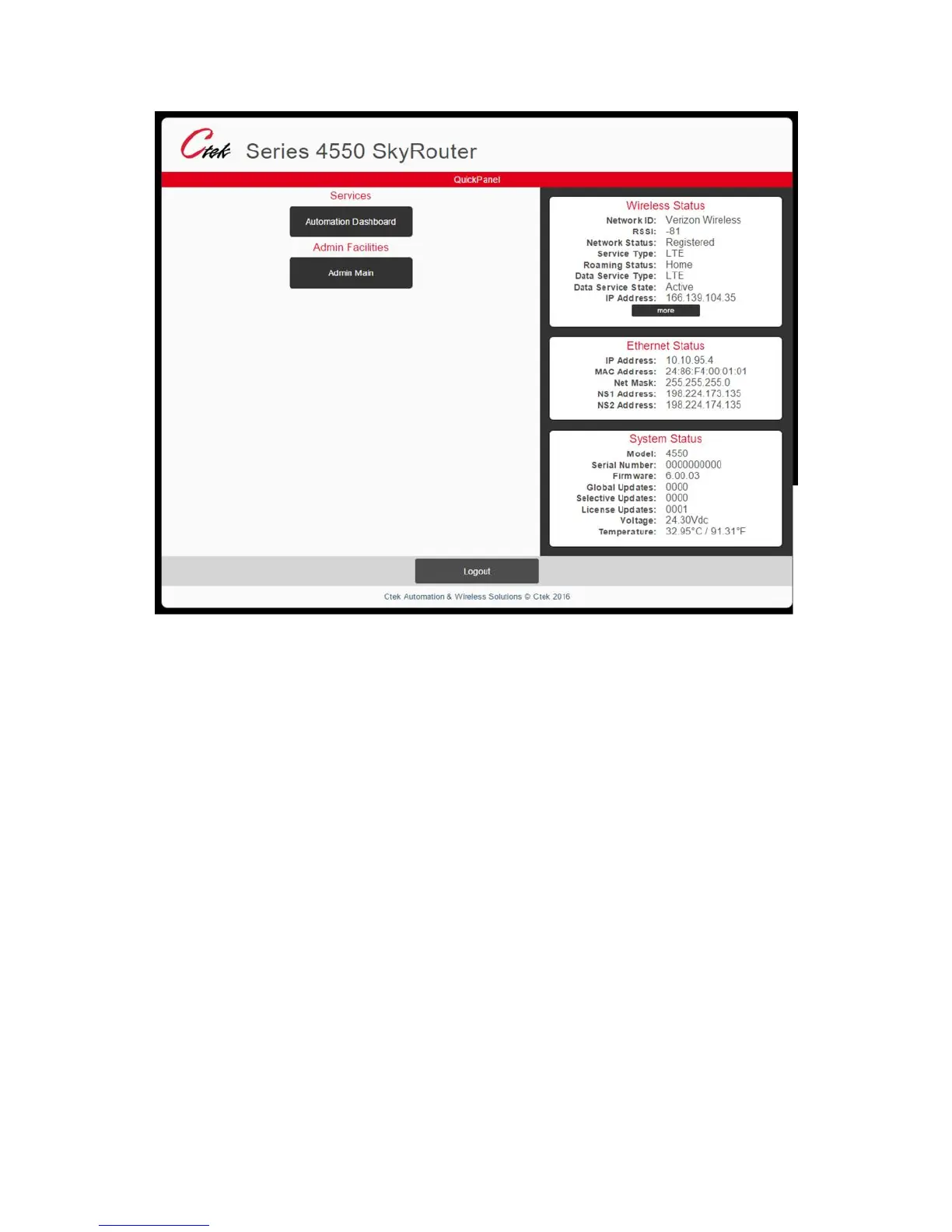
Figure 2
The Quick Panel display presents an overview of the network and equipment status, and provides navigation to the
Administrative functions. The Quick Panel status information is a snapshot in time and must be refreshed to observe
changes in dynamic parameters such as network connections or signal strength. The Admin Main button on the Quick
Panel will display the main administrative screen as shown in Figure 3. Note that the main admin screen maintains the
Quick Panel’s status display, and offers navigation to all Z4550 SkyRouter administrative functions.



 To Next Page