PRODUCT OVERVIEW
8
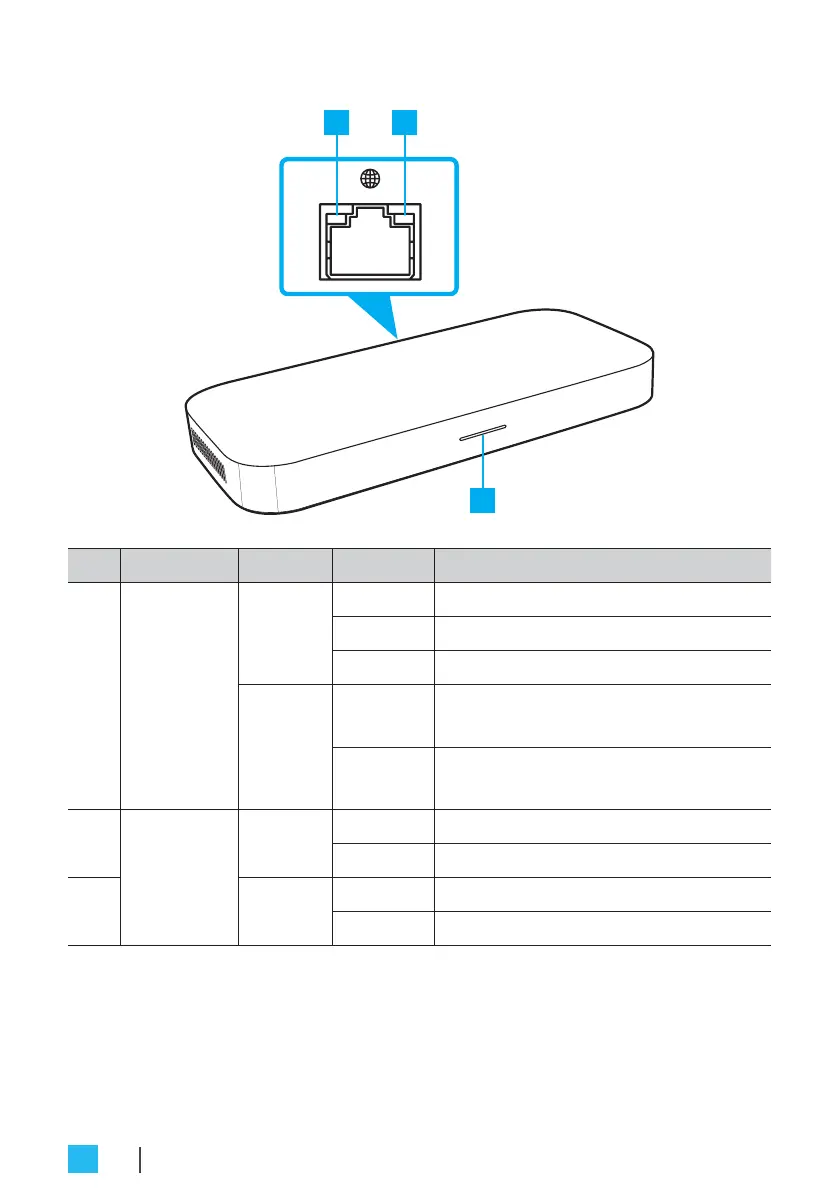
Status indicators
No. Indicator Color Status Description
1
Power
LED
White
On Compute system is switched on.
O Compute system is switched o.
Flashing Compute system is suspended.
Red
On Insucient power to boot the
system.
Flashing A critical rmware error has
occurred.
2
LAN port
LEDs
Orange
Flashing Activity on the link.
O No activity on the link.
3 Green
On Active link connection.
O No link connection.


 To Next Page