Playing Photo
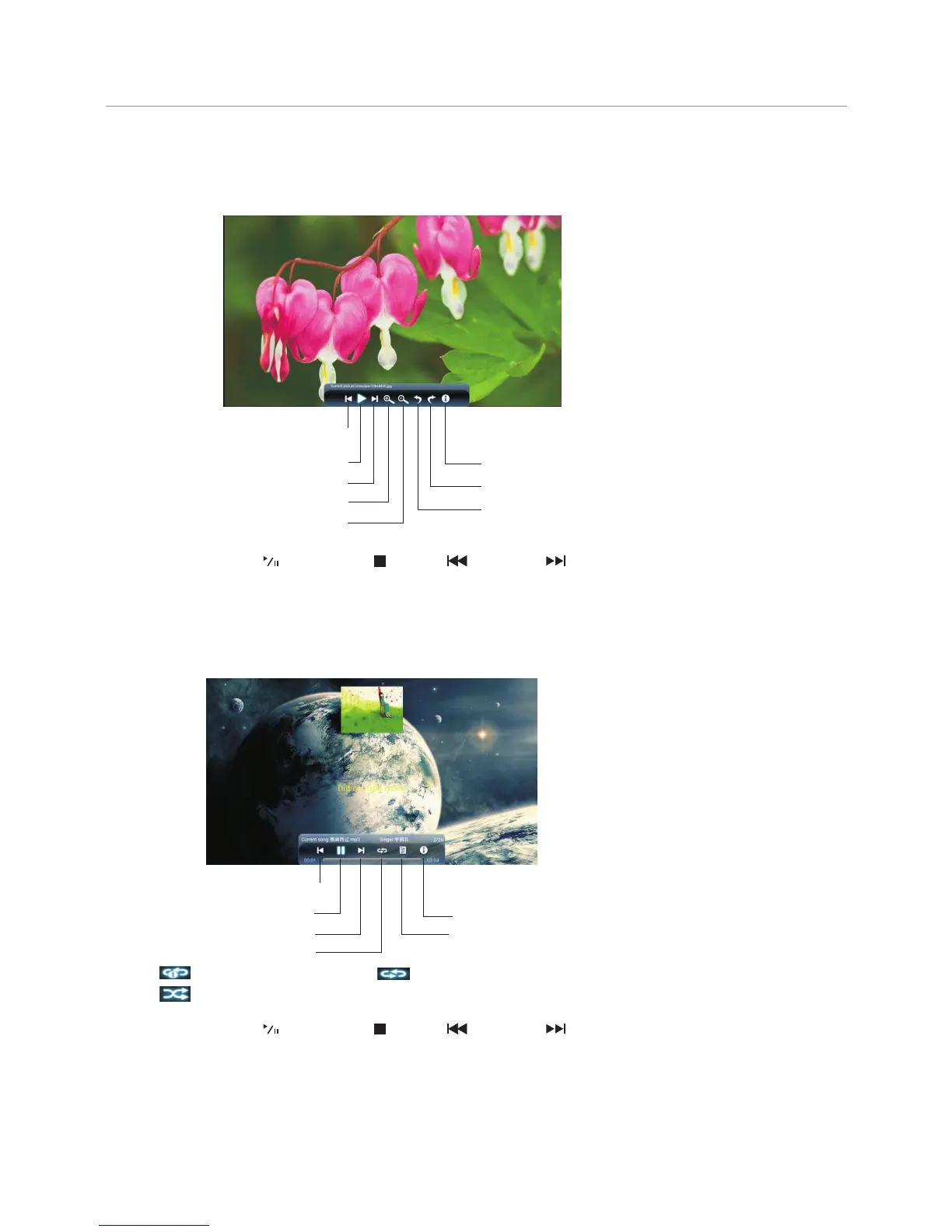
With the photo viewer, you can view compatible photos (in JPG, BMP or PNG format). Also you can zoom, rotate
photo, etc.
Playing Music
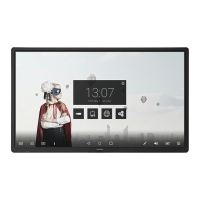
With the USB music player, you can play compatible music (in MP3 or AAC format).
25
Note: You can also use (Play/Pause), (STOP), (Previous), (Next) on the remote control to operate.
Using USB Multi Media Player
Note: You can also use (Play/Pause), (STOP), (Previous), (Next) on the remote control to operate.
Previous song
Pause/Play
Show information
Show playlist
Repeat mode select
Next song
repeat to play single music, repeat to play all music files in current folder when it plays to the end,
no repeat when it plays to the end.
Previous photo
Play/pause
Next photo
Rotate anti-clockwise
Rotate clockwise
Show information
Zoom in
Zoom out



 To Next Page