Camera Password Setup
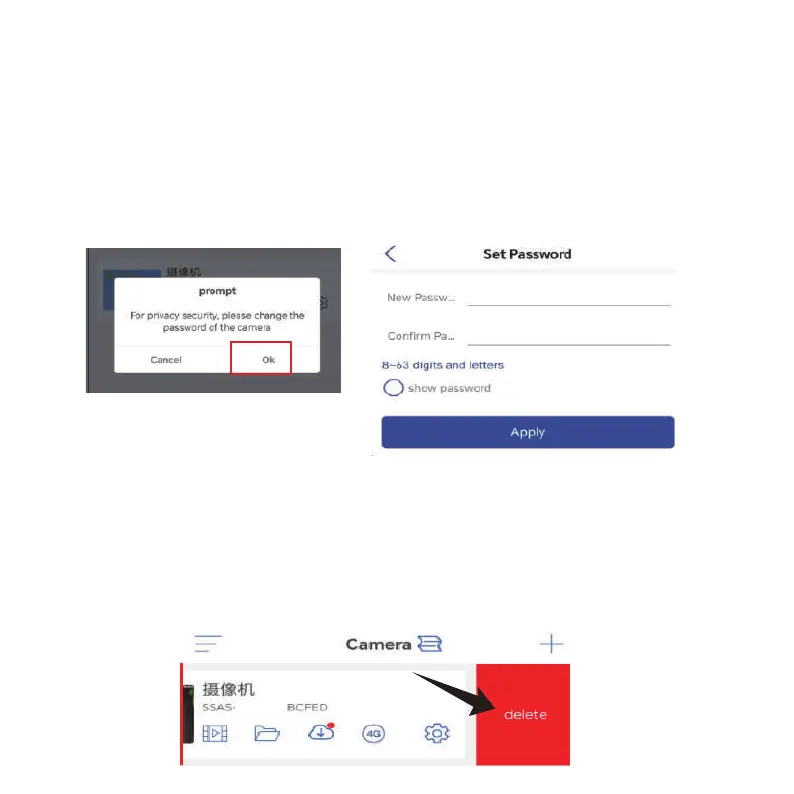
The camera default password is “admin”. To enhance security,
after the initial setup, you will be prompted to change the
password when you first access the camera. Follow the
on-screen instructions to create a new password with at least
8 characters, including both letters and numbers. Make sure
to store the new password safely. If you encounter a “password
error”, reset the camera and try the setup process again.
Delete Camera
swipe Left on the device in the list, click the delete button to
remove the camera.
-05-



 To Next Page