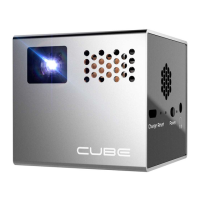
Need help?
Do you have a question about the Cube RIF6 and is the answer not in the manual?
Select Movie, Photo, Text, or Music from the SD card.
Select External Devices if content does not play automatically.
Connect using the included HDMI cable.
Requires proprietary adapter (not included) with HDMI cable.
Requires HDMI cable and proprietary Apple adapter (not included).
Connect via included Micro USB 11-pin to Mini HDMI adapter.
Connect via included Micro USB 5-pin to Mini HDMI adapter.
 General
| Display Technology | DLP |
|---|---|
| Native Resolution | 854x480 (WVGA) |
| Contrast Ratio | 1000:1 |
| Lamp Life | 30, 000 hours |
| Aspect Ratio | 16:9 |
| Built-in Speaker | Yes |
| Light Source | LED |
| Input | HDMI |
| Light Source Life | 30, 000 hours |
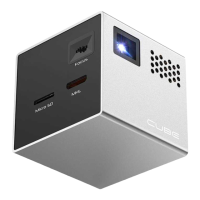
| Input Ports | HDMI, USB, MicroSD |

 To Next Page