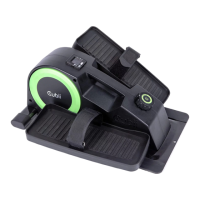
Need help?
Do you have a question about the Cubii Go+ and is the answer not in the manual?
Critical safety warnings and precautions before operating the Cubii Go+.
Guidance on consulting a physician before starting exercise, especially with certain conditions.
Details the physical dimensions and weight of the assembled Cubii Go+ unit.
Lists all components included in the product packaging for assembly.
Identifies the location and content of important warning labels on the product.
Shows where to find the unique serial number for product registration and support.
Instructions for attaching the crossbar to the main unit using screws and wrench.
Guides on aligning the right pedal tube with the elliptical's tube shaft for insertion.
Details how to align the pedal wheel and press the button to insert the pedal tube.
Explains how to confirm the pedal is securely locked into place by listening for a click.
Instructs to repeat the previous steps for assembling the left pedal.
Instructions on how to use the extendable handle and roller wheels for easy movement.
Guidance on placing the unit for optimal use, including required clear space.
How to change workout intensity using the resistance control knob (levels 1-10).
Instructions for securing a wheeled chair using the integrated wheel cup feature.
Step-by-step guide on connecting the charger and checking the charging status.
Information on the rechargeable battery, expected life, and charging duration.
Explains how to interpret the information shown on the Cubii Go+ display console.
How to switch between User 1, User 2, and Guest profiles for data tracking.
Details what the top row of the display shows, primarily total strides.
Explains the metrics displayed on the bottom row like Time, Distance, Calories, and RPM.
How to understand the Bluetooth symbol's status for connectivity.
How to interpret the battery symbol to check remaining charge.
Explains "Smart Reset", "Console Profile Reset", and "Manual Data Reset" options.
How to switch between miles and kilometers display on the console.
Steps to manually set the clock for the "smart reset" feature without the app.
Guide on pairing the Cubii Go+ with the Cubii mobile app via Bluetooth.
Information on mobile devices compatible with the Cubii Go+ and its app.
Instructions for downloading and installing the Cubii mobile application from the app store.
Step-by-step process to successfully pair the elliptical with the Cubii mobile app.
How the Cubii Go+ stores data when the app is not actively connected.
Overview of features enabled by Bluetooth connectivity with the Cubii app.
Explains how the Cubii app interacts with the elliptical's resistance settings.
Details on managing multiple user profiles for personalized data tracking.
How to reset user profiles directly through the Cubii mobile application.
Explains how the console automatically resets daily after connecting to the app.
How the app shows the remaining battery levels of the elliptical.
Information on product registration, warranty terms, and return policies.
Contact information and guidance for resolving common issues with the Cubii Go+.
Instructions for cleaning and maintaining the Cubii Go+ to ensure its longevity.
Comprehensive safety guidelines for using the Cubii Go+ to prevent injury.
Details on the RPM and resistance level sensors and their functions.
Information regarding FCC compliance, RF exposure, and other regulatory standards.
 General
| Resistance Levels | 8 |
|---|---|
| Display | LCD |
| Bluetooth Connectivity | Yes |
| Compatibility | Cubii app, Fitbit, Apple HealthKit |
| Warranty | 1 year |
| Type | Under Desk Elliptical Trainer |

 To Next Page