Need help?
Do you have a question about the Cubii JR2+ and is the answer not in the manual?
Adjust workout intensity using the 8 resistance levels. Start low and gradually increase.
Use in short intervals or long periods. Start with 5 mins and increase. Pedal forward/backward.
Store in a clean, dry place. Use handle and base for moving.
Switch users, understand top/bottom row metrics (strides, time, distance, calories, RPM).
Bluetooth pairing, battery indicator status, and charging.
Toggle distance units (miles/km) and perform manual data resets.
Identify all components included in the Cubii JR2+ box.
Detailed steps for aligning, flipping, and screwing on the pedals.
Locate the charge port and understand charging indicators.
Features include profile personalization, activity tracking, and social interaction.
Instructions for downloading the app and pairing it with your Cubii JR2+.
Adjust seat position for sufficient knee and desk clearance.
Use the included Wheel Stopper to prevent chair movement.
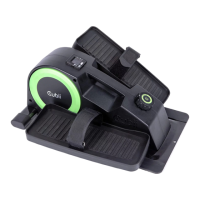
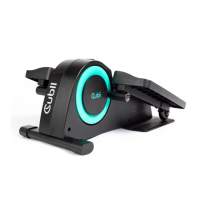
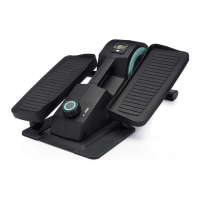
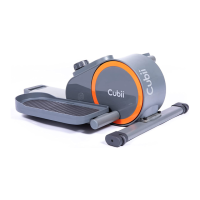
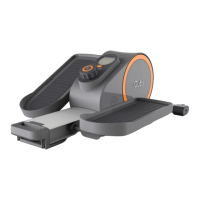
The Cubii JR2+ is a compact seated elliptical designed to provide a low-impact workout while sitting. It allows users to engage in physical activity throughout the day, whether at a desk, on the couch, or in other seated positions. The device is designed for ease of use and offers a range of features to customize and track workouts.
The primary function of the Cubii JR2+ is to provide a seated elliptical workout. Users pedal the device with their feet, engaging various leg muscles in a smooth, continuous motion. This activity helps to increase physical activity levels, burn calories, and improve overall wellness without requiring users to stand or leave their seated position. The device is equipped with a resistance control knob, allowing users to adjust the intensity of their workout. There are 8 resistance levels, ranging from level 1 (lowest intensity) to level 8 (highest intensity), enabling users to gradually increase their workout challenge over time. The pedaling motion can be performed both forwards and backwards to target different muscle groups.
The Cubii JR2+ is designed for flexible use, accommodating both short intervals and longer workout sessions. It is recommended to start with a five-minute session and gradually increase the duration as comfort and fitness improve. The device features a display console that provides real-time workout metrics. This console includes a USER button to switch between User 1, User 2, and Guest profiles, allowing multiple individuals to track their progress independently. The top row of the display shows the total number of strides, where one stride equals one full rotation of the pedaling motion. The bottom row cycles through various metrics, including TIME elapsed during the workout, DISTANCE pedaled (in miles or kilometers), CALORIES burned, and RPM (rotations per minute, indicating pedaling speed). The MODE button allows users to manually switch between these metrics, or they can use the SCAN mode for automatic toggling every 7 seconds.
For users with chairs on wheels or casters, the Cubii JR2+ includes a Wheel Stopper to prevent the chair from rolling away during use. This stopper is placed under the base plate of the Cubii JR2+, with a nub fitting through an anchor hole, and one chair wheel is rolled onto the stopper to secure it. The position of the Wheel Stopper can be adjusted to optimize comfort and distance from the device.
The Cubii JR2+ also incorporates Bluetooth® wireless technology, allowing it to connect with the Cubii app on a smart device. The Bluetooth® symbol on the console flashes when available for connection and remains solid once connected. The app enhances the user experience by offering personalized profiles, workout goal setting, activity tracking, and the ability to adjust certain elliptical settings. Users can also participate in group leaderboards and interact with friends through the Cubii Communitii™. To pair the device with the app, users simply start pedaling to activate the Bluetooth® signal, ensure Bluetooth® is enabled on their smart device, select their elliptical in the app, and then the device will automatically connect. The app allows users to select their profile (User 1, User 2, or Guest) and begin their workout. Once paired, the app will automatically search for and connect to the elliptical in the vicinity upon launch.
Storing the Cubii JR2+ is straightforward; it should be kept in a clean, dry place. When moving the device, users should hold the handle and, for additional support, place their other hand under the base. It is important not to use the pedal arms to move the Cubii JR2+, and assistance from another person is recommended if the device feels heavy.
The device's battery indicator on the display console shows the remaining charge. The symbol will flash for 20 seconds when recharging is needed, flash while charging, and remain solid when fully charged. It disappears when the device is unplugged. The charge port is located above the crossbar near the front of the unit. When plugged in, the screen powers on, and a lightning bolt symbol flashes to indicate charging. The symbol becomes solid when fully charged.
Workout data can be manually reset for any profile by selecting the desired profile and holding the MODE button for 3 seconds. The included Owner's Manual provides further details on features such as creating a "Smart Reset" to automatically reset workout data nightly and information on unlinking profiles from the console. The manual also contains detailed product information, assembly instructions, and warranty details.
 General
| Bluetooth | Yes |
|---|---|
| Resistance Levels | 8 |
| Connectivity | Bluetooth |
| Warranty | 1 year |
| Display | LCD |
| Compatibility | iOS and Android |

 To Next Page