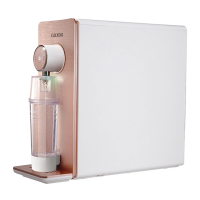
Need help?
Do you have a question about the Cuckoo CP-JN011W and is the answer not in the manual?
Information on safe power supply usage, including outlet requirements and cord handling.
Guidelines on where to install the product, avoiding moisture, direct sunlight, and ensuring proper placement.
Lists actions to avoid during product operation, such as placing objects on top or pulling cords.
Instructions on what to do in case of water leaks or burning smells from the product.
Reminders to keep covers closed, drain old water, use appropriate water, and replace filters.
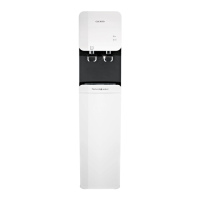
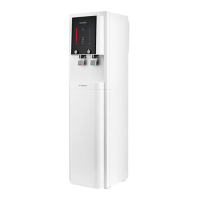
Identifies buttons, faucets, and display elements on the front of the water purifier.
Details the ports and connections located on the back of the water purifier.
Explains the display panel details and lists included accessories like the user manual and service card.
Illustrates the flow of water through filtration stages and details filter types and their functions.
Step-by-step guide for connecting the water supply, drain tube, and power.
Procedures to follow before first use, including checking water supply, power, and filter status.
Explains the different modes like Waiting Status and User Setting Mode.
Instructions on how to turn the cold water function on/off and use the child lock feature.
Instructions for dispensing cold and room temperature water via fixed or manual methods.
Guide on dispensing hot water and how to adjust the default volumes for dispensing.
How to activate/deactivate energy-saving mode and enable/disable the button lock.
Steps to change the volume of voice prompts and turn the mood lamp on/off.
How to enable/disable the cold water pump and select the desired language for voice prompts.
How to set up automatic sterilization reservations for the water purifier and faucet.
How to manually initiate automatic sterilization and perform immediate faucet sterilization.
Steps to set the current time and configure the time for automatic sterilization cycles.
How to use the drainage function and perform automatic filter cleaning.
Step-by-step guide for disassembling, cleaning, and reassembling the water tray and exterior.
Steps for safely removing filters, including closing water supply and disconnecting power.
How to install new filters, check connections, and clean the system after replacement.
Information on the recommended replacement cycle for filters and their correct placement.
Solutions for problems like bad taste/odor, no water output, or lukewarm hot water.
Solutions for loud noises, water leaks, and a decrease in room water volume.
Overview of technical data including model, voltage, power, filtration method, and dimensions.
 General
| Brand | Cuckoo |
|---|---|
| Model | CP-JN011W |
| Category | Water Filtration Systems |
| Language | English |

 To Next Page