Need help?
Do you have a question about the Cuckoo CP-XN501HW and is the answer not in the manual?
The 4-step filtering system provides clean and healthy water.
Stainless steel tanks ensure pure and safe drinking water, preventing contamination.
Uses an economical, eco-friendly system with Nano Positive Filter, minimizing water waste.
Allows dispensing of clean purified water using an external valve.
Lights that display the current operating status of the product.
Features a slim and stylish shape that complements any environment.
Economical operation with separate on/off switches for hot and cold water power.
Enables continuous water extraction without interruption.
Allows selection of water from cold, hot, and room temperature as preferred.
Instructions and prohibitions regarding the product's power connection and usage.
Guidelines and prohibitions for safely installing the water purifier.
General safety precautions covering product placement, handling, and operation.
Guidance on timely filter replacement and using only genuine Cuckoo filters.
Precautions for cleaning the product and handling its components during use.
Specifies intended applications and advises against using dispensed water for fish.
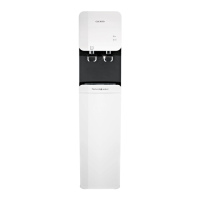
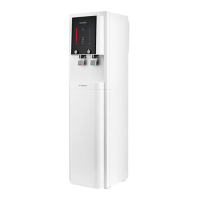
Identifies the components visible on the front of the water purifier.
Identifies the components visible on the back of the water purifier.
Details on included items like User Manual, Service Card, and External Valve.
Diagram illustrating the water flow through the filtration system.
Details the four-step filtration process and the function of each filter.
Essential checks and warnings for correctly installing the water purifier.
Guidelines for safely moving the water purifier, including tilting and post-move wait time.
Instructions for properly connecting the water supply tube to the cold water pipe.
Step-by-step guide for connecting the water supply valve to the cold water pipe.
Instruction for inserting the water supply tube into the product's inlet.
Procedure for opening the main water supply valve after connection.
Final step of plugging the water purifier into the power outlet.
Warning against operating hot/cold switches with an empty tank to prevent malfunction.
Procedure to open the main water supply valve and check water flow.
Ensuring the product is plugged into a proper 220-240V 50Hz outlet.
Instructions for activating the hot and cold water dispensing functions.
Procedure for flushing the system after long idle periods or initial setup.
Reminder to regularly empty the drip tray to maintain hygiene.
Importance of regular filter cleaning and replacement for pure water quality.
Guide on selecting the desired water temperature (Hot, Room, Cold).
Instructions on how to dispense water after selecting the temperature.
How to dispense water continuously by holding the dispense button.
Methods to stop water dispensing, either by timer or button press.
Steps to adjust the room temperature water setting.
Instructions for activating the hot water lock for safety.
Procedure to deactivate the hot water lock function.
Instructions for deactivating the button lock feature.
Guide to adjust the brightness level of the product's display.
Instructions for using the optional external faucet attached to the sink.
Initial step to close the water supply valve before cleaning.
Turning off the hot and cold water dispense switches.
Procedure for draining the cold water tank.
Ensuring the product is unplugged before proceeding with cleaning.
Draining the hot water tank completely.
Instruction to remove the top cover using a screwdriver.
Separating the tank separator for cleaning.
Cleaning the interior of the tank with a soft cloth.
Rinsing the tank using previously drained water.
Reinserting the separator securely into the cold water tank.
Replacing the tank cover to prevent foreign material entry.
Reattaching and securing the top cover after filter replacement.
Final steps: plugging in and activating the cold and hot water functions.
Step-by-step guide for removing, cleaning, and reassembling the drip tray.
Instructions for cleaning the faucet cover and outlet.
Closing valve, draining tank, powering off, and removing top cover.
Ensuring the water tank is completely drained before filter replacement.
Separating the connecting tube from the filter fitting.
Connecting new filters and flushing the system with water for a specified duration.
Reattaching and securing the top cover after filter replacement.
Refilling the tank with water and repeating the process twice.
Filling the tank to maximum capacity and powering on the unit.
Information on filter lifespan based on usage and water supply conditions.
Diagram showing the location of the Sediment Filter in the unit.
Diagram showing the location of the Pre-Carbon Block 2.0 Filter.
Diagram showing the location of the Natural 2.0 Filter.
Diagram showing the location of the Nano Positive Filter.
Troubleshooting steps for unpleasant water taste or odor.
Troubleshooting steps when no water is dispensed.
Troubleshooting steps for low hot water temperature.
Troubleshooting steps for excessively high cold water temperature.
Troubleshooting steps for a sudden decrease in purified water output.
Troubleshooting steps for unusual noises from the product.
Troubleshooting steps for floating particles in dispensed water.
Troubleshooting steps for water leaks from the purifier.
Covers product identification, electrical, environmental, and physical specifications.
Details the filtration method, filter types, materials, and replacement cycles.
Specifies the capacities of the cold, hot, and room temperature water tanks.
 General
| Model | CP-XN501HW |
|---|---|
| Category | Water Filtration Systems |
| Filtration Method | Reverse Osmosis |
| Water Storage Capacity | Tankless |
| Weight | 6.8 kg |
| Operating Pressure | 0.1 ~ 0.4 MPa |
| Operating Temperature | 5 ~ 35°C |

 To Next Page