Attack
®
Operating Instructions
The latest, full size version of this manual is available for down-
load at www.cuddeback.com/support. We recommend that you
download the manual as we periodically make changes/updates
to the product or manual.
Introduction
Thank you for purchasing a Cuddeback Attack digital scouting
camera. Attack is so easy to use that you may feel you do not need
to read this manual. However, we recommend you read the manual
to familiarize yourself with the not-so-obvious features of Attack.
What You Need To Know
1) You should have one or more Secure Digital (SD) cards.
(See Appendix A for recommendations).
2) You will need four D cell batteries (we recommend
Rayovac
®
or Duracell
®
brand batteries).
3)
When Attack is working it displays an electronic “worm”
on the LCD. This worm scrolls around the LCD to indicate
that you must not remove the SD card, must not turn the
rotary knob, or must not press any button. Please be patient
and wait for the worm to go away before removing the
SD card.
“worm”
1
Step 1 – Familiarize yourself with Attack
®
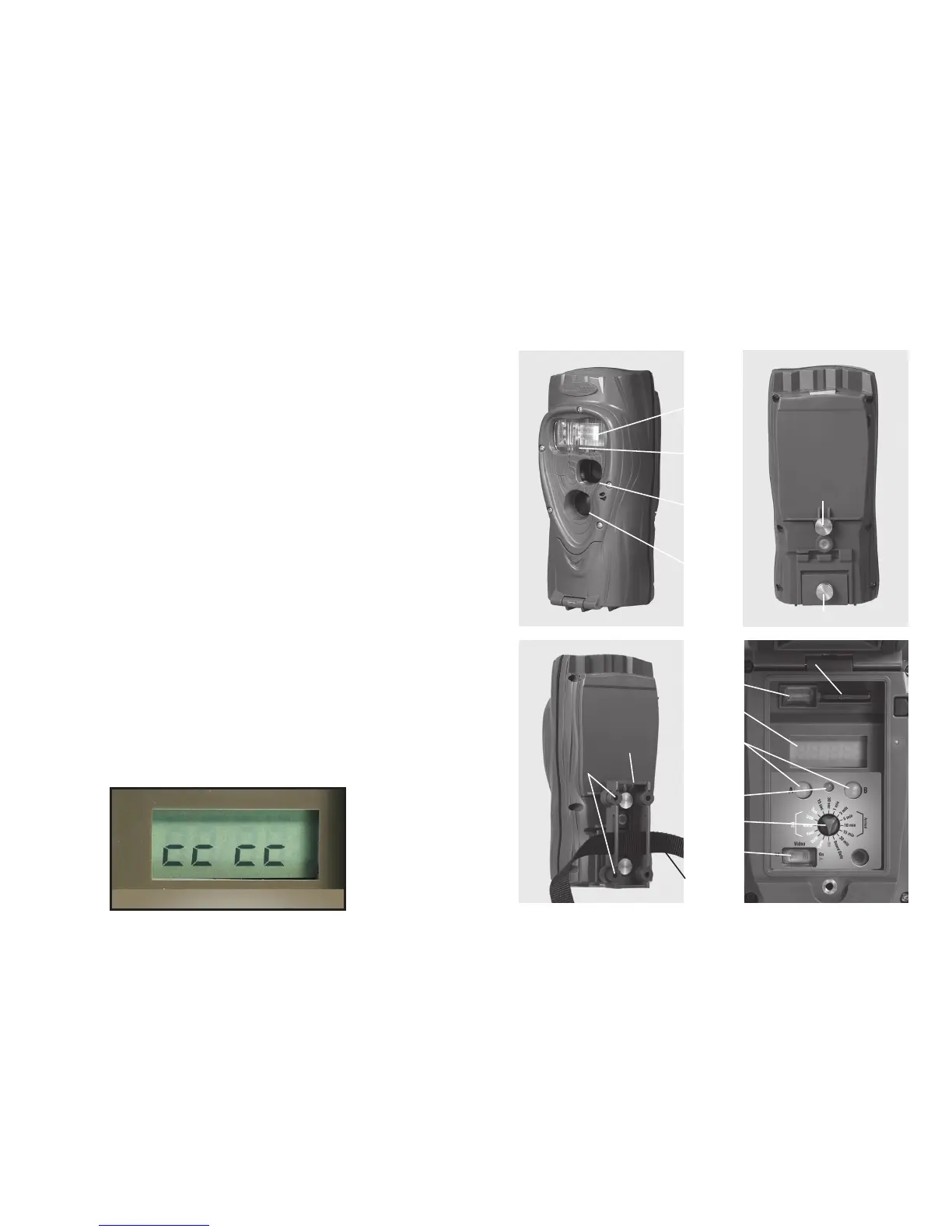
Take a moment to familiarize yourself with Attack’s parts.
Front
NOTE: After the bracket has been mounted to a tree, slide
Attack’s two thumb screws down into the bracket.
Back
Back Back
Test
LED
USB
Connector
SD Card Socket
Mount
Bracket
Screw
Holes
Strap &
Slots
LCD
Screen
Video
Switch
Rotary
Knob
A/B
Buttons
User
Interface
LED
Camera
Lens
Motion-
Heat
Sensor
User Interface
Door
Battery Door
Flash
2














 To Next Page