CuddeLinkManual
Version 2.20.2017 Page 12 of 24
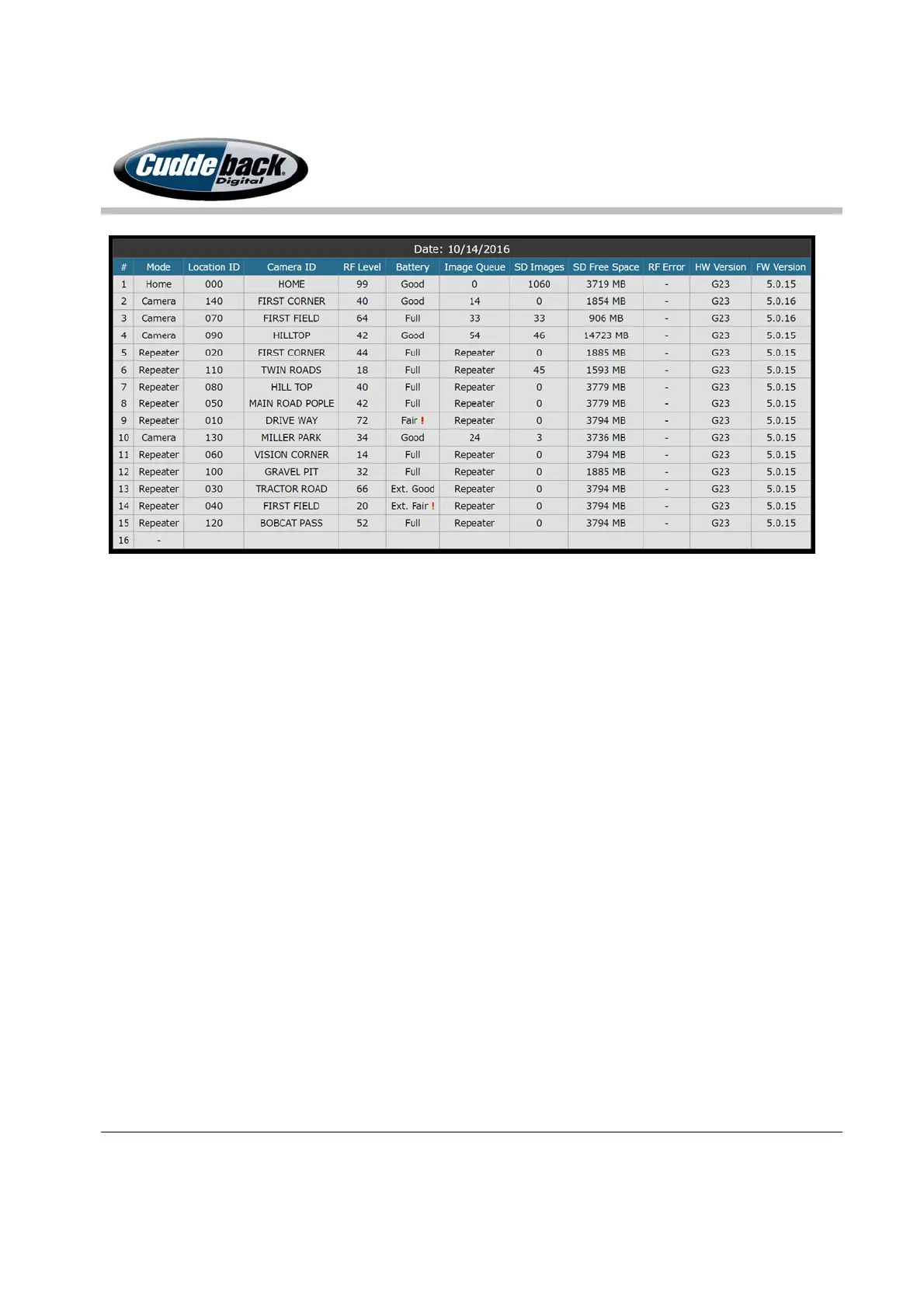
Camera Naming: recommended usage of CL LOC & CAM ID
Keeping track of the location and images from 15 remote cameras is not a trivial task. Where is
camera 6? Where was this image taken? To make camera and image management easy
CuddeLink has 2 features to simplify image management.
CL LOC. You probably do not want images from 15 cameras saved in one folder on your SD
card. The Home camera saves the images from each camera in unique folder based upon the
CL LOC setting. We recommend you assign each camera a unique CL LOC number and that
number will determine where images are saved on the HOME camera’s SD card.
If you move a camera to a new location the images from that camera will continue to be saved
in the same folder. If this is acceptable to you then you can keep the CL LOC the same as you
move the camera to a new location. However, if you prefer to organize your images by location
then you should change the CL LOC every time you move the camera. If you do change CL
LOC then you must make sure you do not reuse a CL LOC that another camera might be using.
We have found the following method helps assure there isn’t any CL LOC numbering conflicts:
Use 10-based numbers for CL LOC, such as 010, 020, 030, and so on up to 160 for 16 remote
cameras. As you move a camera you only need to increment the CL LOC one number – CL LOC
030 becomes 031 when moved. If you move the camera again, set the CL LOC to 032.
(Just
remember that when you get to 039 that you shouldn’t advance to 040, but go back to 030 or













 To Next Page