CuddeLinkManual
Version 2.20.2017 Page 20 of 24
3. Trophy Room can automatically transfer the images from the HOME PLUS product to the
PC. If the PC is connected to the Internet the images can be accessed from most
Internet connected PC, tablet, or phone (see next section HOME PLUS).
4. Trophy Room has a wealth of training documents and videos to aid you in learning to
use CuddeLink and Cuddeback cameras. Plus, as new documents are released they will
be automatically downloaded to Trophy Room.
REMOTE ACCESS
A great benefit of CuddeLink is that it allows the images to be accessed via the Internet. A few
things are required to do this:
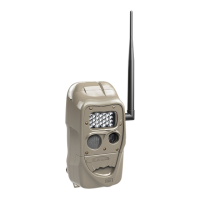
1. CuddeLink HOME PLUS product
2. Windows PC, Notebook, or Windows 10 Tablet
3. Cuddeback’s Trophy Room PC program (free download)**
4. A Microsoft account (free from Microsoft)***
5. A Microsoft OneDrive account (free from Microsoft)***
6. An Internet connection, either DSL, Cable, or Cell Modem.
7. A USB cable to connect the CuddeLink HOME PLUS to the PC**
8. A AC power adapter to power the CuddeLink HOME PLUS**
**Cuddeback can supply the required USB cable and AC adapter. www.com
***Visit www.com for information on Microsoft account and OneDrive.
To setup the CuddeLink HOME PLUS
1. Install Trophy Room on your PC or tablet
2. Assure the CuddeLink HOME PLUS camera has connection to the REMOTE cameras.
Most likely the HOME camera is inside a building, which may limit transmission. If this













 To Next Page