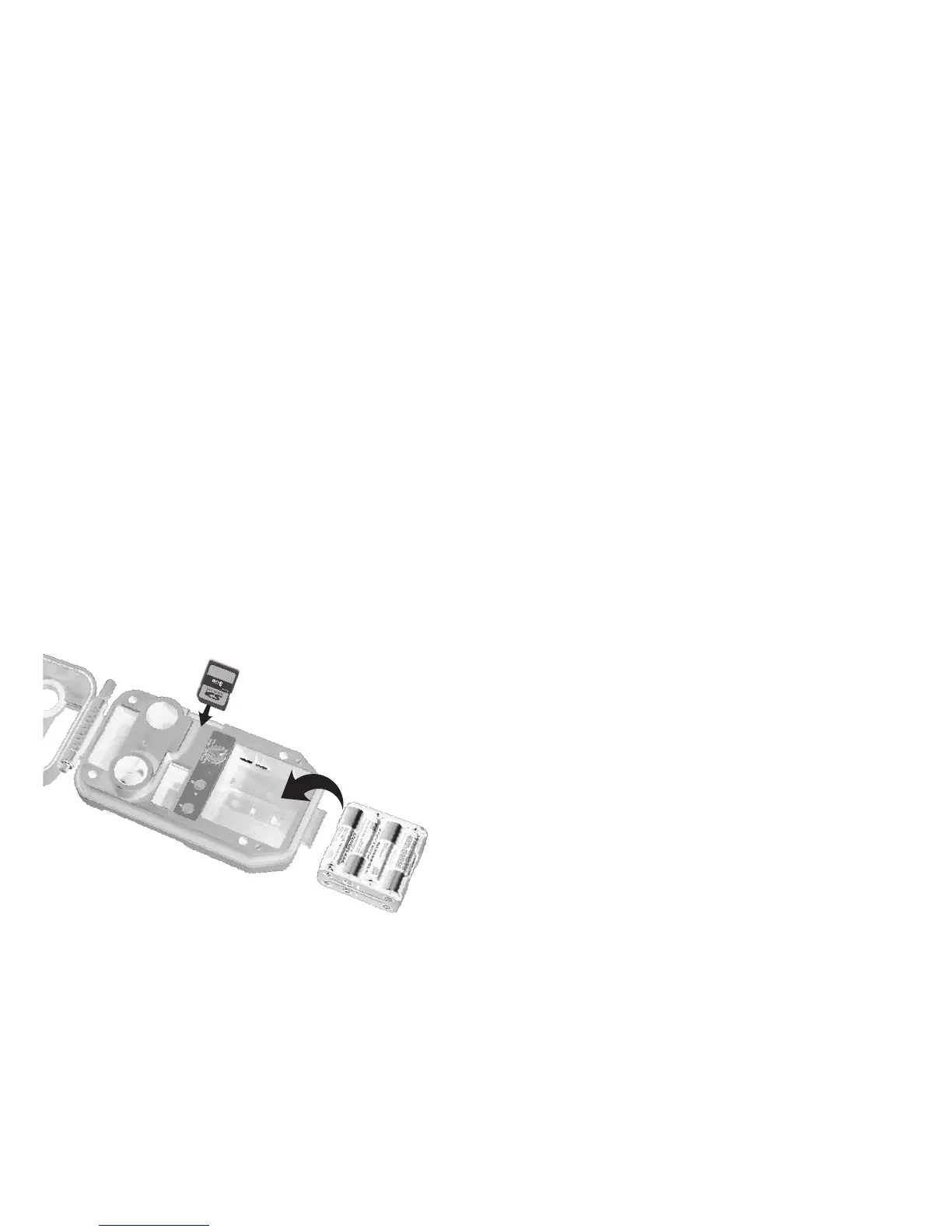
Step 2 – Installing Batteries and SD Card
4URNTHEROTARYKNOBTOTHEOFF position.
/PENTHECOVERANDREMOVETHEBATTERYHOLDER
)NSTALL!!ALKALINEOR!!LITHIUMBATTERIES
Lithium batteries will
provide longer battery life
and better night IR images.
Make sure to observe
correct polarity. Close the door.
!SERIESOFNUMBERSDISPLAYED4HESEARETHE3%%.
®
camera’s
hardware and software version numbers.
7AITUNTILTHE,#$DISPLAYGOESBLANKANDTHE
GREENANDRED,%$SAREOFF
)NSTALLYOUR3$CARD"ESURETOOBSERVETHECORRECT
polarity with clipped corner up.
Battery Install
SD Card
Install
Step 3 – Setting up the SEEN
®
4URNTHEROTARYKNOBTOTime position,
press A and B to set. Time is AM/PM format.
4URNTHEROTARYKNOBTODate position,
press A and B to set.
4URNTHEROTARYKNOBTOYear position,
press A and B to set.
,ATERYOUWILLREADStep 8 – More Features
FORINFORMATIONONTHE-%.5POSITIONS
Step 4 – Attaching SEEN
®
to a Tree
7ERECOMMENDYOUlRSTTRYYOUR3%%.
®
camera
at home.
&OROPTIMUMDETECTIONOFDEERSIZEDANIMALSWE
RECOMMENDMOUNTING3%%.
®
about
TOINCHES
OFFTHEGROUNDTHISISABOUTWAISTHIGHTOSLIGHTLY
HIGHER
&ORBESTIMAGEQUALITYINSTALL
3%%.
®
ABOUTTO
FEETFROMWHEREANIMALSAREEXPECTED
.
3%%.
®
will detect animals at distances
from directly in front
OFTHECAMERATOABOUTFEET
Note that detection
distance varies greatly with
air temperature, animal
size, and the speed the animal is moving.


 To Next Page