Silver & Blue Series Troubleshooter
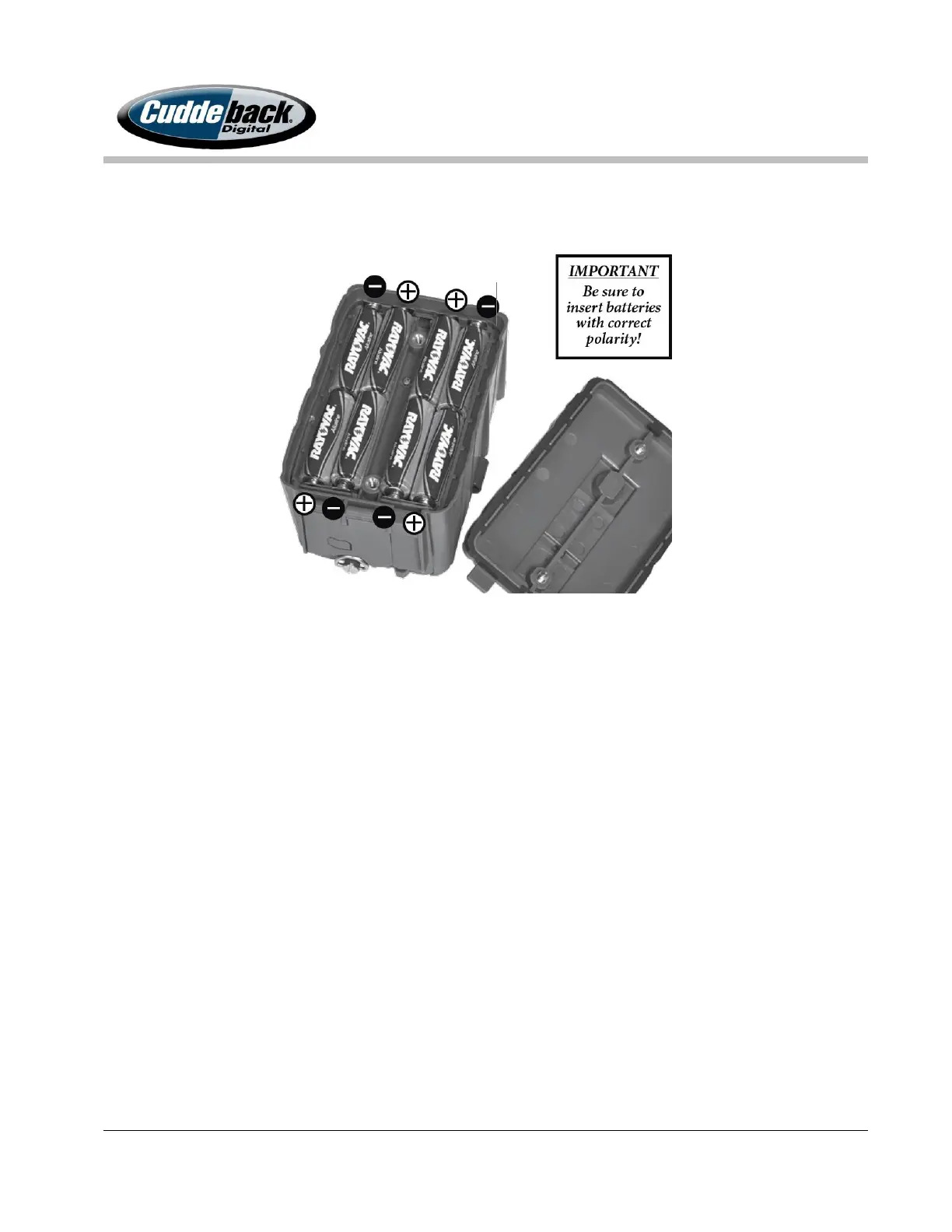
BURN INJURY IF INSERTED INCORRECTLY. Below is a picture showing how to
properly install batteries into the Silver and Blue Series.
4. After batteries are installed correctly, close the battery compartment door and tighten
the 2 thumb screws completely.
5. Observe the LCD display. The camera will display the time on the LCD.
Correct Operation: The camera displays the time on the LCD or a Welcome
message. If this happens proceed to next step.
Possible Problem: If the camera’s LCD does not display repeat this test with new
batteries. If this test fails with new batteries contact customer support at (920)
347-3810.
Test 2. Push Buttons and LCD
This test will verify the camera’s basic components are in good working order.
1. Press the MODE button to have the camera cycle through each section.
2. At the Date and Time menu use the UP and DOWN arrows to change the time.



 To Next Page