5
Wi-Fi Adapter Mode
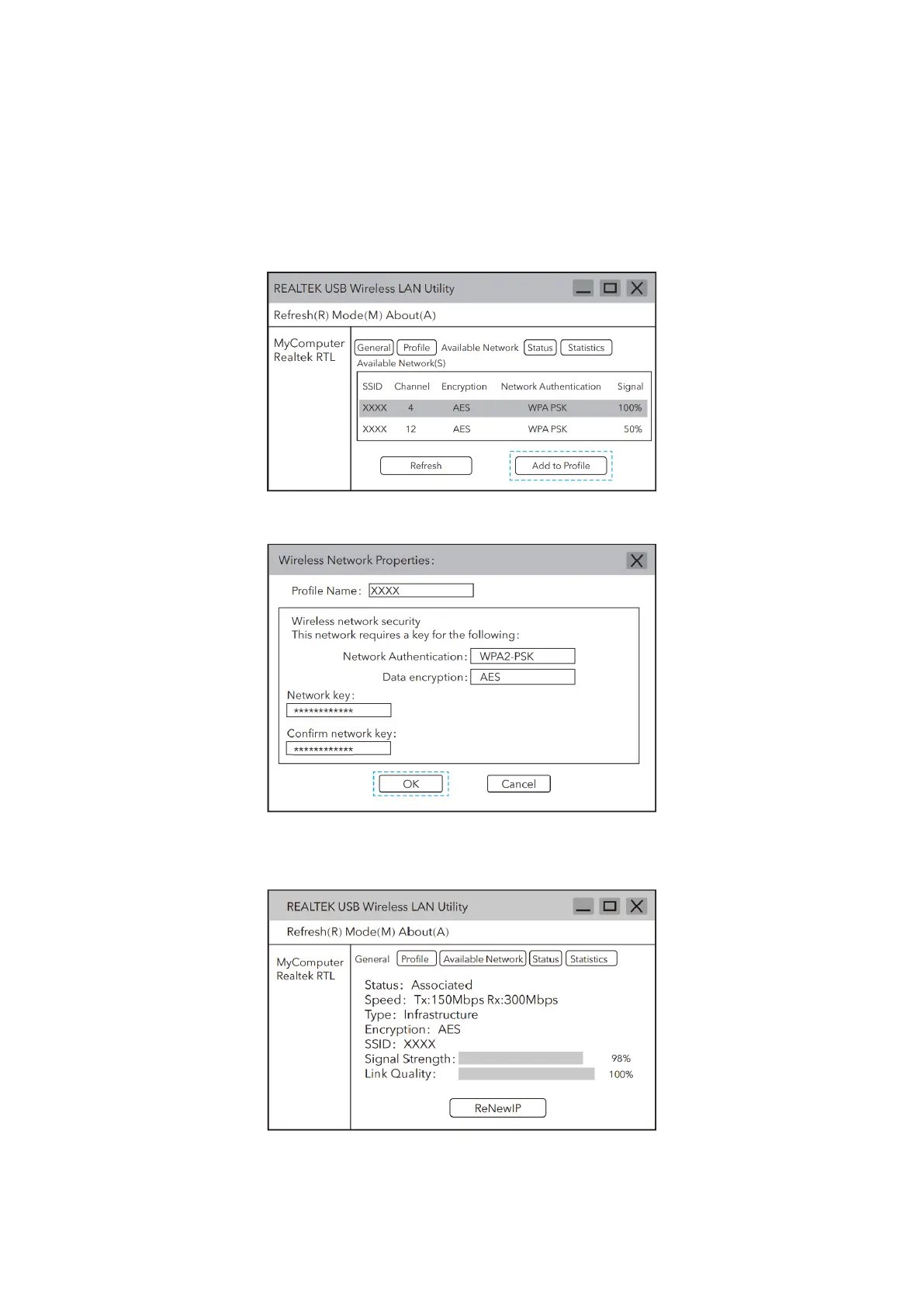
1. Double click the REALTEK USB Wireless LAN Utility icon.
2. Click on the “Available Network” option in the menu, select the wireless network
SSID you want to connect to.
3. Enter the network password, confirm the network password, and click “OK”.
4. After the connection is successful, the signal strength and the link quality will be
displayed.


 To Next Page