6
Soft AP Mode
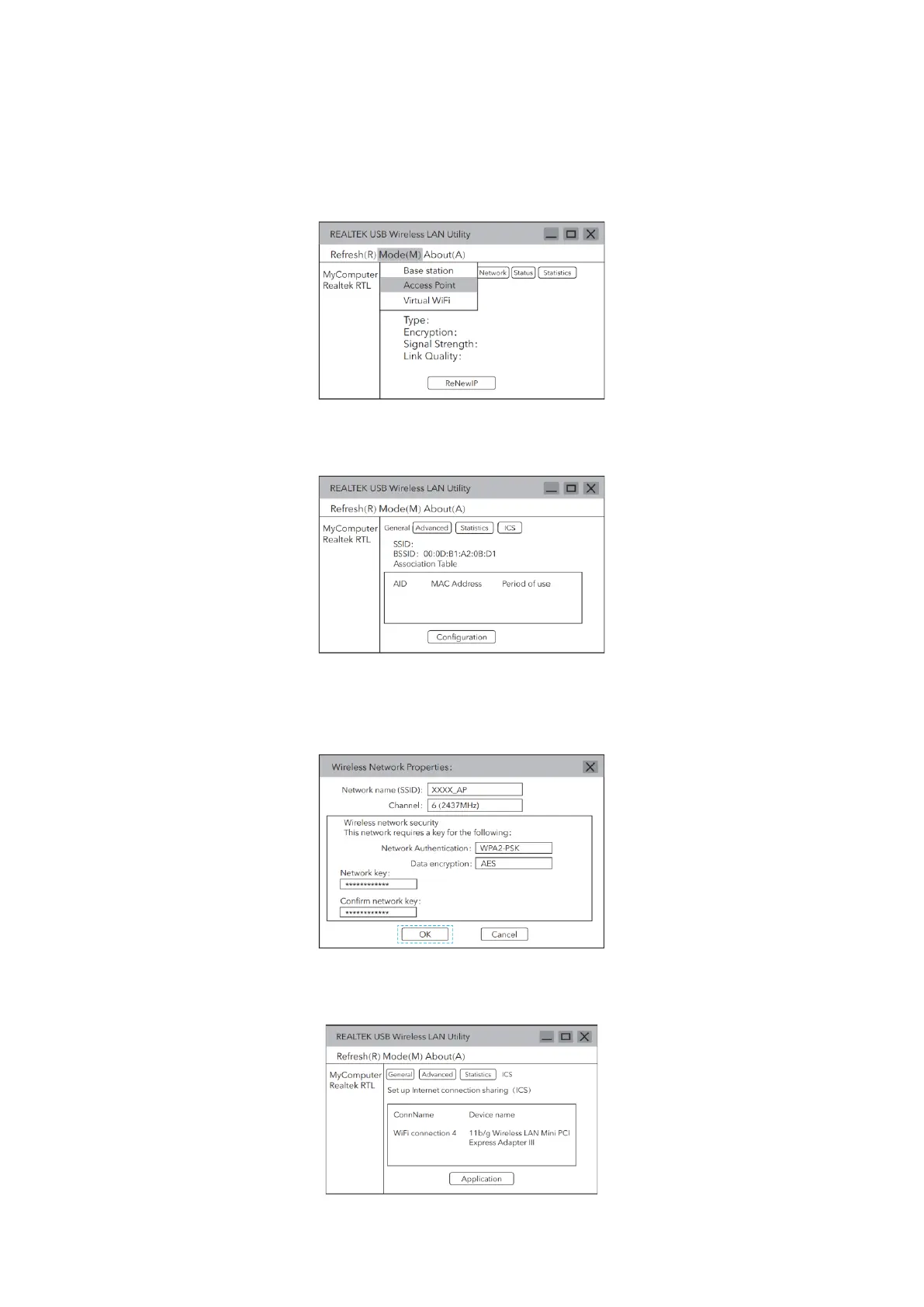
1. In the management software menu, click on “Mode” and select “Access Point”.
2. After switching to access point mode, the SSID displays the name of the
computer.
3. Click on the image above “Configuration” to open the Wireless Network
Properties Settings dialog to set the network name (SSID), channel, encryption
algorithm and password. Click “OK”.
4. Click “ICS” to select the network connected to your computer, click “Application”
as shown below.


 To Next Page