Wired Touch Panels - User Manual
18© CUE, a.s. | All Rights Reserved.
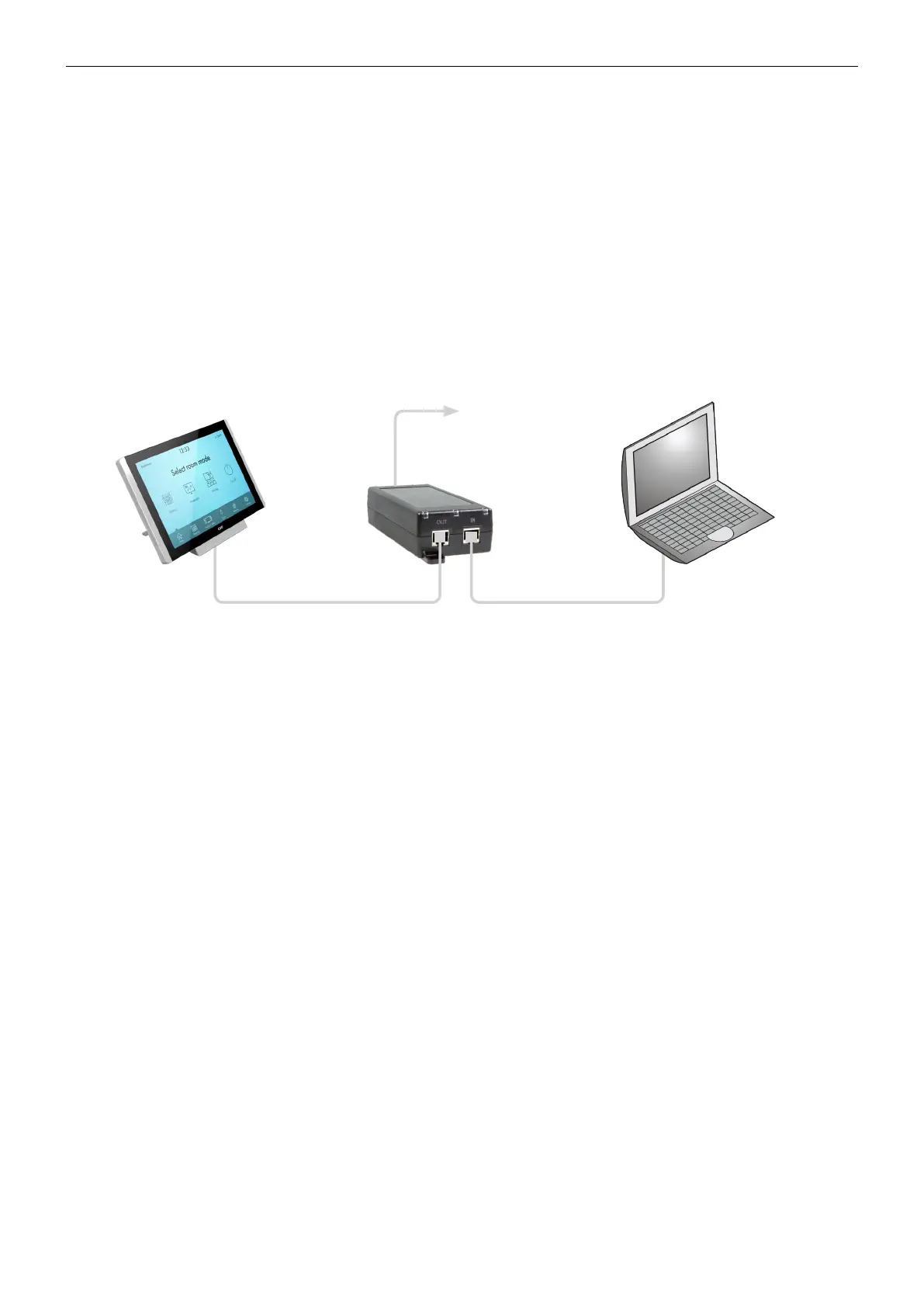
Direct PC Connection
All touch panel models are equipped with PoE power supply (4.3” and 7” models) or PoE+ power supply (12” models).
That means one Cat cable is used for power supply and for data.
Make sure you use
• PoE Adapter for 4.3” and 7” models
• PoE+ Adapter for 12” models.
Connection steps are as follows
1. Attach one end of a RJ-45 Ethernet straight-through cable to the CUEnet (LAN) port on touch panel and attach the other
end of this cable to OUT port of PoE (PoE+) Adapter.
2. Attach one end of a RJ-45 Ethernet straight-through cable to the IN port of PoE (PoE+) Adapter and attach the other end
of this cable to LAN port of your computer.
3. Attach power supply to the PoE (PoE+) adapter.
Power supply
PoE Adapter for 7” models
PoE+ Adapter for 12” models
Ethernet cable straight-through Ethernet cable crossed-over



 To Next Page