Wired Touch Panels - User Manual
29© CUE, a.s. | All Rights Reserved.
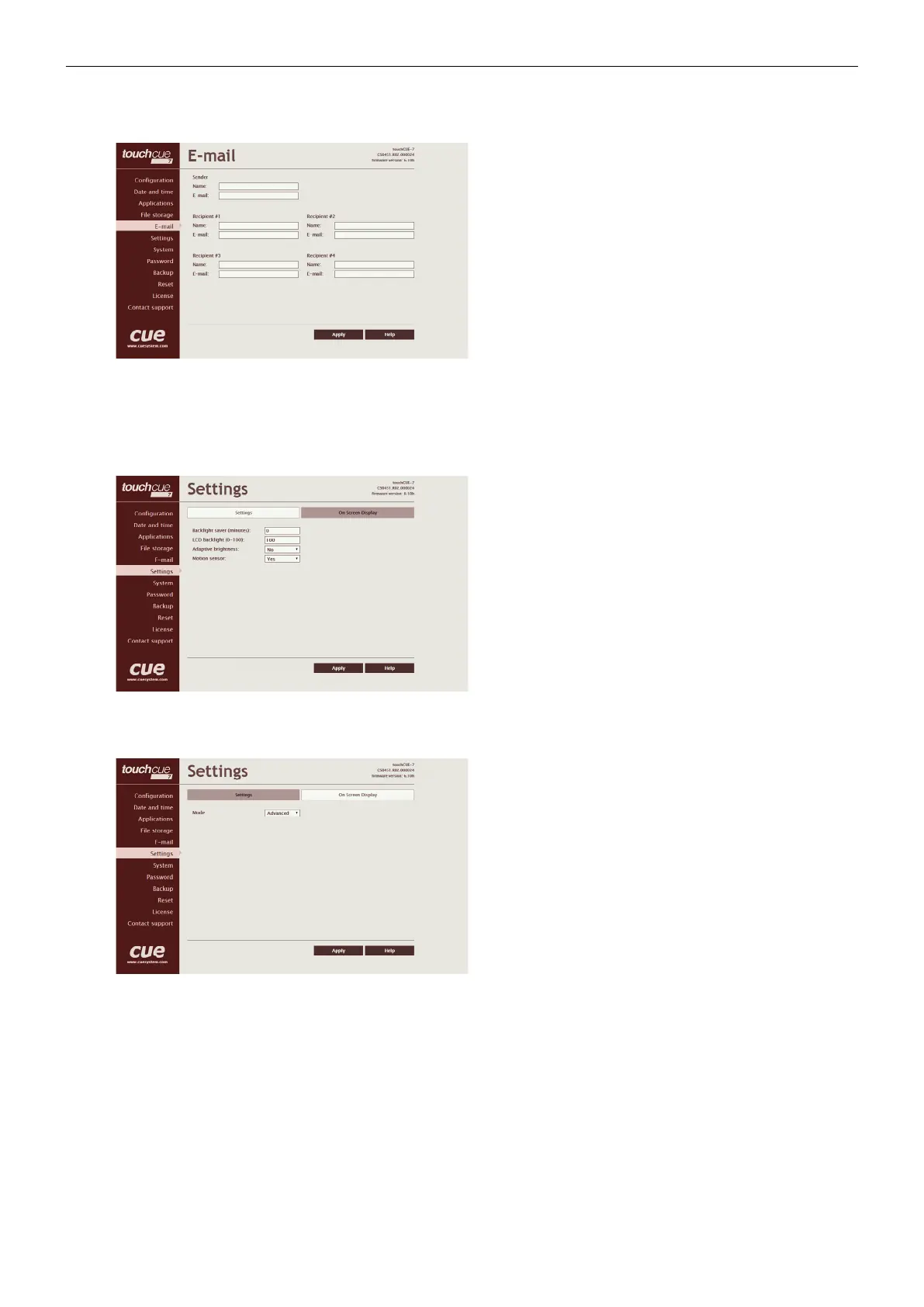
E-mail
This page is used for setting parameters of e-mail
parameters and recipients addresses.
The SMTP server must be set. See the Configuration/SMTP
setting.
The sender Name and E-mail are addresses of your
CUEunit. The sender Name and E-mail are used by the XPL2
commands EmailSend and PresetEmailSend.
The recipient Names and E-mails are addresses of
recipients, where e-mails will be sent using the XPL2
command PresetEmailSend.
Settings
Settings
On this page some display features can be set.
The Backlight Saver will switch off automatically display
backlight. Time in minutes can be set. Time set to 0 means
that Backlight Saver is disabled.
LCD Backlight sets display backlight level.
If Adaptive Brightness is switched to Yes, the light sensor
automatically adjusts display backlight according ambient
light level.
If Motion Sensor is switched to Yes the Motion Sensor
resumes touch panel from Backlight Saver mode
automatically.
On Screen Display
This page serves for setting of On Screen Display
functionality.
Type of activation is defined here as well as mode of the
On Screen Display. In Advanced mode all functions are
available, Basic mode is more safety (for example network
settings can’t be changed).
In addition some settings done by On Screen Display can
be enabled or disabled.



 To Next Page