8
3. USE
Before using for the rst time we recommend operating the
kettle 2 or 3 times. Fill to the MAX mark ll level (1.7L), bring
to the boil and when boiling has nished and the kettle has
switched o, discard the water and rinse out the inside.
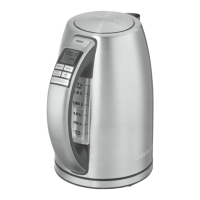
A. Control panel
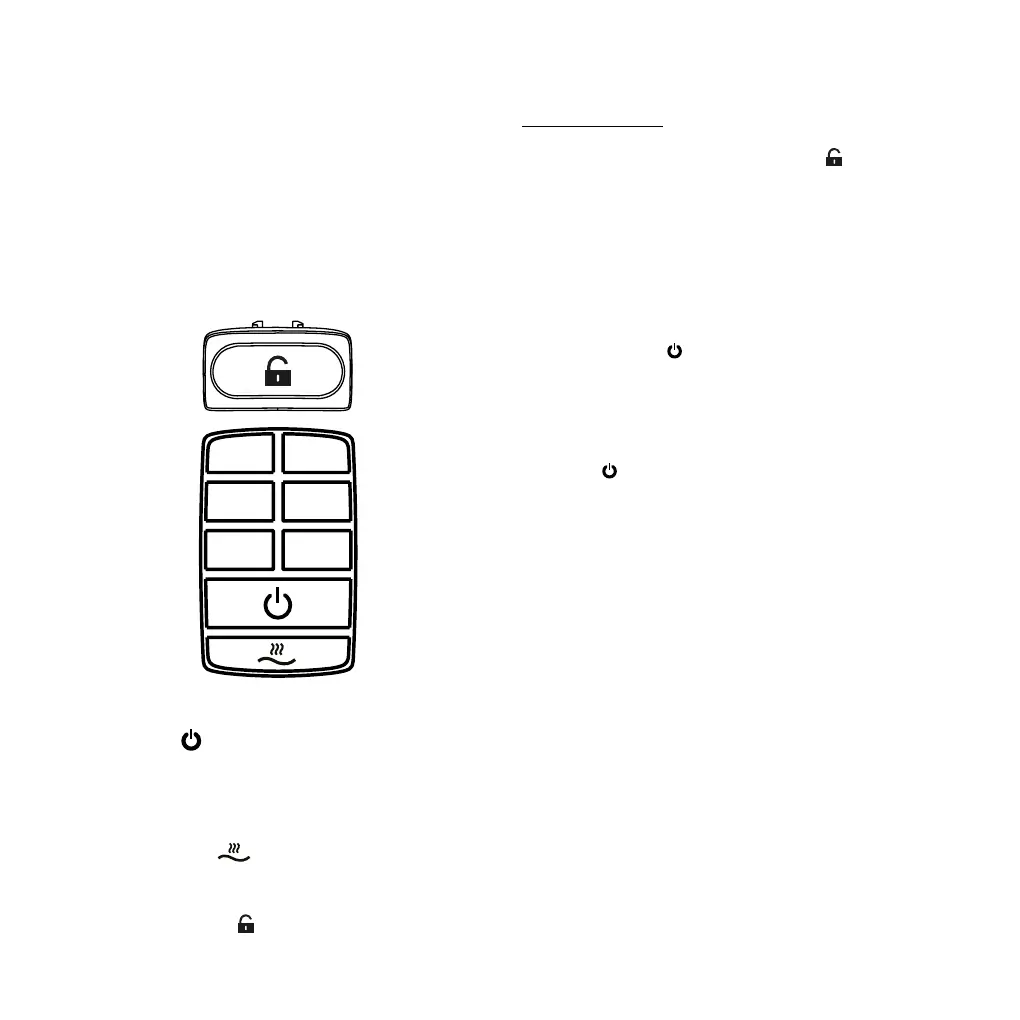
On/Off Switch : used to turn the kettle on and o.
Temperature selector: 6 temperatures (75°C, 80°C,
85°C, 90°C, 95°C and 100°C).
Keep Warm Button
ACTUAL SIZE SAMPLE
32mm
Customer:
Model No.
Description:
Prepared by:
Checked by:
Approved by:
Released on:
Vendor:
CUISINART-E
CPK18E
Control panel pad print
Peter 12/20/13
Donlim
Scale 1 : 1
1 2 3 4 5cm
CONTINENTAL CONAIR LIMITED
pad print color: black
Text size:: 2.8mm(h)
75°C
85°C
95°C
90°C
100°C
80°C
: maintains the water
temperature for approx. 25~30 minutes.
Cover release button
ACTUAL SIZE SAMPLE
32mm
Customer:
Model No.
Description:
Prepared by:
Checked by:
Approved by:
Released on:
Vendor:
CUISINART-E
CPK18E
Control panel pad print
Peter 12/20/13
Donlim
Scale 1 : 1
1 2 3 4 5cm
CONTINENTAL CONAIR LIMITED
pad print color: black
Text size:: 2.8mm(h)
75°C
85°C
95°C
90°C
100°C
80°C
: to open the cover.
B. Operation
Heating water
• Open the cover by pressing the button
ACTUAL SIZE SAMPLE
32mm
Customer:
Model No.
Description:
Prepared by:
Checked by:
Approved by:
Released on:
Vendor:
CUISINART-E
CPK18E
Control panel pad print
Peter 12/20/13
Donlim
Scale 1 : 1
1 2 3 4 5cm
CONTINENTAL CONAIR LIMITED
pad print color: black
Text size:: 2.8mm(h)
75°C
85°C
95°C
90°C
100°C
80°C
.
• Pour the desired amount of cold water in the kettle
ensuring to keep between the “MIN” and “MAX” levels
marked on the water gauge.
• Push the lid closed; you will feel and hear a slight «click».
• Gently place the kettle on the base.
• Plug the kettle into the mains.
• Press the button of the desired temperature.
• Press the button
to heat the water. The temperature
button selected will ash. The water level indicator at the
rear of the kettle will turn on. An audio signal will sound for
1 second to indicate that the process has begun.
N.B. If the
switch is pressed but the temperature has not
been set, the kettle will default to 100°C.
• When the kettle has reached the selected temperature it
will beep 5 times and switch o. The light illuminating the
water indicator window will turn o.
• The kettle can also be turned o at any time by pressing
the button or by removing it from the base.
N.B. The temperature can be changed at any time during the
boiling process by pressing one of the preset temperature
options. If the temperature selected during boiling is lower
than the temperature of the water in the kettle or the kettle
is o and the water is still hotter than the temperature
selected, the temperature button will ash, and the kettle
will switch o and beep 5 times once the water temperature
drop to the selected temperature. If the temperature
selected during boiling is same as the temperature of the
water in the kettle, it will switch o and beep 5 times. When
the kettle is o, select a temperature and then press On/O
switch, if the temperature of the water in the kettle is the
ACTUAL SIZE SAMPLE
32mm
Customer:
Model No.
Description:
Prepared by:
Checked by:
Approved by:
Released on:
Vendor:
CUISINART-E
CPK18E
Control panel pad print
Peter 12/20/13
Donlim
Scale 1 : 1
1 2 3 4 5cm
CONTINENTAL CONAIR LIMITED
pad print color: black
Text size:: 2.8mm(h)
75°C
85°C
95°C
90°C
100°C
80°C
75°C
85°C
95°C
90°C
100°C
80°C





 To Next Page