EasyManua.ls Logo

Cuisinart CPT-720 - User Manual

Cuisinart CPT-720
8 pages
Print Icon
To Next Page IconTo Next Page
Loading...
2-Slice Digital Toaster with MemorySet CPT-720
For your safety and continued enjoyment of this product, always read the instruction book carefully before using.
INSTRUCTION BOOKLET
Question and Answer IconNeed help?

Do you have a question about the Cuisinart CPT-720 and is the answer not in the manual?

Summary

Important Safeguards

Read All Instructions

Always follow all instructions for safe operation and to prevent hazards.

Unplug When Not in Use

Disconnect from power outlet when not in use and before cleaning to prevent electric shock.

Avoid Hot Surfaces

Do not touch hot surfaces; use handles or levers for operation.

Protection Against Electric Shock

Do not immerse cord, plug, or toaster in water or other liquids.

Supervision for Children and Disabled Individuals

Appliance requires close supervision when used by or near children or individuals with disabilities.

Damaged Appliance

Do not operate with a damaged cord or plug, or if the appliance is malfunctioning.

Intended Use Only

Use this toaster only for its intended purpose.

Food and Utensil Insertion

Do not insert oversized foods, metal foil, or utensils to avoid fire or electric shock.

Flammable Materials

Keep toaster away from flammable materials like curtains; do not operate under wall cabinets.

Dislodging Food

Do not attempt to dislodge food while the toaster is plugged in.

Unattended Operation

To avoid fire, do not leave the toaster unattended during use.

Disconnecting Power

Disconnect by pushing Cancel, then unplugging from the wall outlet.

Appliance Garage Operation

Do not operate in appliance garages or under wall cabinets; unplug when storing.

Special Cord Set Instructions

Features and Benefits

General Operation

MemorySet Feature

Programming a Memory Setting

Save up to 4 preferred toast settings by selecting memory number, bread type, and shade.

Functions

Cleaning and Maintenance

Unplug Before Cleaning

Always unplug the toaster from the electrical outlet before performing any cleaning.

Crumb Tray Maintenance

Slide out, empty, and wipe the crumb tray regularly; never operate without it.

Removing Stuck Food

Turn toaster upside down to remove stuck bread pieces; never use sharp instruments.

Warranty Information

Limited Three-Year Warranty

Covers defects in materials and workmanship for 3 years for home use.

Hassle-Free Replacement Warranty

Explains repair or replacement process for defects or damages.

Summary

Important Safeguards

Read All Instructions

Always follow all instructions for safe operation and to prevent hazards.

Unplug When Not in Use

Disconnect from power outlet when not in use and before cleaning to prevent electric shock.

Avoid Hot Surfaces

Do not touch hot surfaces; use handles or levers for operation.

Protection Against Electric Shock

Do not immerse cord, plug, or toaster in water or other liquids.

Supervision for Children and Disabled Individuals

Appliance requires close supervision when used by or near children or individuals with disabilities.

Damaged Appliance

Do not operate with a damaged cord or plug, or if the appliance is malfunctioning.

Intended Use Only

Use this toaster only for its intended purpose.

Food and Utensil Insertion

Do not insert oversized foods, metal foil, or utensils to avoid fire or electric shock.

Flammable Materials

Keep toaster away from flammable materials like curtains; do not operate under wall cabinets.

Dislodging Food

Do not attempt to dislodge food while the toaster is plugged in.

Unattended Operation

To avoid fire, do not leave the toaster unattended during use.

Disconnecting Power

Disconnect by pushing Cancel, then unplugging from the wall outlet.

Appliance Garage Operation

Do not operate in appliance garages or under wall cabinets; unplug when storing.

Special Cord Set Instructions

Features and Benefits

General Operation

MemorySet Feature

Programming a Memory Setting

Save up to 4 preferred toast settings by selecting memory number, bread type, and shade.

Functions

Cleaning and Maintenance

Unplug Before Cleaning

Always unplug the toaster from the electrical outlet before performing any cleaning.

Crumb Tray Maintenance

Slide out, empty, and wipe the crumb tray regularly; never operate without it.

Removing Stuck Food

Turn toaster upside down to remove stuck bread pieces; never use sharp instruments.

Warranty Information

Limited Three-Year Warranty

Covers defects in materials and workmanship for 3 years for home use.

Hassle-Free Replacement Warranty

Explains repair or replacement process for defects or damages.

Overview

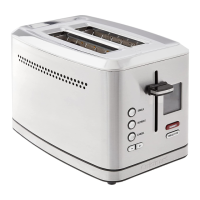
The Cuisinart 2-Slice Digital Toaster with MemorySet (CPT-720) is a sophisticated kitchen appliance designed to toast various types of bread with precision and convenience. Its primary function is to brown bread slices to a desired shade, offering a range of settings and features to cater to individual preferences and different bread types.

Function Description:

The toaster features dual toasting slots, wide enough to accommodate a variety of bread types, from thin slices to thicker bagels. At its core, the device utilizes an electrical heating element to brown bread. The toasting process is initiated by pressing down a high-lift lever, which lowers the bread into the slots and activates the heating elements. Once the toasting cycle is complete, the bread is automatically lifted, making it easy to retrieve even the smallest items.

A key aspect of this toaster is its digital interface, which includes an LCD display. This display provides real-time information, showing the selected shade setting, the chosen bread type, and a countdown timer, allowing users to monitor the progress of their toast. The countdown feature is particularly useful for knowing exactly when the toast will be ready.

The toaster offers several specialized functions to optimize browning for different food items. The "Defrost" function is designed to first defrost frozen bread and then toast it to the desired shade, indicated by an illuminated LED ring around the button when selected. The "Single-Slice" function ensures even toasting from side to side when only one slice of bread is being prepared, also indicated by an illuminated LED ring. Should a user wish to stop the toasting process at any point, the "Cancel" button immediately halts the cycle and automatically lifts the bread.

Usage Features:

The Cuisinart CPT-720 is equipped with a range of features that enhance its usability and allow for a customized toasting experience.

  • Browning Shade Selector: Users can precisely control the level of browning using "+" and "-" buttons. The toaster offers a shade range from 1 to 7, with 1-2 being light, 3-5 medium, and 6-7 dark. The selected shade setting is clearly displayed on the LCD screen.
  • Bread-Type Button: This dedicated button allows users to select from various bread functions, each optimized for specific bread characteristics. Options include "WHITE" for soft sandwich breads, "GRAIN" for unrefined, nutrient-dense whole grain breads, "BAGEL" for perfect bagel toasting (reducing heat on one side), "SWEET" for breads with higher sugar content (like raisin-cinnamon bread), "WAFFLE" for waffles (often paired with the Defrost function), "ENG. MUFFIN" for denser English muffins or crumpets, and "GLUTEN-FREE" for most types of gluten-free bread. The selected bread type is indicated by an arrow on the display.
  • MemorySet Feature: A standout feature is the "MemorySet" function, which allows users to program and save up to four of their favorite toast settings. This is activated by pressing the red "MEMORY" button, which cycles through memory slots 1-4. To program a setting, the user selects a memory number, presses and holds the "MEMORY" button until it flashes, then selects the desired bread type and toast shade. The setting is confirmed by pressing and holding the "MEMORY" button again until the flashing stops. These settings are retained even when the toaster is unplugged, offering consistent results for frequently used preferences. Any memory setting can be revised, and all settings can be easily erased by unplugging the toaster and simultaneously pressing and holding the "SINGLE" and "DEFROST" buttons before plugging it back in.
  • High-Lift Lever: Beyond initiating the toasting cycle, the lever can be manually lifted higher to bring smaller items closer to the top of the toaster, making them easier to retrieve without burning fingers.
  • Idle Mode: To conserve energy, the toaster automatically enters an idle mode after 5 minutes of no operation, turning off the LCD display. It can be reactivated by pressing any button or pushing down the start lever.
  • Bagel Orientation: For optimal bagel toasting, a directional icon on the top of the toaster guides users to insert bagels with the cut side facing away from the center of the toasting slots, ensuring the cut side is toasted more intensely than the outer crust.
  • Cord Storage: For a tidy countertop, the toaster includes cord storage cleats on its underside, allowing excess cord to be wrapped neatly.

Maintenance Features:

Proper maintenance ensures the longevity and safe operation of the Cuisinart toaster.

  • Crumb Tray: The toaster is equipped with a slide-out crumb tray located at the back. This tray collects crumbs during the toasting process, preventing buildup inside the toaster. For cleaning, the tray can be easily removed, emptied, wiped clean, and then reinserted. It is crucial to never operate the toaster without the crumb tray in place.
  • Exterior Cleaning: The exterior of the toaster should be cleaned only after the appliance has completely cooled down and is unplugged from the electrical outlet. A clean, damp cloth can be used to wipe the exterior, followed by thorough drying. Abrasive cleaners should be avoided to prevent damage to the finish.
  • Internal Cleaning: To remove any bread pieces that may remain inside the toasting slots, the toaster should be unplugged, turned upside down, and gently shaken. It is important to never insert hard or sharp instruments into the slots, as this could damage the heating elements or internal mechanisms and pose a safety hazard.
  • General Safety: Always unplug the toaster from the electrical outlet when not in use and before cleaning. Allow it to cool completely before handling or storing. The cord should never be wrapped around the outside of the toaster; instead, the integrated cord storage should be utilized. Any servicing beyond routine cleaning should be performed by an authorized service representative to ensure safety and proper function.

Cuisinart CPT-720 Specifications

General IconGeneral
TypeToaster
Slots2
Browning ControlYes
Defrost FunctionYes
Reheat FunctionYes
Cancel ButtonYes
Crumb TrayYes
Power900 watts
Bagel FunctionYes
ColorStainless Steel
Shade Settings7
Extra-Wide SlotsYes
Removable Crumb TrayYes
Cord StorageYes

Related product manuals