
 Need help?
Do you have a question about the Cuisinart DCC-1400 Series and is the answer not in the manual?
Explains the importance of water quality for coffee flavor.
Discusses the significance of coffee bean quality and freshness.
Details how coffee grind size affects flavor extraction and brewing.
Advises on the correct coffee-to-water ratio for optimal taste.
Describes the flip-back reservoir cover for easy filling.
Identifies the component for holding brewing water.
Explains how the showerhead distributes water evenly over coffee grounds.
Indicates the part that secures the charcoal water filter.
Details the filter's function to remove impurities from tap water.
Specifies the basket's compatibility with paper or gold-tone filters.
Identifies the component that holds the filter basket.
Describes the reusable filter that eliminates the need for paper filters.
Explains the feature that temporarily stops coffee flow for mid-brew pouring.
Notes the audible signal that indicates the end of the brewing cycle.
Highlights the insulated carafe for keeping coffee hot and fresh.
Describes the scratch-resistant, nonstick surface for the carafe.
Identifies the included tool for measuring coffee grounds.
Confirms that parts in contact with water/coffee are free from BPA.
Explains the knob for setting time, Auto On, and Auto Off.
Shows the time of day and auto on/off times.
Used to turn the coffeemaker on and off.
Audible signal for end of brew cycle.
Buttons used for setting time and auto-on time.
Lights indicating power status and auto-on function.
Feature for brewing smaller amounts of coffee hotter.
Function to initiate the cleaning cycle.
Instructions for flushing the coffeemaker before initial use.
Guides on how to program brewing cycles.
Procedure for setting the current time on the coffeemaker.
Steps to program the automatic brew start time.
How to use the setting for brewing smaller, hotter portions.
Step-by-step guide for preparing and inserting the filter.
Instruction to insert the charcoal water filter.
Guidance on filling the water reservoir to the desired level.
Option to select the 1-4 cup setting for smaller brews.
Instructions for adding the correct amount of coffee grounds.
Explains the feature to pause brewing for a mid-brew pour.
Routine cleaning instructions for the coffeemaker.
Procedure for removing mineral deposits using vinegar.
Details on using and canceling the Clean function.
Overview of the warranty coverage and terms.
Specific warranty provisions for California residents.
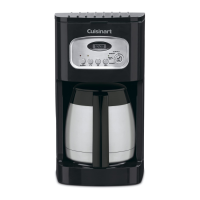
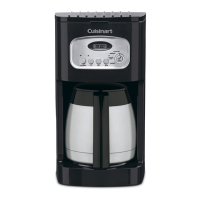
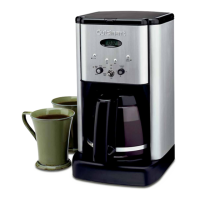
The Cuisinart Brew Central Thermal® Coffeemaker, DCC-1400 Series, is designed to deliver a perfect cup of coffee with a focus on flavor, convenience, and ease of maintenance. This coffeemaker incorporates several features to ensure optimal brewing and user-friendly operation.
At its core, the Cuisinart Brew Central Thermal® Coffeemaker is engineered to brew coffee efficiently and maintain its temperature for extended periods. It utilizes a charcoal water filter to purify tap water, removing chlorine, bad tastes, and odors, which is crucial for achieving the purest coffee flavor. The coffeemaker's showerhead design ensures even distribution of water over the coffee grounds, minimizing temperature loss during the brewing process.
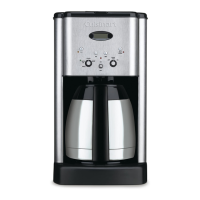
A key feature is the thermal carafe with a hands-free lid. This double-wall insulated stainless steel carafe is designed for easy, drip-free pouring. Coffee brews directly through the unique lid, which seals air out to preserve freshness and temperature. This eliminates the need to turn or adjust the lid, enhancing convenience.
The coffeemaker offers programmable functionality, allowing users to set an "Auto On" time for the brew cycle to start automatically. This feature can be set for any time, day or night, with a PM indicator on the LCD for nighttime programs. Alternatively, users can initiate brewing directly using the "Brew" function.
For smaller batches of coffee, the "1-4 Cup Setting" provides double heating of the water, ensuring that even a small amount of coffee is piping hot. The coffeemaker also includes a "Brew Pause™" feature, which temporarily stops the flow of coffee from the basket when the carafe is removed (for a maximum of 20 seconds). This allows users to pour a cup mid-brew, although it's noted that using this feature may weaken the flavor strength of the finished pot due to varying extraction rates during the brew cycle.
Upon completion of the brewing cycle, the coffeemaker signals with an audible "Ready Tone" of five beeps. Coffee will continue to stream from the filter for a few seconds after the tone.
Operating the Cuisinart Brew Central Thermal® Coffeemaker is straightforward, with a control panel that includes a function knob, clock display, power switch, and hour/minute buttons.
Before first use, it's recommended to flush the coffeemaker by filling the reservoir with cold water and running a brew cycle without coffee. This prepares the unit for optimal performance.
To set the time of day, the function knob is turned to "Clock Set." Users can then hold down the "Hour" or "Minute" button until the clock begins flashing, then press either button to select the desired time. Holding the buttons down scrolls through digits, while pressing and releasing advances one digit at a time. The PM indicator ensures accurate time setting for evening hours.
Programming the "Auto On" time involves turning the function knob to "PROG," which displays a previously selected or default auto on time. The "Hour" and "Minute" buttons are used to set the desired start-brew time. Once set, turning the function knob to "Auto On" and flipping the power switch to "On" activates the programmed function, indicated by a green light. At the programmed time, a red light illuminates, signaling the start of the brew cycle.
For direct brewing, the function knob is turned to "Brew," and the power switch is flipped to "On." The red indicator light will illuminate, and the brew cycle will begin. To turn the coffeemaker off, the power switch is simply flipped to the "Off" position.
Filling the water reservoir is done by pouring the desired amount of cold water, guided by the water level indicator inside the reservoir. The charcoal water filter, which comes in a polybag, needs to be soaked in cold tap water for 15 minutes before insertion into the water filter holder. The holder is then placed back into the water reservoir.
Adding ground coffee involves removing the filter basket, inserting a #4 paper filter or the permanent gold-tone filter, and adding the desired amount of ground coffee. The manual recommends one level scoop (one tablespoon) per cup, with a maximum capacity of 15 scoops for this 60 oz. coffeemaker to prevent overflow, especially with finely ground coffee. The filter basket is then replaced, and the reservoir lid is closed securely.
Regular cleaning and maintenance are essential for the coffeemaker's longevity and consistent performance. Before cleaning, the coffeemaker should always be turned off and unplugged from the electrical outlet.
The filter basket, paper filter, and ground coffee should be removed and discarded after each use. The filter basket can be washed in warm, soapy water or placed on the upper rack of a dishwasher. The thermal carafe and its lid can also be washed in warm, soapy water or placed on the upper rack of a dishwasher.
The base unit should never be immersed in water or other liquids. To clean the base, a clean, damp cloth should be used, followed by drying before storage. Fingerprints and blemishes on the stainless steel housing can be cleaned with soap and water or a nonabrasive cleaning solution. The resting plate should be wiped with a clean, damp cloth, avoiding rough or abrasive materials. It's important not to dry the inside of the water reservoir with a cloth, as lint may remain.
Decalcification is a crucial maintenance step to remove calcium deposits that accumulate on the metal parts over time. The coffeemaker is equipped with a flashing "Clean" light that indicates when decalcification is needed. Before starting the decalcification process, the charcoal water filter must be removed from its holder.
To decalcify, the water reservoir should be filled to capacity with a mixture of one-third white vinegar and two-thirds water. The "Clean" button is then pressed, and when the light glows, the coffeemaker is turned on. The "Clean" light will shine steadily, indicating that the coffeemaker is in clean mode. One cycle is usually sufficient. After the cycle is completed and the five beeps sound, the coffeemaker will shut off. If the "Clean" light continues to flash, the cleaning procedure should be repeated with a fresh solution of vinegar and water. Once the "Clean" light no longer flashes, the coffeemaker should be turned off, and a cycle of fresh cold water should be run through the unit before brewing coffee again.
The charcoal water filter should be changed approximately every 60 days or after 60 uses, or more frequently if the user has hard water. Replacement filters can be purchased through Cuisinart Customer Service or online.
The coffeemaker is designed with BPA-free parts that come into contact with water or coffee, ensuring safety. For any servicing beyond routine cleaning, it is recommended to contact authorized personnel. The base panel should not be removed by the user, as there are no user-serviceable parts inside.
 General
| Capacity | 14 Cups |
|---|---|
| Brew Pause Feature | Yes |
| Programmable | Yes |
| Auto Shutoff | Yes |
| Carafe Material | Glass |
| Adjustable Keep Warm Temperature | No |
| Self-Cleaning | No |
| Warming Plate | Yes |
| Display | LCD |
| Type | Coffee Maker |
| Water Filter | Yes, Charcoal |
| Programmability | 24-hour |


 To Next Page