EasyManua.ls Logo

Cuisinart SS-780PC - User Manual

Cuisinart SS-780PC
24 pages
Print Icon
To Next Page IconTo Next Page
Loading...
For your safety and continued enjoyment of this product, always read the instruction book carefully before using.
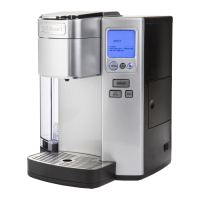
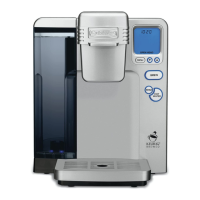
Single Serve Brewing System
SS-780PC
INSTRUCTION BOOKLET

Questions and Answers

  • B
    Benjamin OrtizJul 30, 2025
    What to do if my Cuisinart SS-780PC will not brew?
    • A
      Amanda PeckJul 30, 2025
      If your Cuisinart Coffee Maker brewer won't brew, several factors could be at play. An air bubble might be trapped; try lifting off the reservoir and placing it back. Ensure the water reservoir is correctly filled and seated, and perform a Rinse cycle. After inserting the K-Cup®, ensure the handle is securely pushed down until the LCD control panel displays READY. If the panel indicates ADD WATER even after refilling, contact Customer Service. Also, the exit needle may be clogged.
  • B
    bowmanabigailAug 3, 2025
    Why my Cuisinart SS-780PC doesn’t brew a full cup?
    • H
      Heather Johnson MDAug 4, 2025
      If your Cuisinart Coffee Maker isn’t brewing a full cup, it could be due to several reasons. An air bubble might be trapped in the water path; lift off the reservoir and put it back into place. Clean the K-Cup® holder brewing chamber and make sure the water reservoir is properly in place and perform a Rinse cycle. The exit needle may be clogged. Also, de-scale the Brewer.
  • K
    Karen RamirezAug 7, 2025
    Why does my Cuisinart Coffee Maker turn on and off by itself?
    • B
      Bryan RamseyAug 7, 2025
      If your Cuisinart Coffee Maker shuts off or turns on automatically, ensure that the Auto Off and On/Off time features have not been set. Press the Menu button and scroll through the programming options. OFF should be displayed for Auto Off timer and On/Off. If OFF is not displayed, you must reset.
  • P
    pjonesAug 11, 2025
    Why is the time not displayed on my Cuisinart SS-780PC?
    • K
      Katherine IngramAug 12, 2025
      If the time is not displayed on the LCD control panel of your Cuisinart Coffee Maker, you must set the clock. If power is interrupted, you will need to re-set the clock.
  • D
    Diana WileyAug 16, 2025
    How to troubleshoot Cuisinart SS-780PC with no power?
    • K
      kaitlinreyesAug 16, 2025
      If your Cuisinart Coffee Maker brewer has no power, ensure it is plugged into an independent outlet and securely plugged in. Try a different outlet, reset your home’s circuit breaker, and confirm the power is on and the LCD is illuminated.
  • R
    Raymond GreenAug 20, 2025
    What does the flashing blue light mean on my Cuisinart SS-780PC Coffee Maker?
    • S
      Steven GonzalezAug 20, 2025
      If the blue light in the water reservoir of your Cuisinart Coffee Maker is flashing, it means the water level is low and needs to be refilled to brew a full cup.
  • H
    Heather JohnsonAug 25, 2025
    How to improve the taste of coffee from my Cuisinart SS-780PC?
    • L
      laura67Aug 26, 2025
      To address chlorine or mineral taste in your coffee from the Cuisinart Coffee Maker, consider using bottled or filtered water, or the Cuisinart Charcoal Water Filter.

Summary

Important Safeguards

Special Cord Set Instructions

Important Unpacking Instructions

The Quest for Perfect Coffee

Water Quality for Coffee

Discusses the importance of water quality and the charcoal filter.

Coffee and Ingredient Quality

Emphasizes using quality coffee and K-Cups for best results.

Grind Size and Flavor

Explains the importance of grind size for flavor extraction.

Proportion and Brew Volume

Covers choosing cup sizes and matching coffee grounds.

Features and Benefits

Setup and First Brew

Setting Up Your Brewer

Step-by-step guide for initial brewer setup and operation.

Charcoal Water Filter

Inserting the Water Filter

Instructions for installing the charcoal water filter.

Brewing Instructions

Brewing Instructions (Continued)

Iced Beverage Brewing

Instructions for brewing iced beverages with ice.

Hot Water and Rinse Functions

Performing a Rinse Cycle

Steps to perform a rinse cycle to clean the brewer.

Dispensing Hot Water

Instructions for dispensing hot water for beverages.

Brewing with My K-Cup Filter

Stopping the Brew Process

Adding Water to Reservoir

Purging the Brewer

Brewer Programming Options

Setting the Brewer Clock

Guide to setting the current time on the brewer.

Programming On;Off Features

Explains options for keeping the brewer on or automatically shutting it off.

Programming (Continued)

Setting Auto Shut-Off Timer

Instructions to automatically shut off the brewer after a set time.

Scheduling Brewer On;Off Times

Steps to schedule the brewer to turn on and off automatically.

Programming (Continued)

Adjusting Brew Temperature

How to adjust the brewing temperature up or down.

Programming Brew Size

Cleaning and Maintenance Guide

Cleaning External Parts

Guidance on cleaning the brewer's exterior components.

Cleaning My K-Cup Filter

Steps to clean the reusable coffee filter components.

Cleaning and Maintenance (Continued)

Cleaning K-Cup Holder

Instructions for cleaning the K-Cup holder and its parts.

Cleaning Water Reservoir and Lid

How to clean the water reservoir and lid properly.

De-Scaling Your Brewer

Brewer Troubleshooting

Warranty Information

Limited Three-Year Warranty

Outlines the terms and duration of the product warranty.

California Resident Warranty Options

Details warranty service options specific to California residents.

Product Return for Service

Provides instructions and precautions for returning a product for service.

Cuisinart SS-780PC Specifications

General IconGeneral
TypeSingle Serve Coffee Maker
CompatibilityK-Cup Pods
CapacityUp to 12 cups
Removable ReservoirYes
Adjustable Cup TrayYes
Product TypeCoffee Maker
Water FiltrationCharcoal Water Filter
FeaturesProgrammable, Auto Shut-Off
Brewing TimeLess than 1 minute
Warranty3-year limited

Related product manuals