EasyManua.ls Logo

Currie tech E-FolderCTI-B-30 - Installation and Adjustment Instructions - Part 3; Handlebar Folding Assembly

Default Icon
47 pages
Print Icon
To Next Page IconTo Next Page
To Previous Page IconTo Previous Page
Loading...
lnstallation
& Adjustment
Instruction
92
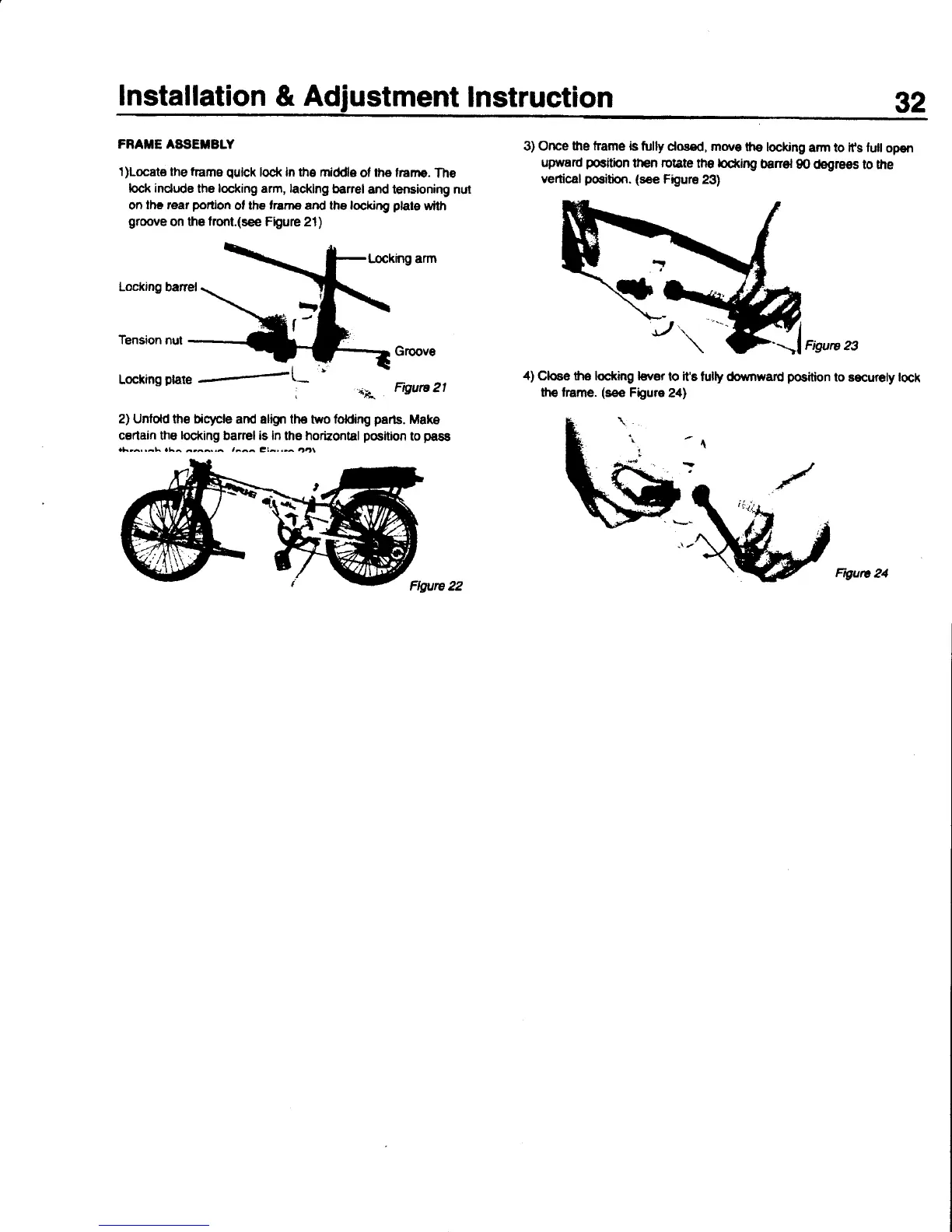
FRAIIE ASgETBLY
l)Locat€ the
frams
quick
lock
in the middle
ol
the franre.
The
loc* indude
the locking arm,
lacklng
barel
and tensioning nut
on
lhc rear
portion
ot
th€ frarne and the locking
plate
$/ith
grqrve
on the
fronl.(see
FQure
21)
l-ocking arm
Locking
banel
Tension
nut
Groove
Loclrng
P|?Ie
'-
+4
Frgurc2|
2) Unlold
the
bio7cle
and align the two folding
parts.
Make
cerlain the
locking
barel is ln the horizontal
position
to
pasE
r*.ra..a\.1^
^r^^.,^
,aaa
tia'.'^
4Ol
Flwre 22
3) Orrce
the frame is
tully
dosed, mo're
ths
lockng
arm to lfs luil
open
upward
poaition
tfEn rotate
th€
locking
benel
g0
(bgrees
to the
vertical
positbn.
(see
Figure
23)
4)
Clooe
the loctdng l€vor
lo
it's
tully dorrrnward
position
to
securely
tock
lhe frame.
(see
Figure
24)
Ftgutc
24

Related product manuals