19
Adjusting the Rinse Aid Reservoir
The rinse aid reservoir has six settings. Both the
recommended setting and the factory setting is “3”. If the
dishes are not drying properly or are spotted, adjust the dial
to the next higher number until your dishes are spot-free.
Adding Rinse Aid
Rinse aid helps to ensure water does not cling and leave marks on crockery during the drying
phase and helps crockery dry faster after it has been washed. Only pour rinse aid that is for
domestic dishwashers into the reservoir. This model is designed to use liquid rinse aids only.
Please follow the steps below to pour the rinse aid into the storage reservoir, and the amount will
dispense automatically.
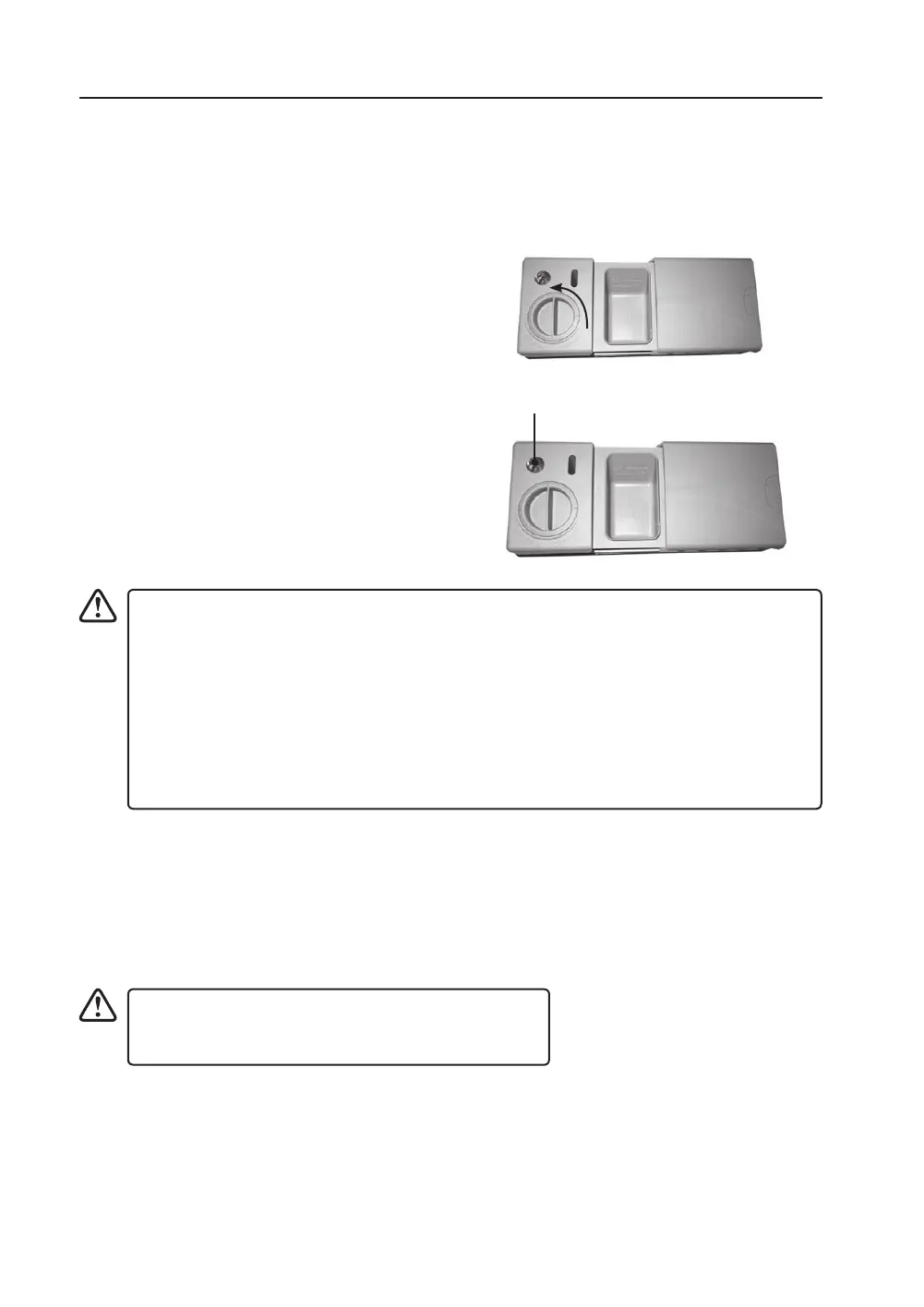
1. Turn the cap and open as indicated.
2. When the cap open marking is aligned, you
may lift the cap up.
3. Pour the rinse aid in until the rinse aid
indicator turns completely black in colour
and close the cap.
4. Be careful not to overll the reservoir. Wipe
up any spills.
• If the water hardness in your area is soft, you may not need rinse aid as it may cause
white lm to develop on your dishes.
• If you decide to use a detergent tablet, you do not need to add rinse aid into the
rinse aid reservoir.
• Rinse aid warning indicator will illuminate when the reservoir is running out of rinse
aid and requires relling.
• Alternatively, you can judge the amount of rinse aid by checking the rinse aid
indicator next to the reservoir cap. When the indicator is black, it means it is full.
When it is clear, it means it is almost empty.
If there is some rinse aid residue left in the washing
compartment or your dishes, turn the rinse aid
dispenser dial to 1.
rinse aid indicator
CID45B16/A_IB_RC_190828_grace.indd 19 28/8/2019 10:52 AM


 To Next Page