21
Quick Starting Guide
When done, slide the Power button to OFF and also turn off the iPod.
With the unit on, press the TFT MENU button on the remote
The menu will appear. To adjust the Brightness,
Contrast, Sharpness, Color, Hue or Reset
select the desired option by using the navigation button on the remote control.
Then adjust the option by pressing the - / + (Volume/Setting)
Followed by the TFT MENU button again.
To adjust the Screen Mode, press the WIDE Button.
Then select between 16:9 (Wide Screen) and 4:3 (Pan Scan: video material formatted in
this style is played back with the left and right edges cut off)
Rechargeable Battery Installation & Use
INSTALLING & REMOVING THE BATTERY PACK
1 . Make sure the unit is powered off and unplugged.
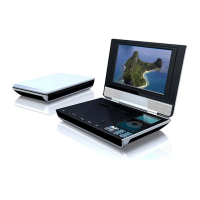
2 . Attach the battery pack to the outlet of the unit, push it forward align them with
each other till you hear a click sound.
Removing the Battery Pack
1 .Make sure the unit is powered off and unplugged.
2 . Pull the battery pack back ward while sliding the latch (at the bottom of the unit).


 To Next Page