10
Innovating SMART Hose Assembly Solutions Since 1979
DATA LOG OPTION
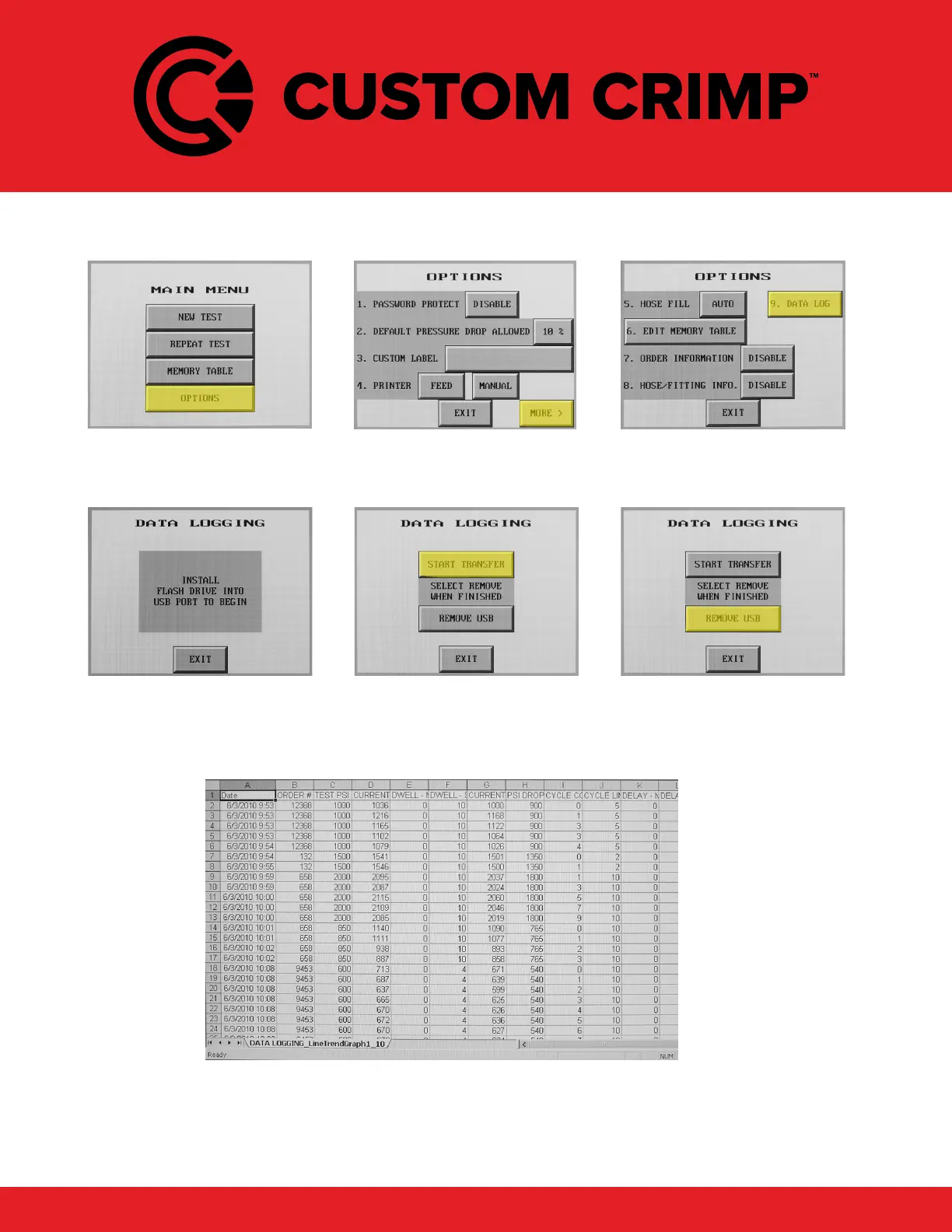
From the main screen, select
Options.
Select More from the Options
menu.
Select Data Log from the
second Options screen.
Following instructions on the
screen, Install Flash Drive.
Press Start Transfer once the
unit is ready. (Screen will ash
briey)
Select Remove USB once
transfer completes. Exit and
remove Flash Drive from control
panel.
Log les will be saved on USB drive. Using a computer, locate the
EA_LogCopy folder to view data. A separate le will be saved and
labeled for each day. Information is most compatible with a program
like Microsoft Excel. Test results will be stored and formatted as
shown above.



 To Next Page