Need help?
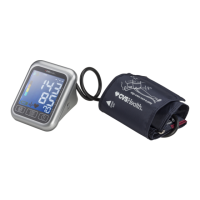
Do you have a question about the CVS Health BP3MW1-4YCVS and is the answer not in the manual?
Covers intended use, contraindications, and crucial safety warnings for the blood pressure monitor.
Provides guidelines for high/low BP values and when to consult a physician.
Step-by-step instructions for correctly inserting the batteries into the device.
Detailed instructions on how to correctly apply and fit the blood pressure cuff.
Step-by-step guide on how to operate the monitor to take a reading.
Steps to successfully pair your blood pressure monitor with a smartphone app.
Lists common error codes and provides solutions for troubleshooting issues.
 General
| Model Number | BP3MW1-4YCVS |
|---|---|
| Brand | CVS Health |
| Category | Blood Pressure Monitor |
| Type | Upper Arm |
| Display | LCD |
| Memory | 60 readings |
| Power Source | Batteries |


 To Next Page