09
10
3072 Wireless HD Receiver
Installation Instructions
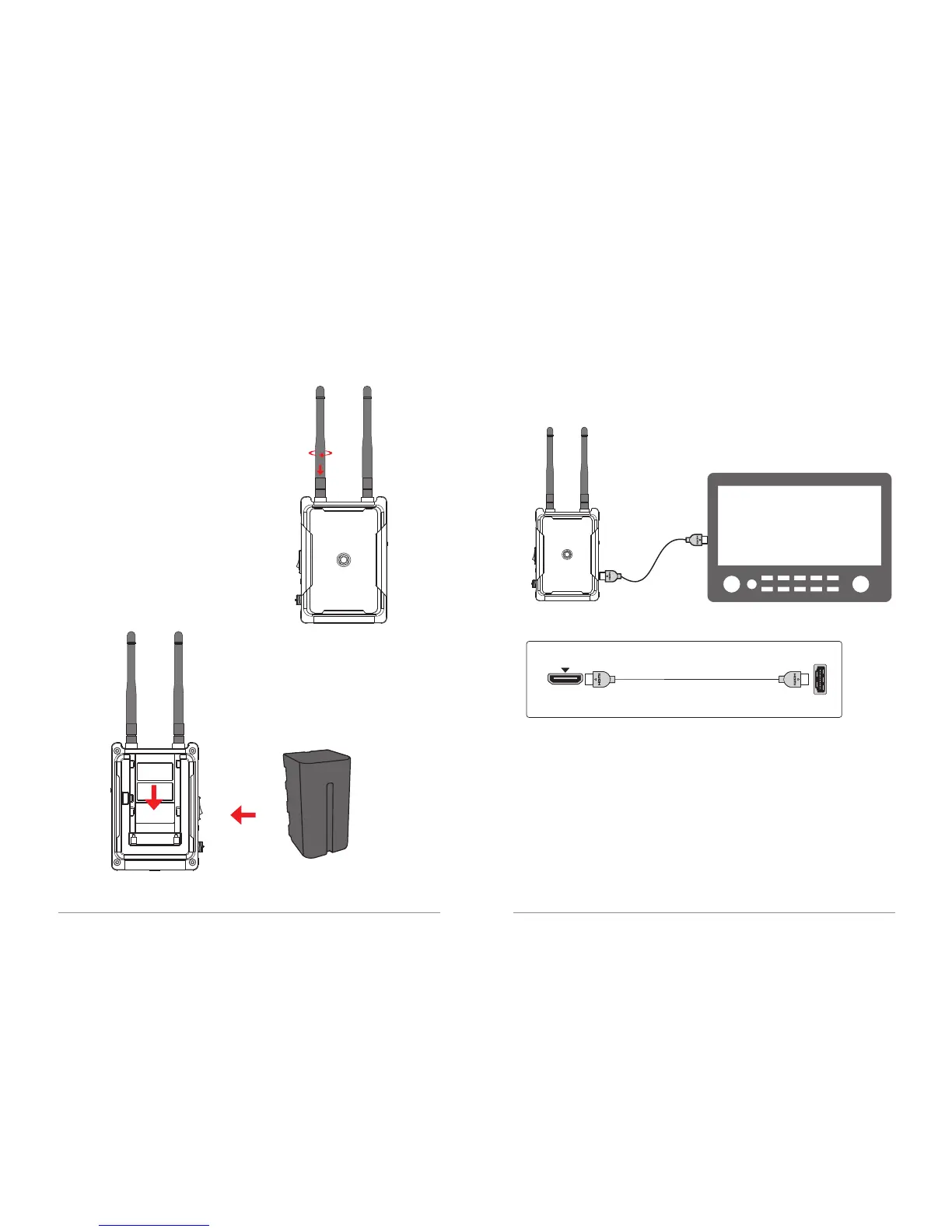
1. Install the antennas on the receiver,
turn it clockwise, and tighten the antennas.
Adjust the direction of the receiver antennas
to assume an upright parallel state
(as shown in the figure).
2. The receiver is equipped with a battery
(as shown in the figures).
Battery
3. Install the receiver on the monitor. Connect the HDMI cable.
Turn on the power (receiver and monitor power).
Warning: When the device is not in use, remove the battery.
HDMI OUT
Standard HDMI interface
HDMI connecting cable
HDMI IN
Standard HDMI interface


 To Next Page