11
12
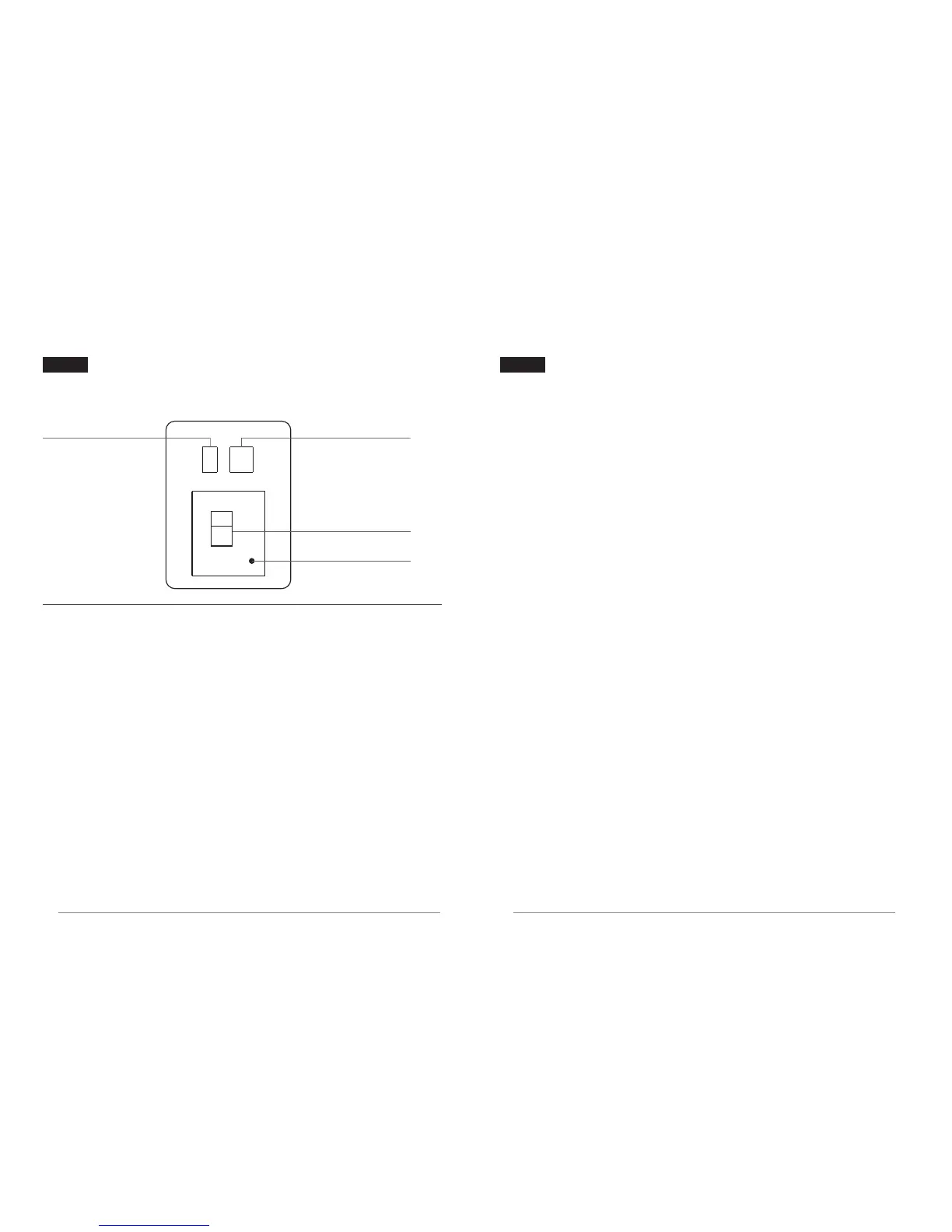
Digital tube display: Channel: 1~9, A, b
Digital tube display: Channel: 1~9, A, b
VIDEO indicator
LINK indicator: Network connection is OK, red indicator is always on;
network is not connected, flashing
VIDEO indicator: There is video input, the green indicator is always on;
no video, flashing
LINK indicator: Network connection is OK, red indicator is always on;
network is not connected, flashing
LINK indicator
Decimal point
The LINK / VIDEO indicator flashes red, indicating that the supply voltage is low.
The LINK / VIDEO indicator flashes red, indicating that the supply voltage is low.
VIDEO indicator: There is video input, the green indicator is always on;
no video, flashing
Digital Tube Status Indication
Transmitter / Receiver Digital Tube Status
Digital tube display
Transmitter
Receiver
Operating Instructions
1. Button function definition:
Channel button (CH): channel switching function
Mode button (Mode): Mode switching function
2. Operating instructions:
Frequency channel setting, short press CH button to switch the
operating frequency channel;
Fan ON/OFF, press and hold the CH button (3s) to turn on / off the fan.
3. Code pairing operation:
Press and hold the Mode button, the transmitter / receiver enters the code
pairing status, and the red and green LED indicators flash quickly at the same time.
4. Audio switching (transmitter only):
Short press the Mode button, and the VIDEO green LED flashes; switch to
external audio input, and the decimal channel of the digital tube is on.
Short press the Mode button again to switch to HDMI audio, and the decimal
channel of the digital tube is off.
Note:
All operations are performed after the product has started normally.


 To Next Page