CA 920WB manual 2012/5/3 2:13 PM ݦ 3
C M Y CM MY CY CMY K
• Read Instructions Carefully – All safety and operating instructions should be read before this
device is operated.
• Power Supply – Do not plug power supply in until all connections are made.
• Power Sources – Use only the AC power adapter supplied with these speakers.
Cyber Acoustics will not be held responsible for damage caused by another power supply.
• Heat – Keep speakers out of extreme heat, and away from sources producing extreme heat,
such as, space heaters, radiators, stoves, and other devices emitting heat.
• Water and Moisture – Keep speakers out of the rain and humid conditions to avoid electric
shock. Keep speakers away from water, such as, sinks, bathtubs, swimming pools, washing
machines, tubs of water, etc. in order to avoid electric shock. Keep water from dripping on the
device, do not put objects containing water, such as vases on top of the device, and do not
put the device near standing water.
• Cleaning – Use a dry cloth for cleaning. Do not wipe any part of the system with cleaning
solvents, such as, furniture wax, bleach, benzene, or ammonia.
CA-920
Universal Tablet Stand Speaker System
INTRODUCTION
BOX CONTENTS
CAUTION
SPEAKER PREPARATION
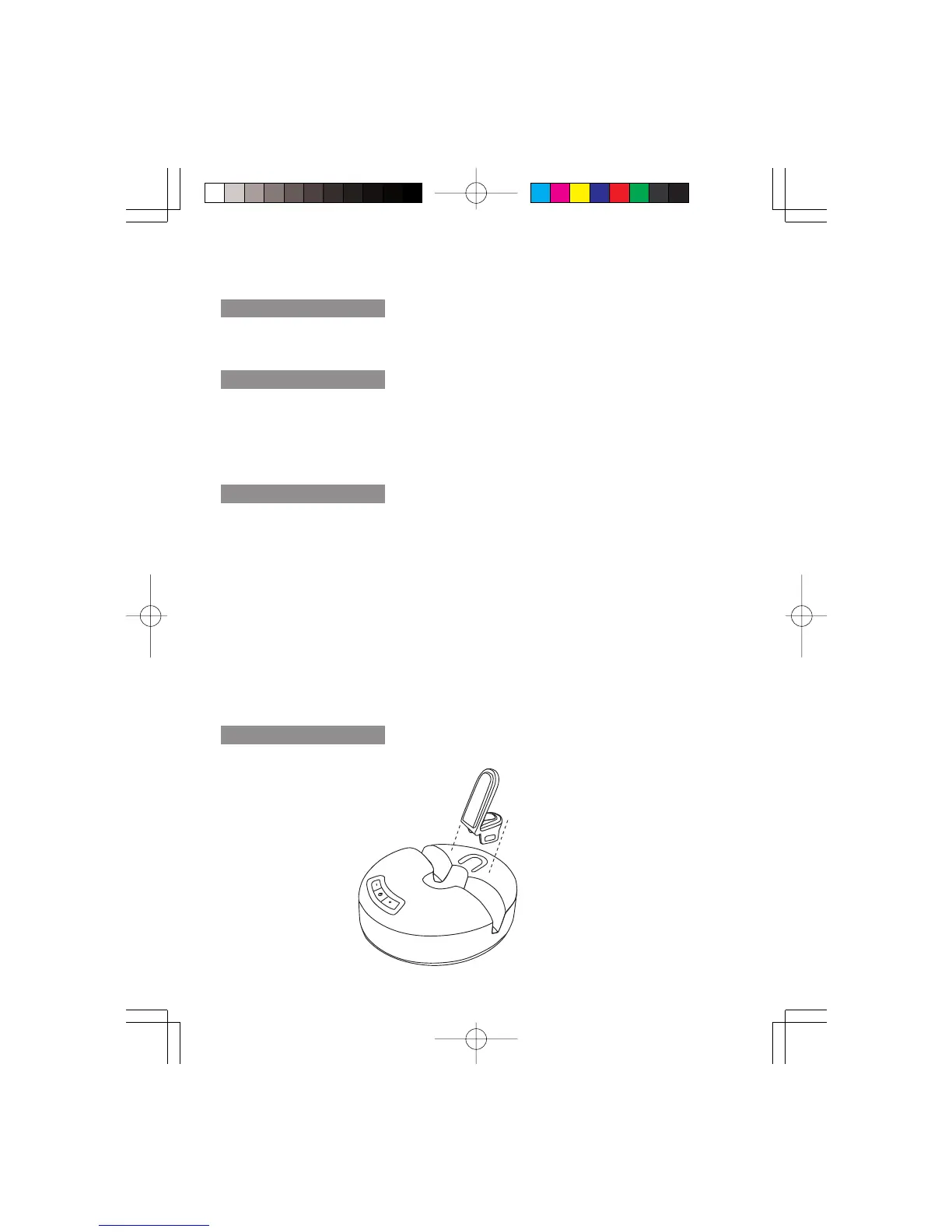
This speaker includes supporting insert that can best support your different tablets. Disconnect the
power source before making connections
1
This speaker system is designed to deliver superior audio performance to iPhone, smartphones,
iPod, MP3 players, iPad, tablets, and other portable devices.
• Stereo speaker
• AC Adapter
• Audio cable
• Supporting insert
• Owner’s Guide with connection diagram
Supporting insert



 To Next Page