EasyManua.ls Logo

CyberChill PCF 40 - Fault Finding; Alarms

Default Icon
12 pages
Print Icon
To Next Page IconTo Next Page
To Previous Page IconTo Previous Page
Loading...
Fault Finding!
In the event of cabinet fault/failure, please check the following: !
1. Plug is in socket and power to the socket can be proven by plugging another appliance
into the same socket or swapping the problem cabinet to a socket that is known to
work. !
2. The fuse located in the plug is intact. !
3. The condenser is clean and free from dust or debris. !
4. Door gasket is sealing and free from damage. !
!
If this doesn’t solve the problem, please call a qualified technician.!
When requesting a service call, please find the manufacturers data plate and provide the
model, serial number and details of any fault codes that are displayed.!
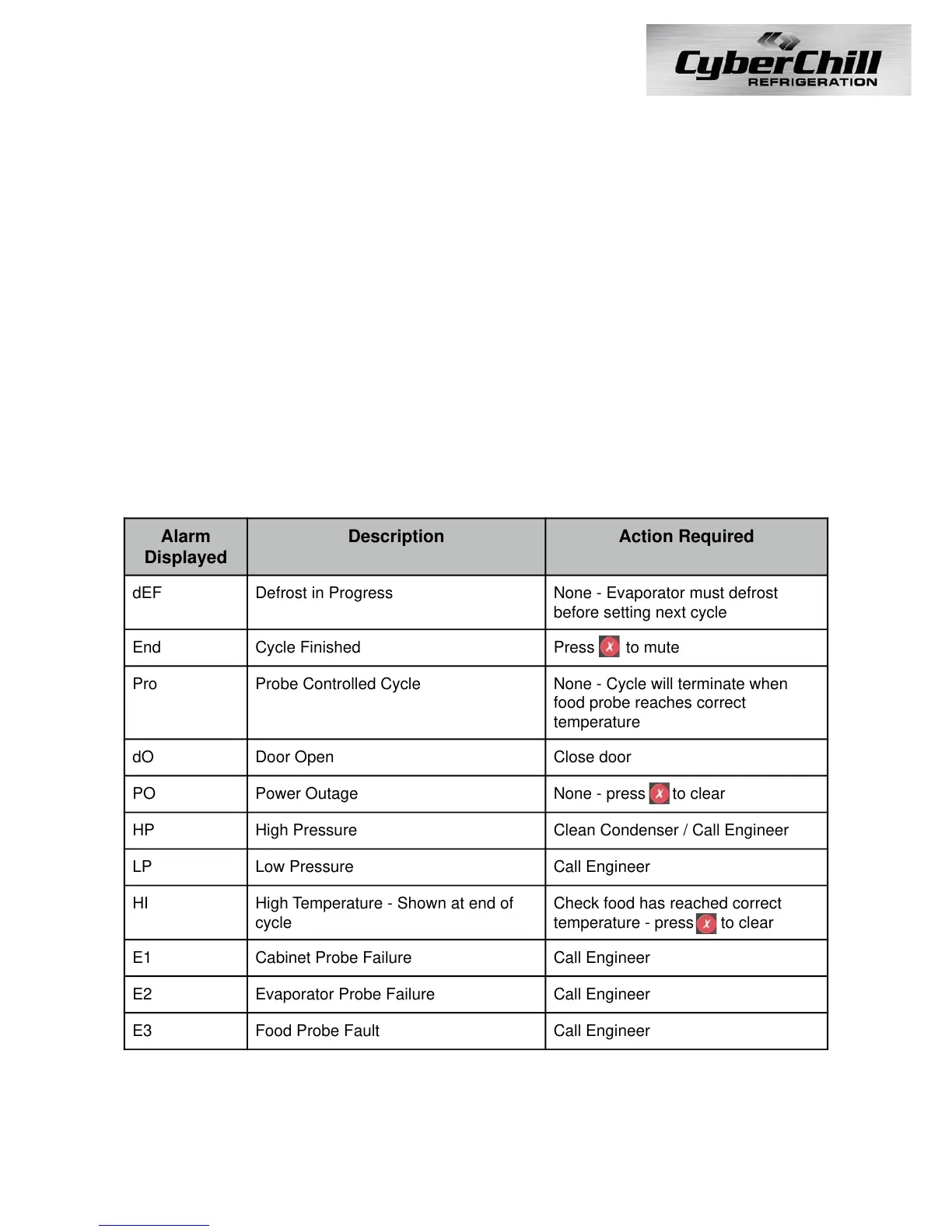
Alarms!
The controller is equipped with internal visual and audio alarms:
Press any button on the controller to silence an alarm.!
!
!

Alarm
Displayed
Description
Action Required
dEF
Defrost in Progress
None - Evaporator must defrost
before setting next cycle
End
Cycle Finished
Press to mute
Pro
Probe Controlled Cycle
None - Cycle will terminate when
food probe reaches correct
temperature
dO
Door Open
Close door
PO
Power Outage
None - press to clear
HP
High Pressure
Clean Condenser / Call Engineer
LP
Low Pressure
Call Engineer
HI
High Temperature - Shown at end of
cycle
Check food has reached correct
temperature - press to clear
E1
Cabinet Probe Failure
Call Engineer
E2
Evaporator Probe Failure
Call Engineer
E3
Food Probe Fault
Call Engineer
9

Related product manuals