CyberData Corporation
3 Justin Court, Monterey, CA 93940
www.cyberdata.net
P 831.373.2601 | F 831.373.4193
RING CENTRAL CONFIGURATION GUIDE: SIP PAGING ADAPTER (SPA)
Doc. 931050B Page 19
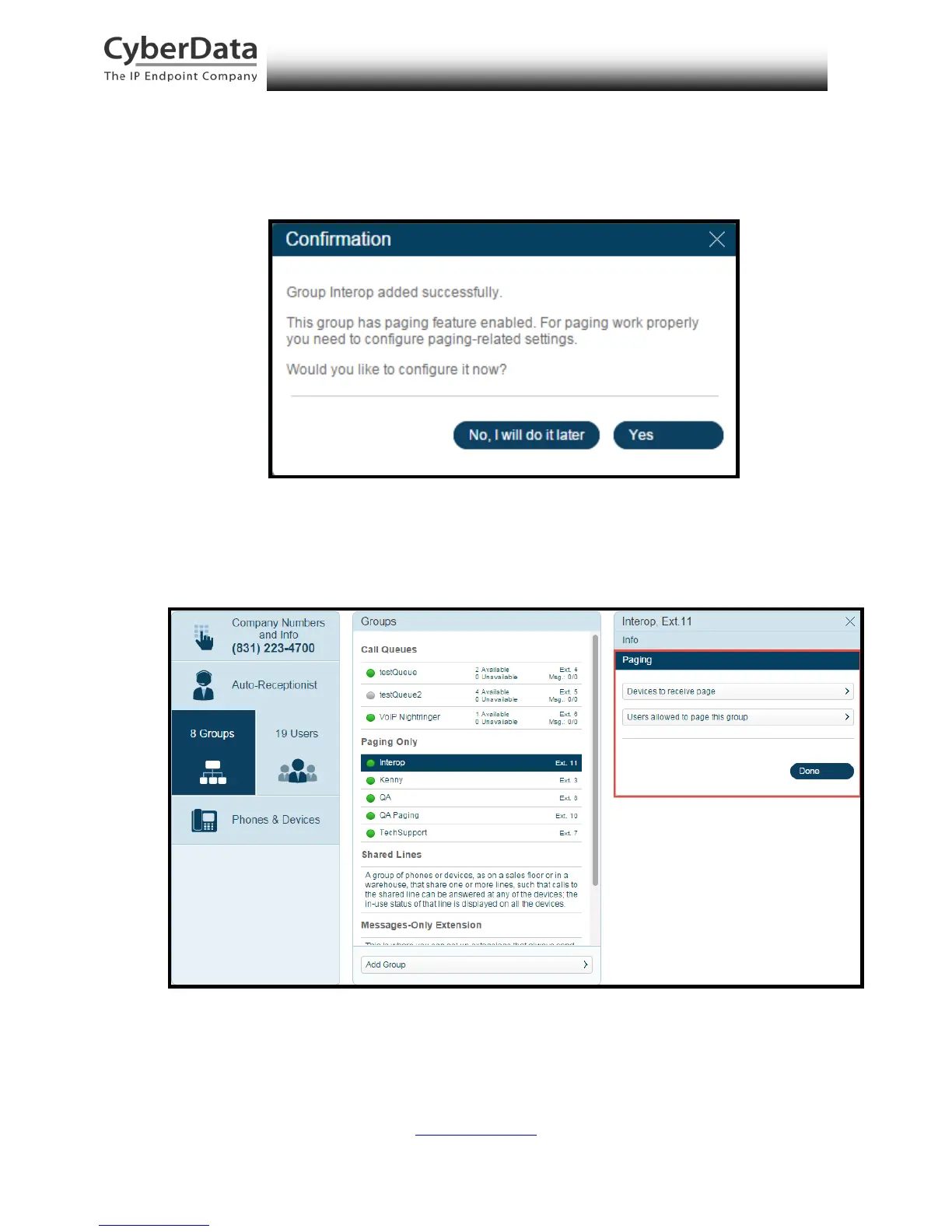
8. A confirmation screen will confirm the paging group has been created. Select Yes to
configure paging settings.
Figure 5-9. Confirmation
9. Verify the new paging group appears in the Groups list. Select the paging group and a
menu will appear to the far right of the screen. From this menu, select Paging.
Figure 5-10. Group Paging Menu



 To Next Page