CyberData Corporation
3 Justin Court, Monterey, CA 93940
www.cyberdata.net
P 831.373.2601 | F 831.373.4193
RING CENTRAL CONFIGURATION GUIDE: SIP PAGING ADAPTER (SPA)
Doc. 931050B Page 20
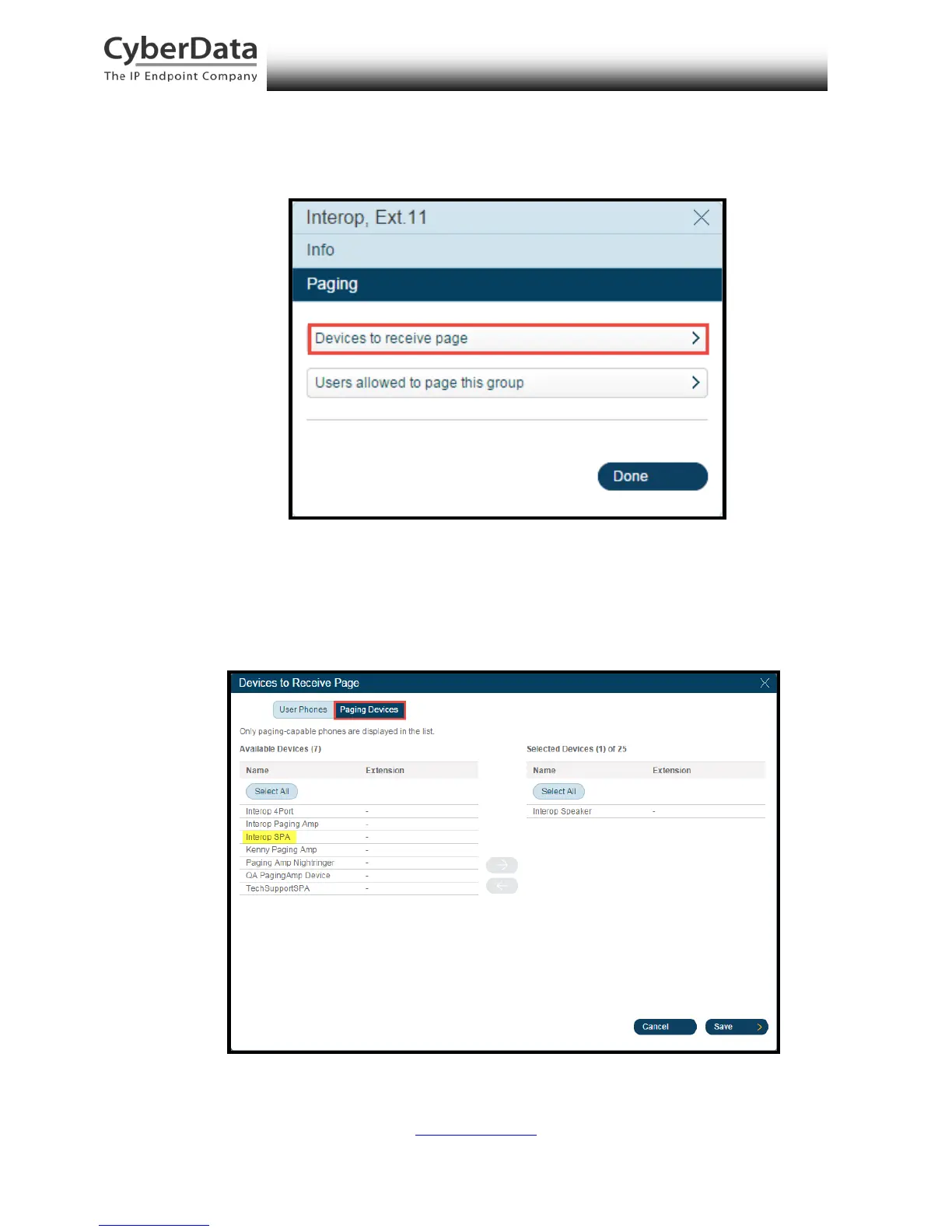
10. From the Paging menu, select Devices to receive page.
Figure 5-11. Devices to Receive Page
11. A popup labeled Devices to receive page will appear. Select Paging Devices to view
paging-capable devices that can be added to the paging group. Verify the device appears.
Figure 5-12. Select Devices to Receive Page



 To Next Page