CyberData Corporation
3 Justin Court, Monterey, CA 93940
www.cyberdata.net
P 831.373.2601 | F 831.373.4193
RING CENTRAL CONFIGURATION GUIDE: SIP PAGING ADAPTER (SPA)
Doc. 931050B Page 24
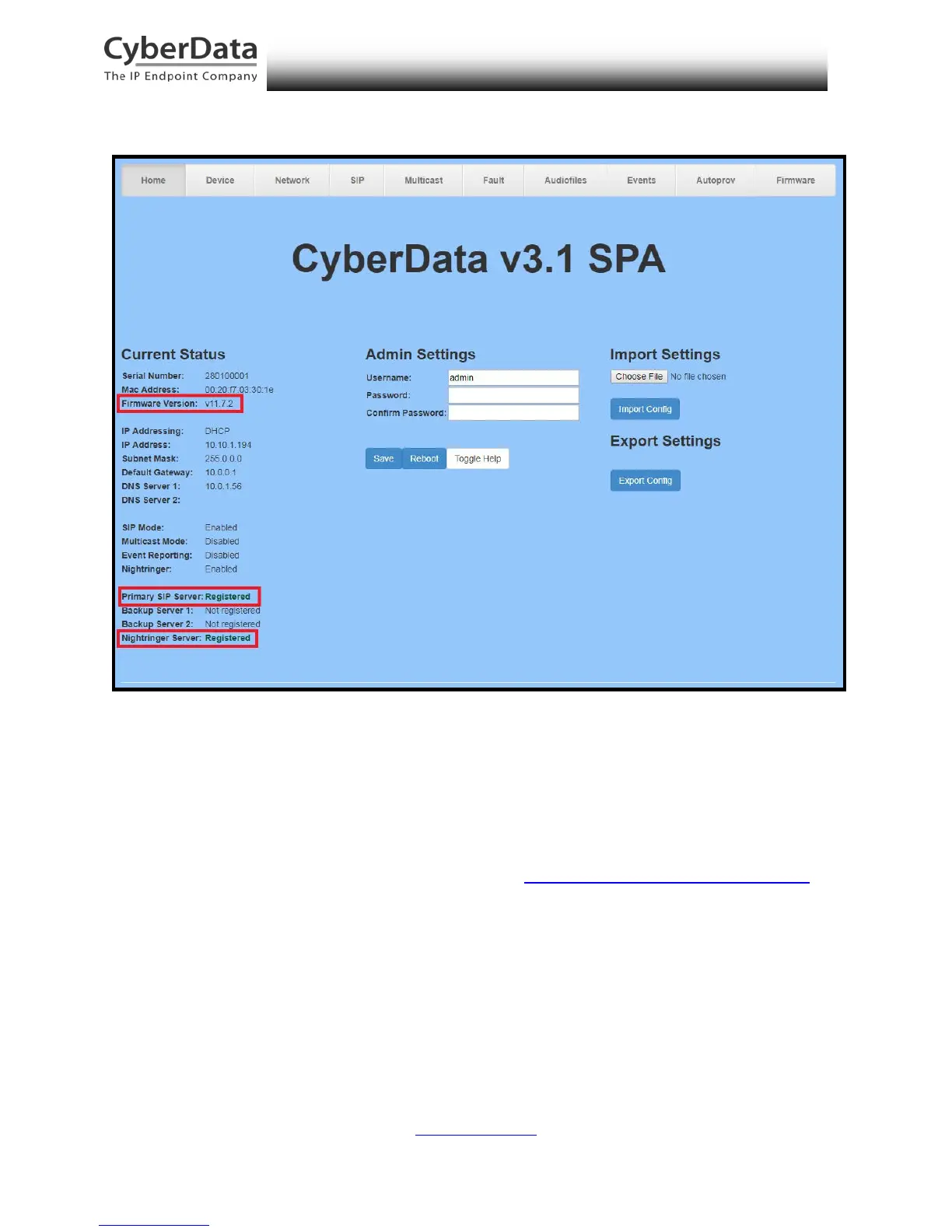
Figure 5-17. Home Page of SPA Web Interface
3. On the Home Page, click SIP Config on the left-hand side of your screen to access the
SIP Configuration page.
Note: The firmware version and registration status for the paging extension and
Nightringer extensions appear here.
4. Enter the provisioning information from the Generic Paging Device Provisioning
popup window. Note the Local SIP Port is set to 5060 on default and is used by the SPA
as its source port for the paging extension configured on this page.
5. Set the Re-registration Interval (in seconds) to 30 seconds.
6. Set the Keep Alive Period to 0.
7. Enable Force Codec Selection and use PCMU.



 To Next Page