CyberData Corporation
3 Justin Court, Monterey, CA 93940
www.cyberdata.net
P 831.373.2601 | F 831.373.4193
RING CENTRAL CONFIGURATION GUIDE: SIP PAGING ADAPTER (SPA)
Doc. 931050B Page 34
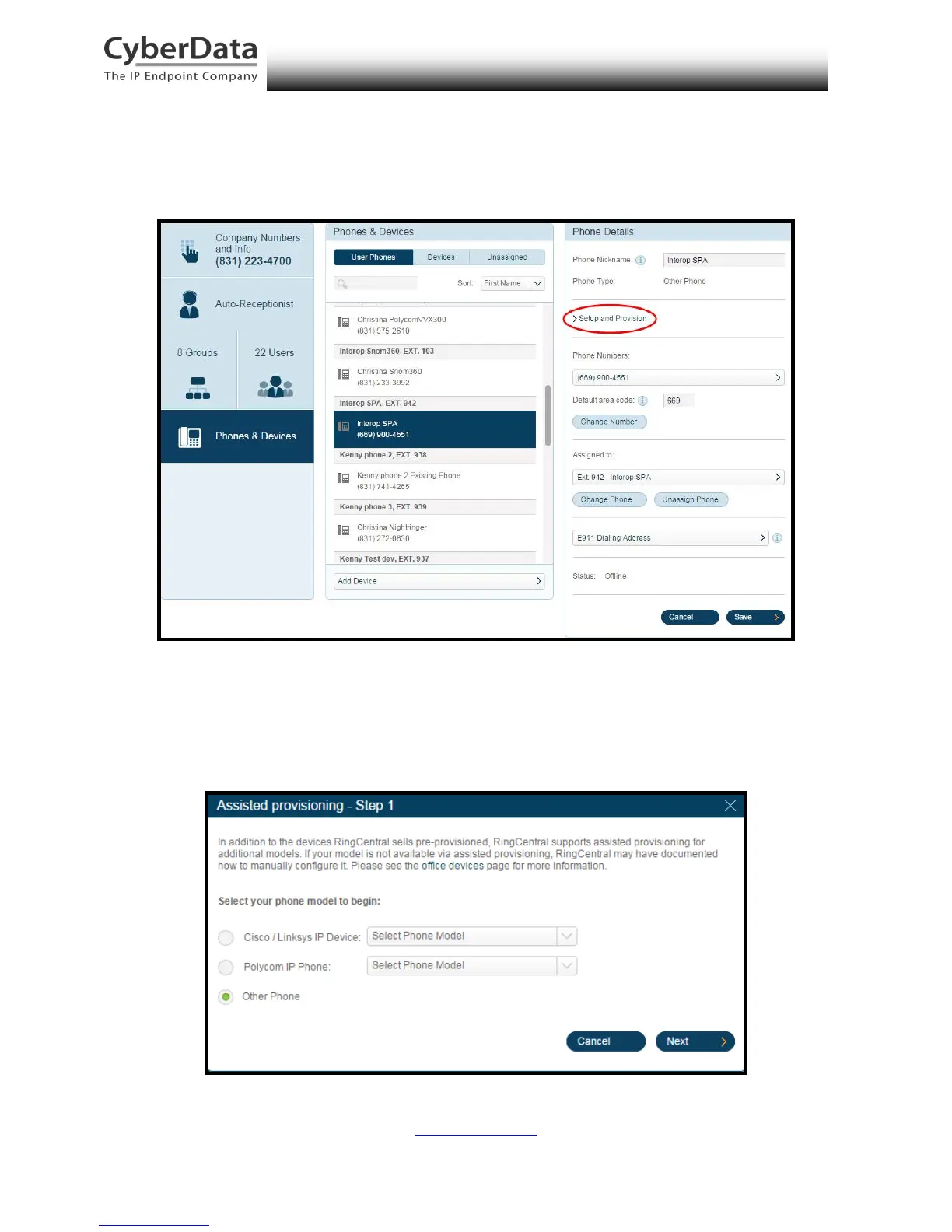
8. From the Phones & Devices menu, select User Phones and select the user phone
designated for the paging server. Click Setup and Provision.
Figure 6-7. Setup and Provision
9. A popup window labeled Assisted provisioning – Step 1 will appear. Select Other
Phone and click Next.
Figure 6-8. Assisted provisioning – Step 1



 To Next Page