CyberData Corporation
3 Justin Court, Monterey, CA 93940
www.cyberdata.net
P 831.373.2601 | F 831.373.4193
RING CENTRAL CONFIGURATION GUIDE: SIP PAGING ADAPTER (SPA)
Doc. 931050B Page 40
Verify Paging Menu Is Enabled
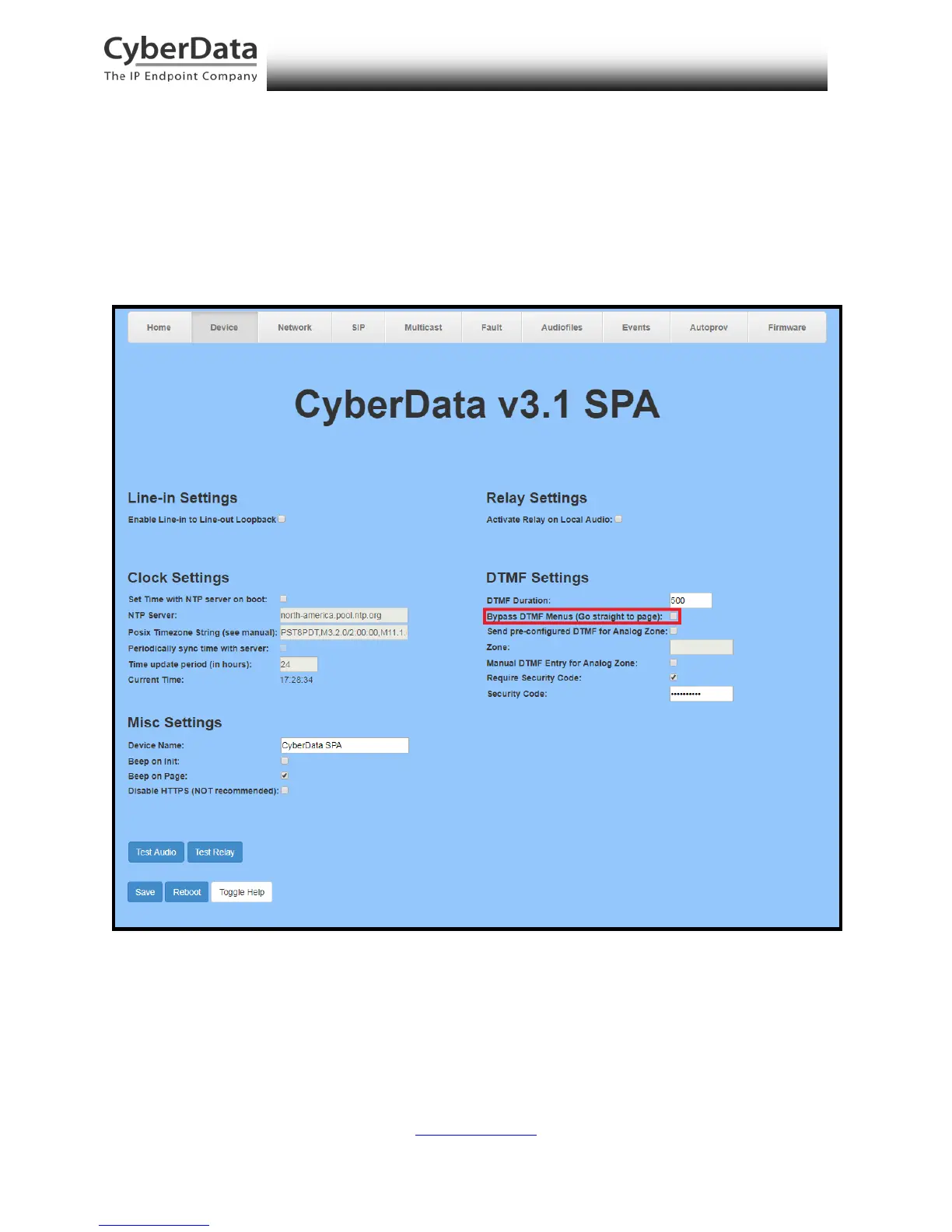
Before making a test call, be sure to verify the paging menu is enabled. The setting Bypass
DTMF Menus (Go straight to page) is located on the Device Configuration page of the web
interface. Make sure this setting is unchecked. On default, Bypass DTMF Menus (Go straight to
page) is disabled.
Figure 6-13. Enabled Paging Menu



 To Next Page