4
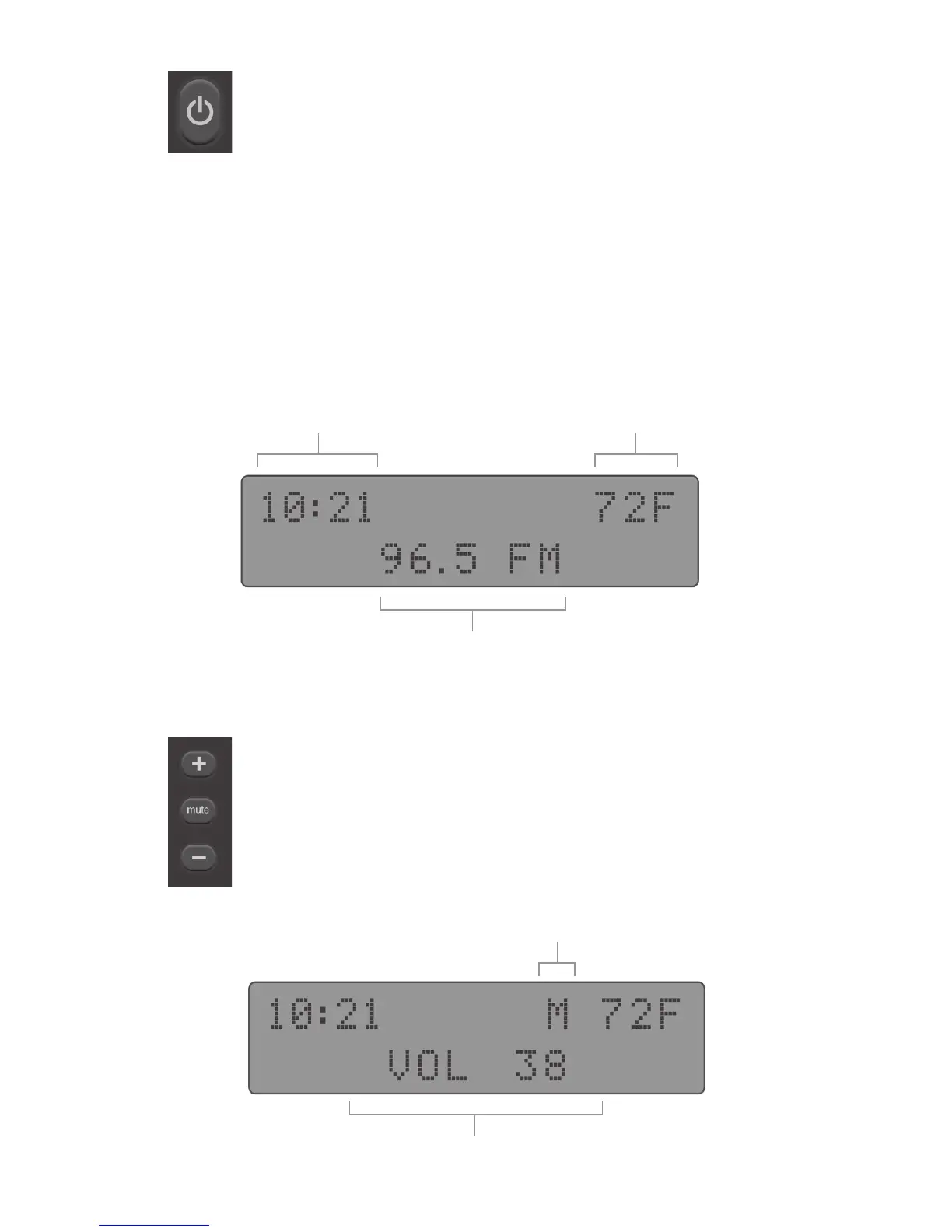
Volume Controls {
The easy access volume controls function just as any
typical radio with "+" indicating raising the level and
"-" lower the level. As well as "mute" will silence any
audio passing through the Rock Box.
Mute Indicator
Volume Setting
Understanding the Rock Box Display u
The Rock Box’s digital display will show you information
about it’s function(s) and mode(s) while it is in operation. The
time and temperature will always display regardless of which
mode you are using.
Time Temperature
Mode Specic Items
Powering ON/OFF the Rock Box t
To power the Rock Box ON or OFF you must hold
down the power button for 3 seconds.


 To Next Page